












Gaming Mouse Pad Guide: Speed, Control, and Sensor Compatibility
You have calibrated your DPI, tuned your polling rate, and dialed in your in-game sensitivity — yet shots still float wide or micro-corrections feel inconsistent. In most cases, the problem is not your mouse. It is the surface underneath it. A gaming mouse pad controls three things that directly determine aim: friction consistency, sensor tracking stability, and the physical space your arm needs to complete each movement. Get those three wrong and every other setting you tune is compensating for a problem that should not exist in the first place.
This guide covers everything you need to make an informed surface choice — from how optical and laser sensors interact with different materials, to the real-world difference between speed and control surfaces, to sizing your pad correctly for your eDPI and desk. Whether you are building a dedicated gaming station or a dual-purpose workspace that needs to perform under pressure, the right surface is the one that removes variables rather than adding them.
Why Your Mouse Pad Is a Performance Variable, Not an Afterthought
A gaming mouse sensor works by capturing thousands of micro-images per second, comparing each frame to the last, and translating the difference into cursor movement. When the surface beneath the sensor varies in texture — worn patches, uneven weave compression, inconsistent coatings — the comparison between frames becomes unreliable. The result is tracking that feels slightly different on the left side of the pad than the right, or glide that changes between the first hour of a session and the third. A uniform, purpose-built gaming mouse pad removes those variables and gives your muscle memory a consistent foundation to learn from.
There is also a postural dimension to this choice that most surface guides skip entirely. A pad that is too small for your sensitivity forces your arm into cramped, wrist-dominated movements that build fatigue over long sessions and increase the risk of repetitive strain. A pad that sits on a desk at the wrong height compounds this by forcing your shoulder into elevation. The right gaming mouse pad, sized and positioned correctly on a well-configured desk, keeps your elbow at approximately 90 degrees, your shoulder relaxed, and your forearm supported — which is as much an ergonomics decision as it is an aim decision. You can read more about the full picture in our Gaming Hub.
How Sensors Read a Surface: Optical vs. Laser Compatibility
The two sensor types you will encounter — optical and laser — differ in how they illuminate a surface, and that difference determines which pad materials they work with reliably. Modern optical sensors use an LED (typically infrared) to illuminate the surface layer and capture reflected detail. Because they read only the surface texture, they deliver predictable, 1:1 tracking without artificial acceleration on cloth and compatible hard pads. Laser sensors use a laser diode that penetrates deeper into surface materials, which gives them broader compatibility across glossy or non-standard surfaces, but also causes them to pick up subsurface noise that can introduce tracking inconsistencies and micro-jitter — a significant disadvantage for precision aiming.
For competitive gaming in 2026, the optical sensor is the clear standard. Every major esports mouse uses optical technology precisely because it provides consistent tracking on a well-matched gaming mouse pad without the acceleration artifacts that laser sensors can introduce at low speeds. The practical consequence for pad selection is straightforward: if your mouse uses an optical sensor (which it almost certainly does), prioritize cloth pads with uniform micro-texture, or hard/hybrid surfaces with a matte, non-reflective face. Reflective or high-gloss surfaces can reduce the feature density the sensor needs to track cleanly. Keep the surface clean with a quick microfiber wipe before sessions, because even a thin layer of skin oil on a hard pad can change the reflective profile the sensor reads.
One additional compatibility variable worth checking is whether your mouse software includes a surface calibration tool. Many modern gaming mice allow you to run a calibration scan against your specific pad, which optimizes how the sensor interprets that material's reflective signature. Running this calibration after getting a new pad takes less than a minute and can meaningfully improve tracking consistency, particularly on hybrid or coated surfaces where reflectance is less predictable.
Speed Pads vs. Control Pads: Understanding the Friction Spectrum
Every gaming mouse pad sits somewhere on a friction spectrum between maximum glide and maximum stopping power. The "speed vs. control" distinction is not a binary choice — it describes two ends of a continuum, and most surfaces sit somewhere in between. Understanding what friction actually does to your movements is more useful than applying a label, because the same pad can feel like a speed surface to a heavy-handed palm gripper and like a control surface to a light-touch fingertip player.
Surface friction has two distinct components that affect your aim differently. Static friction is the resistance you feel at the very start of a movement — the amount of force required to get the mouse moving from a standstill. High static friction makes tiny aim taps feel anchored and deliberate; low static friction makes them feel effortless but can introduce unintentional micro-drift. Kinetic friction is the resistance you feel while the mouse is already in motion. A surface with low kinetic friction allows free, sweeping glide for tracking and wide turns; a surface with high kinetic friction provides consistent drag throughout the movement, making stops more deliberate and reducing overshoot on micro-corrections.
In practical terms: if your shots consistently float past the target, your kinetic friction is too low and you need a surface with more stopping bite — textured cloth or a dense hybrid. If your crosshair hesitates at the start of movements or feels sticky during small corrections, your static friction is too high and a smoother weave or hard surface will help. If large turns feel fine but precise stops consistently overshoot, the issue is kinetic friction specifically, and slightly higher-drag mouse skates can address it without changing the pad. The most important thing is to test changes one variable at a time and run the same repeated movement — ten flicks to a fixed target point, judging landing spread rather than single results — so the improvement is measurable rather than subjective.
Speed surfaces suit low-sensitivity arm aimers who need to physically cover large distances on the pad with minimal resistance. Control surfaces suit players who value precise stopping points, especially in tactical shooters where crosshair placement accuracy matters more than raw sweep speed. Hybrid surfaces occupy the practical middle ground and are a sensible starting point if you are unsure, because they balance glide and stopping power in a way that suits a broad range of sensitivities and genres.
Gaming Mouse Pad Materials Compared
Surface material determines the feel your hand experiences every session, how the sensor reads the texture, how the pad behaves in different humidity conditions, and how long it stays consistent before needing replacement. The five main materials each offer a distinct set of trade-offs.
Cloth
Cloth remains the most popular gaming surface for good reason. It is quiet, wrist-friendly during long sessions, and available across the full friction spectrum from dense textured weaves to silky smooth tops. Modern cloth pads with micro-weave constructions provide excellent sensor tracking consistency because the uniform fiber pattern gives the sensor reliable reference detail from frame to frame. The main limitation is humidity sensitivity: moist air increases drag on most cloth weaves, which can make a familiar pad feel slower on hot, humid days. Stitched edges extend lifespan by preventing fraying and keeping corners flat. For cleaning, hand wash in cool water with mild soap, rinse thoroughly, and dry flat in room-temperature air — avoid heat and tumble drying, which can damage adhesives and deform the base.
Hard Plastic and Polycarbonate
Hard plastic and polycarbonate tops deliver fast, highly consistent glide that does not change with humidity — a significant advantage for players in coastal or high-moisture environments. They are easy to maintain with a quick microfiber wipe and typically hold their surface characteristics for months longer than cloth before noticeable wear sets in. The trade-offs are audible: hard surfaces produce more glide noise than cloth, which some players find distracting. They also offer less natural wrist cushioning, so longer sessions benefit from a palm rest or wrist support.
Aluminum
Aluminum surfaces are crisp, very fast, and thermally consistent. They clean with minimal effort and maintain their glide characteristics in any season. The feel is distinctly different from cloth — more rigid underhand, with a brighter surface sound during fast sweeps. Surface scuffs accumulate over time from repeated mouse skate contact, which can slightly alter glide consistency in polished lanes. A palm rest is advisable for extended use, and you should avoid abrasive cleaners that can damage any protective coating on the surface face.
Micro-Etched Glass
Micro-etched glass pads offer the most uniform, humidity-proof tracking surface available. The non-porous face wipes perfectly clean, ignores temperature and moisture swings entirely, and provides exceptionally smooth glide across the whole surface area. The pairing between skates and glass matters more here than with any other material: high-quality PTFE or UHMWPE feet produce controlled, predictable movement, while worn or mismatched skates can make glass feel unpredictably fast. Surface noise is more pronounced than cloth, which can be partially softened by a thin desk mat underneath to reduce resonance from hollow desk surfaces.
Hybrid Surfaces
Hybrid pads blend a smooth, coated face with a supportive base to deliver a feel that sits between fast cloth and hard surfaces. They travel well, tolerate quick wipes for routine maintenance, and typically combine lower static friction (easy start) with moderate kinetic friction (controlled stops) — which makes them genuinely versatile across sensitivity ranges. For players who are not sure where they fall on the speed-control spectrum, a hybrid is a practical starting point that works well for the majority of setups and genres.
Quick Material Comparison
| Material | Glide Feel | Stopping Power | Noise Level | Humidity Impact | Maintenance |
|---|---|---|---|---|---|
| Textured cloth | Medium | High | Very low | Moderate (raises drag) | Hand-wash, dry flat |
| Smooth cloth | Medium-high | Medium | Very low | Moderate | Hand-wash, dry flat |
| Hard plastic / PC | High | Medium-low | Medium | None | Microfiber wipe |
| Aluminum | Very high | Low | High | None | Gentle wipe, no abrasives |
| Micro-etched glass | Very high | Low–medium (skate-dependent) | Medium-high | None | Microfiber or IPA wipe |
| Hybrid | Medium-high | Medium | Low–medium | Low | Wipe, occasional gentle wash |
Use this table to shortlist two or three candidate materials, then make the final call based on your sensitivity, grip style, and the humidity conditions in your room. A table cannot replicate the feel of glide under your hand during an actual match — but it can rule out materials that are structurally wrong for your setup before you spend money finding out.
Sizing Your Pad to Your Sensitivity and Desk
Pad size is a geometry decision, not a style preference. The surface has to physically accommodate your full range of mouse movement without forcing your arm into edge-crash recoveries mid-fight, and it has to fit the desk without pushing your keyboard into an awkward angle that compromises posture. Both constraints matter, and the right size is the intersection between them.
Start by measuring your available mouse runway: take your usable desk width, subtract your keyboard width, and subtract a small buffer for cables, a drink, or any peripheral you keep in that lane. The result is the width your pad can realistically occupy. Next, measure your actual 180-degree turn distance at your current sensitivity — open an aim trainer or practice range, place a reference point, rotate exactly 180 degrees, and mark where your mouse lands. Add a small margin to that figure to account for human variance in fast gameplay. If that turn distance approaches the edge of any pad you are considering, size up. Hitting the pad edge mid-rotation is one of the most disruptive things that can happen during an intense exchange, and it is entirely preventable by choosing the right size from the start.
As a general guide: arm aimers at low sensitivity (typically under 800 eDPI) need at minimum an XL-sized surface — roughly 450mm wide or more — to complete full 180-degree rotations without repositioning mid-movement. Medium-sensitivity players running a hybrid arm-and-wrist style perform well on large or XL pads. High-sensitivity wrist aimers can work comfortably on medium pads. Desk mat formats (900mm+) are useful for players who want to keep both keyboard and mouse on a unified surface, or for ultra-low sensitivity setups requiring extreme physical sweep room. If you are building a proper gaming station on a full-size desk, there is rarely a reason to go smaller than XL — the extra coverage accommodates posture variations and prevents the pad from shifting during intense sessions.
Lift-Off Distance: The Surface Variable Most Gamers Ignore
Lift-off distance (LOD) is the height above the pad at which your mouse sensor stops tracking movement when you pick the mouse up to reposition. Most gaming mice fall somewhere between one and three millimeters. The competitive preference is a low LOD — typically 1 to 2mm — because it ensures the cursor stays still during mouse resets, which matters most for low-sensitivity players who lift and reposition frequently during large arcs. When LOD is too high, even a slight tilt of the mouse during the lift translates into cursor drift, which throws off muscle memory and landing accuracy on flick shots.
The surface you choose has a direct and often overlooked influence on effective LOD. Cloth pads with tight, uniform micro-weave construction give the sensor consistent reference detail that degrades predictably as the mouse lifts, producing reliable low-LOD behavior. Thicker cloth pads can also reduce effective LOD slightly by bringing the mouse feet closer to the sensor's read depth. Hard and glossy surfaces interact differently: some reflective materials cause the sensor to track at greater heights than expected because the reflected light signal remains strong further from the surface. This is one reason surface calibration — running the built-in calibration tool in your mouse software against your specific pad — is worth doing. It maps your pad's reflective profile and allows the sensor to cut off at a consistent, predictable height rather than guessing from defaults.
If your cursor drifts during mouse lifts, try lowering the LOD setting in your mouse software by one step and retesting. If the sensor cuts out during fast low movements, raise it one step. The goal is the lowest stable setting for your specific pad and lift behavior — not the lowest possible setting in the abstract. Keep DPI and polling rate constant while tuning LOD, so each variable's effect is isolated and genuinely measurable.
Skates, Surface Synergy, and Fine-Tuning Your Glide
Mouse skates (the feet underneath the mouse) and pad surface work together as a system. Changing the skate material on the same pad can shift the feel more dramatically than switching between similar pad surfaces. PTFE (polytetrafluoroethylene) skates are the most common choice: they are quiet, wear slowly, and glide predictably on nearly every surface type, from textured cloth to hybrid tops. Ceramic skates last longer and add a subtle degree of control on fast hard surfaces, which suits players who find pure PTFE too slippery on aluminum — on glass, check the pad maker's guidance first, since ceramic can be harder than glass and risks scratching it. Glass skates are the fastest option available, pairing well with cloth and hybrid tops — though on glass pads, the combination can be too frictionless for players who rely on tactile stopping feedback.
Edge geometry matters more than most players realize. Rounded skate edges reduce micro-scratching on hard tops and prevent snagging on textured cloth weaves. Larger-contact-area skates distribute the mouse's weight more evenly, reducing micro-stutter on rougher surfaces by smoothing out the friction profile across each movement. For maintenance, wipe both the pad surface and the skate contact surfaces before each session — skin oil on the feet changes kinetic friction in a way that accumulates invisibly but affects glide noticeably. Replace skates that have visibly flattened, chipped, or developed uneven wear patterns, as asymmetric skates introduce directional friction variation that undermines aim consistency.
Maintenance and Lifespan: Clean, Test, Replace
Surface degradation happens slowly and invisibly until it reaches a threshold that shows up as tracking inconsistency. Skin oil accumulates in cloth weaves and creates areas of elevated drag. Fine dust and grit embed in the surface and act as microscopic brakes. Polished lanes develop on hard tops where glide suddenly changes feel. None of these are dramatic events — they are gradual shifts that erode aim consistency over weeks and months, which is why players who clean their pads regularly maintain more consistent performance than those who only clean after an obvious problem appears.
For cloth pads, blot spills immediately with a dry cloth and do not rub. For scheduled cleaning, hand wash in cool water with a small amount of mild soap, rinse thoroughly to remove all soap residue, and dry flat at room temperature. Never use a dryer or expose to direct heat, which can warp the base material and damage adhesive layers. For hard plastic and metal surfaces, a dry microfiber cloth handles everyday dust and a lightly damp cloth with a small amount of gentle dish soap breaks accumulated skin oil. For glass surfaces, a few drops of isopropyl alcohol diluted with water on a microfiber cloth removes fingerprints and oils without leaving residue.
Know when to replace rather than clean. Tracking hiccups that return quickly after a thorough clean, frayed or lifted cloth edges at the wrist zone, persistent squeaking that new skates do not resolve, and polished lanes on hard tops where glide suddenly changes mid-movement are all signals that the surface has degraded past the point where cleaning restores consistent performance. A fresh pad resets the glide to day-one consistency and removes a source of hidden variance from your aim.
Building the Complete Setup Around Your Pad
A gaming mouse pad does not exist in isolation. It sits on a desk surface, in front of a keyboard, at an arm height determined by your chair, and within a posture framework that either supports your shoulder and elbow or forces them into positions that accelerate fatigue. Getting the pad right while the rest of the setup is wrong means you are optimizing one component inside a system that is still working against you.
The key variable is arm height. Your elbow should sit at approximately 90 degrees when your forearm rests on the desk or pad. If your chair is set too low relative to your desk, your shoulder elevates to compensate and your forearm pronates into an angle that changes how you grip the mouse — subtly, but consistently. If your chair is too high, your wrist flexes downward and load shifts from the arm to the wrist for every movement. Both misalignments increase fatigue and degrade consistency over long sessions in ways that no pad upgrade will fix. Blacklyte's Gaming Hub covers the full posture framework for gaming setups, and if you are configuring a desk for both gaming and work, the Ergonomics page covers the sitting and standing posture fundamentals in detail.
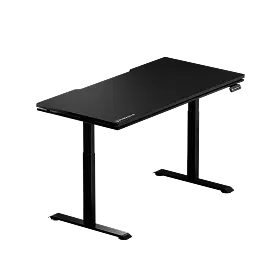
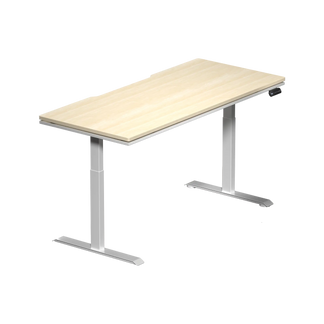
The desk surface matters too, particularly for pad stability. A smooth, flat desk keeps the pad's rubber or NBR base from creeping during lateral sweeps — a common problem during intense exchanges when downward pressure is high. Blacklyte's standing desks, including the Atlas Desk and Atlas Lite Standing Desk, both feature flat, stable work surfaces and integrated cable management that keeps the desk uncluttered — which matters practically because a cable snagging against a pad edge mid-movement creates exactly the kind of inconsistency that undermines everything else you are trying to control. Pair the right pad with a properly configured chair and a well-organized desk, and you have removed the three biggest sources of setup-level inconsistency in a single sweep. For the surface itself, the Atlas Glass Mouse Pad is a 490 × 420 mm (19.3″ × 16.5″), 3 mm micro-etched, chemically tempered glass pad on a full-surface honeycomb silicone base — the humidity-proof, low-maintenance route described above. Browse the full accessories collection to see what else rounds out a performance-ready station.
Frequently Asked Questions
Do pad color and printed patterns affect sensor tracking?
Yes, in some cases. Optical sensors prefer matte, uniformly textured surfaces. Very high-contrast printed patterns, metallic ink flakes, or glossy overcoats can reduce the consistency of the texture detail the sensor reads between frames, which may introduce minor jitter — particularly at very low lift heights. Mid-tone, non-reflective surfaces with a consistent micro-texture generally produce the most stable tracking. If your pad has bold graphics, check whether the tracking zone (where the mouse actually moves) sits on a uniformly printed area rather than a high-contrast edge region.
What is the best mouse pad surface for FPS games?
For competitive FPS at low-to-medium eDPI, a textured cloth or dense hybrid pad is generally the best starting point. These surfaces provide the stopping control needed for precise crosshair placement while still allowing smooth tracking for target acquisition. Low-sensitivity arm aimers benefit from XL-sized textured cloth. Medium-sensitivity players who blend wrist and arm movements often prefer smooth cloth or a hybrid that lowers static friction while preserving some stopping bite. Speed surfaces (glass, polycarbonate) work well for high-sensitivity wrist aimers who prioritize effortless flick acceleration over firm stops.
How often should I clean my gaming mouse pad?
For cloth pads used in daily sessions, a light dry-microfiber wipe before each session and a full hand-wash every two to four weeks (or sooner if glide changes noticeably) is a reasonable schedule. Hard and glass surfaces need only a quick wipe with a dry or slightly damp microfiber cloth to maintain consistent glide. The signal to clean is a change in glide feel — particularly if static friction increases, the pad feels "sticky" at the start of movements, or tracking hiccups appear. Do not wait for visible dirt; by the time contamination is visible, it has already been affecting performance for days.
Does desk height affect how a gaming mouse pad feels?
Indirectly but meaningfully, yes. When your desk is at the correct ergonomic height for your body and chair, your forearm rests naturally on the pad surface with relaxed shoulder and elbow alignment. This neutral position means your arm moves along the pad rather than pressing into it, which keeps kinetic friction consistent and reduces arm fatigue. At an incorrect desk height, increased downward arm pressure on the mouse effectively raises kinetic friction — making the pad feel slower or stickier than it actually is. If the same pad feels inconsistent between sessions, check whether your chair or posture has shifted before assuming the pad needs replacing.
Conclusion
Choosing a gaming mouse pad comes down to three variables working in combination: the friction profile that matches your sensitivity and aiming style, the surface material that stays consistent in your specific environment, and the size that gives your arm room to move without constraint. Get those three right and you remove a layer of invisible inconsistency that no amount of sensitivity tuning can compensate for.
Start with a textured cloth or balanced hybrid if you are unsure — these surfaces cover the widest range of sensitivities and game genres, track reliably with modern optical sensors, and tolerate real-world conditions well. Move to a hard or glass surface if humidity consistency and minimal maintenance are priorities, and pair it with quality PTFE or UHMWPE skates for predictable control. Size up before you size down. The performance cost of a pad that is slightly too large is zero. The performance cost of a pad that is too small shows up in every rotation you have to cut short.
And remember: the pad is one component of a complete setup. The right ergonomic configuration — chair height, desk height, forearm alignment — determines how your arm interacts with that surface every session. When the whole setup is dialed in, the pad does exactly what it is supposed to do: disappear beneath your hand, and let your aim speak for itself.
Build the Setup Your Aim Deserves
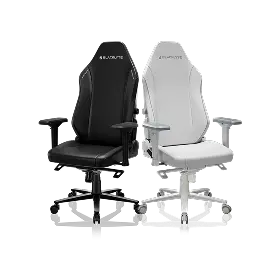
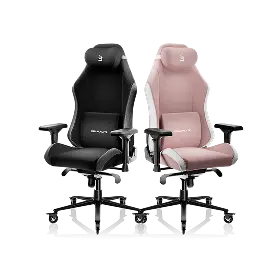
A great mouse pad is only as effective as the setup around it. Blacklyte designs gaming chairs, standing desks, and accessories engineered for performance and posture — so your setup stops working against you and starts working for you. Trusted by tournament organizer BLAST and esports organizations including Team Vitality, Team Liquid, Fnatic, and Team Spirit.
- Browse all gaming accessories
- Explore the Atlas standing desk lineup
- Find your gaming chair
- Read the full Gaming Hub
Questions about your setup? Contact us — our team is here to help you get it right.


