












Electric Stand-Up Desks: Motors, Memory Presets, and Noise Levels Explained
Most people shopping for an electric stand-up desk spend a lot of time thinking about the desktop surface, the color, and whether it comes with cable management. The motor barely enters the conversation. That's a mistake — because the motor is the desk. It determines how fast you transition, how quietly you do it, how much weight the frame can carry, and whether the whole thing still feels solid three years from now. Get the motor wrong and you have a desk that either sounds like a lawnmower during a live stream or hesitates under the weight of a dual-monitor setup.
Memory presets and noise levels are equally misunderstood. Most buyer guides treat presets as a minor convenience feature and noise levels as a single spec number to glance at. In practice, both have a real and direct effect on whether you actually bother adjusting your desk throughout the day — or whether it stays locked at one height and collects coffee rings. This guide breaks down how electric stand-up desk motors work, what to expect from different motor configurations, how to interpret decibel ratings, and why memory presets are one of the most ergonomically important features on any height-adjustable desk.
How Electric Standing Desk Motors Actually Work
An electric standing desk motor converts electrical energy into linear mechanical motion — essentially pushing a telescoping column up or down at a controlled speed. The motor connects to a lead screw or actuator inside each desk leg, and when you press the control panel, the controller sends a signal to the motor, which then drives the column to the specified height with a high degree of precision. On quality desks, the desk's onboard controller reads the exact height position in real time, so it can stop cleanly at a programmed preset rather than relying on timed movements or guesswork.
The quality of the motor itself has a significant impact on three things you'll notice every day: how smooth the motion feels, how much noise it produces, and how long it lasts under repeated use. Budget motors tend to use brushed DC systems, which generate more friction, more heat, and more audible noise over time. Higher-end desks increasingly use brushless DC (BLDC) motors, which reduce mechanical wear, operate more quietly, and typically handle a higher number of adjustment cycles before any degradation. Motor longevity is often measured in cycles — a full up-and-down adjustment counts as one — and a well-specified desk should handle tens of thousands of cycles across its usable lifetime.
The mechanical transmission between the motor and the lifting column also plays a role. High-precision gear systems reduce internal friction, which directly lowers both noise output and the amount of strain placed on the motor during each adjustment. This is why two desks with nominally similar motors can feel — and sound — very different in practice.
Single Motor vs. Dual Motor: What's the Real Difference?
This is the comparison most buyer guides lead with, and for good reason. The structural difference is straightforward: a single-motor desk uses one centralized motor to drive both legs simultaneously through a connecting hex rod, while a dual-motor desk places an independent motor inside each leg, with both motors synchronized electronically. That distinction affects more than just the spec sheet.
On a single-motor setup, the motor has to work considerably harder because it's responsible for the entire load across both columns. Under heavier loads, this translates to more noise and a harder working motor that runs at higher RPM to compensate. The hex rod connecting both sides also introduces an additional source of vibration and mechanical noise that simply doesn't exist in a dual-motor design. Single-motor desks also tend to max out at lower load capacities and slow down more noticeably as the load increases.
Dual-motor systems split the workload. Because each motor is only responsible for lifting one side, both motors operate at lower, more efficient speeds, generating less heat and less acoustic output in the process. Load ratings on dual-motor frames typically start around 220 lbs, and lift speeds commonly fall between about 1 and 1.5 inches per second. The absence of a sync rod also means the mechanical system is cleaner, less prone to alignment issues, and easier to keep level over time. For gaming and productivity setups with multiple monitors, peripherals, and full PC towers on the surface, a dual-motor frame is the more practical choice.
That said, motor count alone isn't the whole story. The quality of the motors, the precision of the gear transmission, and the sophistication of the control electronics all matter. A well-engineered single-motor desk can outperform a poorly designed dual-motor one in noise performance. What you're ultimately evaluating is the complete drive system — not just how many motors are involved.
What Noise Level Actually Means (and What to Listen For)
Noise ratings on standing desks are expressed in decibels (dB), and the scale matters more than most people realize. The decibel scale is logarithmic, meaning a 10 dB increase represents roughly a doubling of perceived loudness. A desk operating at 50 dB sounds noticeably louder than one operating at 40 dB — not just marginally louder. For reference, 40 dB is roughly equivalent to a quiet library, while 50 dB approaches the level of light office conversation.
Most electric standing desks produce somewhere between 45 and 55 dB during height adjustment. Premium dual-motor systems with high-quality engineering can operate as low as 40 dB, while a budget single motor under heavy load can push toward 55 dB. The practical implication of this range is significant. If you adjust your desk during a meeting, a stream, a recording session, or while someone nearby is asleep, a 50+ dB motor is going to be a problem. A system rated at or below about 48 dB is largely unobtrusive — you'll hear it, but it won't interrupt the moment.
Noise also manifests in more than just the motor itself. Rattling accessories, vibrating monitor arms, and resonance in the desktop surface can all add to the perceived sound during adjustment. A desk that combines a quiet motor with a rigid, well-damped frame will always feel smoother and quieter in practice than one that relies on motor specs alone. When evaluating a desk, look for published noise figures measured under actual load conditions, not just at minimum weight — that's the number that reflects real-world use.
If adjusting your desk feels disruptive enough that you start doing it less, the motor is effectively working against the whole purpose of having a sit-stand setup. The best desk is one you'll actually use throughout the day, and quiet, fast transitions are a big part of what makes that behavior sustainable.
Memory Presets: The Feature That Makes You Actually Use Your Standing Desk
Memory presets are exactly what they sound like: programmable height positions stored in the desk's onboard controller and recalled with a single button press. You set your ideal sitting height, your standing height, and — on desks with more preset slots — any additional positions you use regularly, such as a height suited to a different user or a taller perch for active tasks. From that point forward, switching between positions requires no manual adjusting, no guessing, and no finding your way back to that height that felt right last Tuesday.
This matters for ergonomics in a direct and measurable way. When you have to manually adjust your desk each time, there's friction — physical and psychological. You're less likely to change positions frequently, and when you do, you're unlikely to land at exactly the same ergonomic height every time. Memory presets remove both of those barriers. The desk moves to your exact calibrated height, every time, with one tap. That consistency is what actually translates into better posture, reduced strain on the neck and lower back, and the habit of alternating between sitting and standing throughout the day.
The number of available presets varies by model. Some desks offer two positions, which is sufficient for a single user managing a sit and stand height. Desks aimed at shared workspaces or multi-user households benefit from four or more presets, allowing each person to save their own calibrated positions without overwriting someone else's. When programming your presets for the first time, most ergonomists recommend spending a few days at different heights before locking anything in — your ideal standing height on day one may feel different after a week of actual use.
Some premium control panels also incorporate a sit-stand reminder timer, prompting you to change positions at set intervals. This feature is more useful than it sounds. Research on sedentary behavior consistently shows that the intention to alternate between sitting and standing doesn't survive without a prompt — the reminder is often the difference between a standing desk that gets used for its purpose and one that stays at seated height by default.
Anti-Collision Detection: The Safety Feature Most Buyers Overlook
Anti-collision detection is a safety system built into the desk's motor control logic that stops and reverses the desk's movement the moment it encounters an obstruction during adjustment. The use cases are more common than you might expect — a chair armrest in the path of a descending desk, a cable that's slipped out of management, a headphone stand left under the rising surface, or a pet that's wandered into the workspace. Without this feature, the motor would continue applying force against the obstruction, potentially damaging both the desk mechanism and whatever it collided with.
Most systems detect collisions by monitoring for a sudden spike in the motor's current draw. When the desk hits something solid, the motor has to work significantly harder to continue moving, and this spike in electrical current triggers an immediate stop followed by a short automatic reversal — typically about half an inch to an inch — to release the mechanical pressure and create clearance for the obstruction to be removed. More advanced systems add gyroscopic sensors that detect even subtle tilts in the desktop, enabling faster and more sensitive detection especially on softer objects that might not cause a sharp current spike.
Beyond protecting your surroundings, anti-collision detection also protects the motor itself. When a motor is forced to work against an immovable object, the electrical and mechanical stress can cause overheating and accelerated component wear. A properly functioning anti-collision system removes this risk, extending the practical lifespan of the drive system. It's a feature that rarely comes up in marketing but pays for itself over the lifetime of the desk — especially in busy, cluttered workspaces where collisions are more likely to occur.
How the Blacklyte Atlas Desks Handle Motors, Presets, and Noise
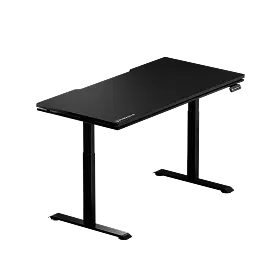
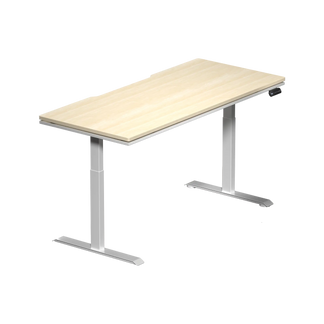
Blacklyte's standing desk lineup — the Atlas Desk and the Atlas Lite Standing Desk — both run on dual-electric motor systems, with each motor driving an independent leg column and both synchronized for smooth, balanced height transitions. The Atlas Desk operates at a lift speed of 38mm/s (approximately 1.5 inches per second) and covers a height range of 28.3" to 53.9", making it suitable for a wide range of user heights and desk configurations. The Atlas Lite covers a range of 27.6" to 46.1", which accommodates most standard sit-stand ergonomic needs across both seated and standing positions.
On noise, both desks are rated at or below 48 dB — under 48 dB for the Atlas Desk and 48 dB maximum for the Atlas Lite. On the Atlas Desk, a high-precision transmission reduces friction for a quieter experience during adjustment. The dual-motor architecture means each motor operates at lower load and lower RPM than a single-motor equivalent would, which contributes directly to the quieter profile. The Atlas Desk's drive system is also TÜV-certified, powered by TÜV-validated motor technology — a level of third-party assurance beyond standard manufacturer claims.
For memory presets, the two models differ. The Atlas Lite offers four programmable height positions, making it well suited to shared desks, multi-user households, or anyone who likes to save more than two distinct heights. The Atlas Desk offers two instant custom presets optimized for rapid switching — designed for users who want their sit and stand positions recalled immediately without navigating a multi-button panel. Both approaches have merit depending on your workflow: four presets give you more flexibility, while two presets keep the sit-stand switch simple.
Features shared across both models include a built-in electrical socket, an integrated under-desk cable-management tray that keeps power cords tidy at any height, and an anti-collision system that helps detect obstructions during height adjustment. Load capacity on the Atlas Desk reaches 275.6 lbs, while the Atlas Lite supports 220 lbs in the Small and Medium sizes and 265 lbs in Large and Extra Large — substantial enough to handle demanding multi-monitor gaming and workstation setups. The Atlas Desk lifts at 1.5 inches per second (38 mm/s) and the Atlas Lite at 1 inch per second (25 mm/s). You can compare the two models in detail on Blacklyte's desk comparison page.
The Atlas Desk also includes Blacklyte's proprietary Atlas Driver software, which enables dynamic RGB lighting synchronized to game events, music, and visual cues in real time. It's a feature set that goes well beyond the mechanics of a sit-stand desk and positions the Atlas as the centerpiece of an immersive gaming station rather than just an adjustable surface. For users who want that level of integration alongside a TÜV-certified dual-motor drive, the Atlas represents the full expression of what Blacklyte builds. For those who want the same dual-motor foundation in a cleaner, more focused form, the Atlas Lite delivers dual-motor sit-stand performance without the integrated lighting.
What to Look for When Buying an Electric Stand-Up Desk
With a clearer picture of how motors, noise levels, and presets work, here's what to actually evaluate when comparing electric stand-up desks:
- Motor configuration: Dual-motor systems are the stronger choice for heavier setups, shared desks, and long-term reliability. Both motors should be independently mounted in the lifting columns and synchronized electronically.
- Noise level under load: Look for independently verified decibel figures measured while the desk is moving under its rated weight, not just at minimum load. Aim for under 50 dB for home office use; 48 dB or below for streaming or recording environments.
- Number of memory presets: Two presets are workable for a single user. Four or more are better for shared spaces or users who rotate between multiple ergonomic positions.
- Height range: Confirm the desk covers both your ideal seated keyboard height and your standing keyboard height. Taller users especially should verify the maximum height is sufficient when standing.
- Load capacity: Account for your full setup — desk surface, monitors (with arms), PC tower, peripherals, and anything else that lives on the desk. Build in a margin; running a desk at maximum rated capacity consistently is harder on the motor than running it at 70%.
- Anti-collision detection: A valuable safety extra, especially in busy workspaces. If a desk has it, test it before your return window closes.
- Cable management: An integrated tray or channel that moves with the desktop keeps cables tidy at every height and reduces the chance of cables causing collisions during adjustment.
- Warranty coverage: Motor and frame warranties vary significantly. Look for coverage that extends to at least three years, with an option to extend further.
The motor is the foundation of everything else your standing desk does. Prioritizing it at the evaluation stage — rather than treating it as a secondary spec — is what separates a desk that stays useful for years from one that disappoints within the first few months. For gamers and hybrid workers who spend long hours at their setup, the quality of that foundation matters more than almost any surface-level feature.
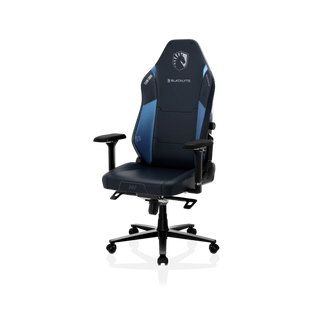
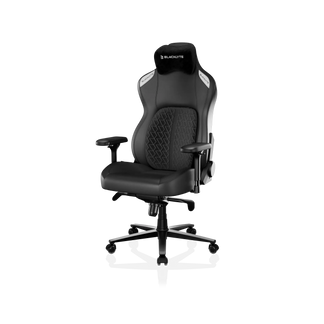
If you're pairing your desk with a gaming chair, Blacklyte's gaming chair lineup — including the Kraken Pro and Athena Pro — is engineered with the same performance-first approach, and pairing them with an Atlas desk creates a complete ergonomic setup built to perform across both gaming sessions and long work days. You can explore Blacklyte's full range of ergonomic products at the Blacklyte collections page, or visit the Ergonomics hub for guidance on building a posture-supportive workstation from the ground up.
Electric stand-up desks are only as effective as the motor system driving them. A dual-motor configuration distributes load, reduces noise, increases lift speed, and delivers the kind of long-term stability that makes a sit-stand setup worth having. Memory presets are what turn good intentions into actual ergonomic habits — removing friction from position changes so you use the functionality you paid for. And features like anti-collision detection and precision gear transmission are the engineering details that protect your investment and extend the life of the desk over thousands of adjustment cycles.
Whether you're building a dedicated gaming station, a hybrid home office, or a setup that serves both roles across the day, the right electric stand-up desk should disappear into your workflow — quiet, fast, and reliable enough that you never have to think about it. That's the standard Blacklyte builds to with the Atlas and Atlas Lite, and it's the standard worth holding any electric desk purchase to.
Ready to Upgrade Your Setup?
Explore the Blacklyte Atlas and Atlas Lite Standing Desks, or get in touch with our team for personalized recommendations on building an ergonomic gaming or work setup that performs at every height.
Contact Us


