












Gaming Chair Keeps Sinking? Why It Happens and How to Fix It
You've just dropped into your chair, found your perfect height, and settled in for a long session — then, slowly and inevitably, you feel it. That gradual, sinking descent that keeps pulling your eye line below your monitor and your wrists up toward the desk. Your gaming chair is sinking again, and no matter how many times you yank the lever, it just won't hold.
If this sounds familiar, you're not alone. A slowly dropping seat is one of the most common complaints among gamers and remote workers alike, and it almost always comes down to the same handful of causes. The good news is that most of them are fixable — often without buying a new chair. In this guide, we'll walk you through exactly why it happens, how to diagnose which part is actually failing, and four practical fixes ranging from a five-minute lubrication job to a full hydraulic gas piston replacement. We'll also cover how to prevent the problem from coming back and how to decide when fixing no longer makes sense.
Why Does a Gaming Chair Keep Sinking?
The seat height on every gaming and office chair is controlled by a gas-filled cylinder known as a hydraulic gas piston. This sealed unit contains compressed nitrogen gas, and when you trigger the height lever, a valve opens to let gas flow up or down — raising or lowering your seat. The mechanism is brilliantly simple, which is also part of why it eventually wears out.
The most common culprit behind a sinking chair is a loss of internal pressure inside the hydraulic gas piston. Over time, the rubber seals inside the cylinder degrade from constant compression, heat cycling, and repeated movement. Once those seals weaken, gas slowly escapes, and the cylinder can no longer hold your weight at a fixed height. This is the root cause in the vast majority of sinking chair cases — but it's not the only possibility.
Several other factors can contribute to the problem or accelerate it:
- Exceeding the chair's weight capacity. Every gas piston is rated for a specific maximum load. Consistently sitting above that limit puts extra stress on the internal seals, accelerating wear and causing early pressure loss.
- Rough sitting habits. Dropping hard into the chair repeatedly, or operating the height lever while under full body weight, adds sudden shock loads that stress the cylinder beyond its designed operating conditions.
- Frequent height adjustments. Gamers who constantly shift between sitting upright and a reclined position tend to cycle the lift mechanism far more often than a standard office user, compressing and extending the piston hundreds of extra times per week.
- A dirty or gummed-up lever mechanism. In some cases, the piston itself is fine but the height-adjustment lever has accumulated dirt or grime that prevents it from seating cleanly. The valve stays partially open, and the chair gradually bleeds pressure while you sit.
- A cracked base or unstable casters. These don't cause the seat to drop mechanically, but they can create a sensation of sinking or instability that mimics a cylinder problem — so it's worth ruling them out before tearing into the gas lift.
- Low-grade cylinder construction. Gas pistons are classified by quality tier — Class 2 through Class 4 — with Class 4 being the premium standard used in performance chairs. A budget-grade Class 2 cylinder has thinner walls and lower-quality seals, meaning it typically begins failing after one to two years of regular use. A Class 4 hydraulic gas piston, like those used across the Blacklyte gaming chair lineup, is built to significantly outlast lower-rated alternatives.
How to Diagnose the Problem Before You Fix It
Before grabbing a tool or ordering a replacement part, it takes only a minute or two to confirm exactly what's going wrong. Jumping straight to a fix without diagnosing the cause is how you end up replacing a perfectly good cylinder when all you needed was to clean a sticky lever.
Work through these checks in order:
- Test the sink rate. Sit in your chair at your preferred height and stay still. If the seat drops slowly and steadily under your weight, the cylinder has lost pressure. If the seat holds fine while you're still but drops when you shift or lean, the lever mechanism may be the issue.
- Check the lever. With no one in the chair, press the height lever and listen for a hiss of escaping gas. A healthy piston should hiss briefly and then hold. If it hisses continuously or the seat drifts down on its own, the internal seals are compromised.
- Inspect the base and casters. Tip the chair gently from side to side. Wobble that comes from the base rather than the seat suggests a cracked five-star base or worn casters — not a cylinder problem at all.
- Look at the cylinder sleeve. Remove the plastic cover from the gas piston (it usually slides off). Look for visible scoring, corrosion, or oily residue on the shaft, which can indicate a slow seal leak.
- Try cleaning the lever first. If you're unsure, spray a small amount of lubricant around the lever pivot and height-adjustment mechanism, then cycle the chair up and down several times. If the problem resolves, it was friction in the valve, not a failed cylinder.
Once you've identified the cause, you can choose the right fix with confidence rather than guessing.
How to Fix a Gaming Chair That Keeps Sinking
There are four main approaches, ranked from simplest to most involved. The first is worth trying before anything else. The next two are temporary but effective if you need a fast fix. The last one is the only method that actually solves the underlying problem for good.
Fix 1: Lubricate the Height Adjustment Mechanism
If your chair is sinking due to a sticky lever or friction in the valve rather than a failed seal, lubrication can restore normal function quickly. This is the easiest first step and takes less than ten minutes. It won't fix a genuinely failed piston, but it's always worth ruling out before moving to more involved repairs.
What you'll need:
- 3-in-1 oil or a light machine oil (avoid WD-40 as a primary lubricant — it's a solvent, not a lasting lubricant)
- A cloth or paper towel
Steps:
- Flip or tilt the chair. Turn the chair upside down so you can clearly see the gas cylinder shaft where it meets the seat mechanism above and the base below.
- Apply the lubricant sparingly. Put a few small drops of oil around the shaft where it enters the seat mechanism. Use less than you think you need — excess oil attracts dust and can make things worse over time.
- Work the mechanism. Turn the chair right side up and cycle the seat through its full height range several times to spread the lubricant evenly through the mechanism.
- Test under weight. Sit in the chair at your preferred height and wait five minutes. If it holds, the problem was friction-related. If it continues to drop, the cylinder itself needs attention.
Fix 2: Use a Hose Clamp (Temporary)
A hose clamp is the classic emergency fix for a sinking gaming chair. It works by creating a physical stop on the cylinder shaft so that the chair can't compress below a certain point. It's inexpensive and takes under ten minutes, but it permanently locks your seat height once applied, and it's not a particularly elegant solution.
What you'll need:
- A hose clamp sized to fit your cylinder diameter
- A flathead screwdriver
- Duct tape (optional, for better grip)
Steps:
- Remove the plastic sleeve. Slide the cylinder cover off the piston shaft to expose the bare metal.
- Set your height first. Adjust the chair to exactly the height you want before proceeding — you won't be able to change it afterward without removing the clamp.
- Wrap with duct tape (optional). A layer of duct tape around the shaft gives the clamp more surface to grip and prevents it from sliding.
- Attach and tighten the clamp. Slide the hose clamp onto the shaft just below the seat mechanism and tighten it firmly with a screwdriver. The clamp will now act as a hard stop that prevents the cylinder from compressing further.
- Test the fix. Sit in the chair and confirm the height is holding. If it still sinks slightly, slide the clamp a few millimeters higher and re-tighten.
Keep in mind that the clamp can loosen over time with repeated use, and the aesthetic result is not pretty. Treat this as a stopgap while you source a replacement cylinder.
Fix 3: Use a PVC Pipe Sleeve (Temporary)
This method is more secure than the hose clamp approach because it distributes the load along the entire length of the exposed cylinder shaft rather than at a single point. The trade-off is the same: once the pipe is in place, your seat height is fixed until you remove it.
What you'll need:
- A section of PVC pipe with an inner diameter slightly larger than your cylinder shaft
- A hacksaw or pipe cutter
- A measuring tape
Steps:
- Remove the cylinder sleeve and raise the chair to your desired height.
- Measure the exposed shaft. With the chair at your target height, measure the length of cylinder shaft exposed between the top of the base and the underside of the seat mechanism. This is the length of pipe you need.
- Cut the pipe to length. Use a hacksaw or pipe cutter to cut the PVC to your measured length. A clean, square cut ensures the pipe sits flush and distributes load evenly.
- Remove the base temporarily. Carefully tilt the chair and slide the PVC pipe over the cylinder shaft, then reattach the base. The pipe now fills the gap and physically prevents the shaft from extending downward beyond your set height.
- Test the fix. Sit in the chair and confirm stability. The fit should feel firm with no lateral wobble.
Fix 4: Replace the Hydraulic Gas Piston (Permanent)
This is the only fix that actually addresses the root cause. Replacing the hydraulic gas piston restores full height adjustability, eliminates the sinking completely, and gives your chair a new operational lifespan. The job typically takes 20 to 30 minutes and requires no specialist tools beyond a rubber mallet.
Before you buy a replacement, measure the total length of your existing cylinder and its stroke (the distance the shaft travels from fully compressed to fully extended). Most gaming chairs use standard-diameter pistons, but length varies. If your chair is still under warranty, contact the manufacturer directly — you may be entitled to a replacement part at no cost.
When selecting a replacement, always look for a Class 4 hydraulic gas piston. Class 4 is the highest-grade widely available option, featuring thicker steel walls and higher-quality seals than Class 2 or Class 3 alternatives. A lower-grade replacement will simply put you back in the same situation sooner.
What you'll need:
- A replacement Class 4 hydraulic gas piston (matched to your chair's dimensions)
- A rubber mallet
- Penetrating lubricant (such as WD-40, applied to help break the press fit)
- A pipe wrench or adjustable pliers (optional)
- Protective gloves
Steps:
- Lower the seat to its minimum height and remove any headrest or lumbar accessories to reduce weight.
- Flip the chair upside down onto a soft, protected surface so the base is pointing upward. Have a second person help if the chair is large.
- Apply penetrating lubricant around the joint where the cylinder shaft enters the five-star base. Let it sit for a few minutes to penetrate the press fit.
- Strike the base free. Grip the cylinder shaft firmly with one hand and use a rubber mallet to strike the underside of the base around the cylinder opening. The base is press-fit onto the shaft and will require several firm strikes. Don't be discouraged if it takes more effort than tutorial videos suggest — older chairs can be tightly bonded.
- Separate the cylinder from the seat mechanism. Once the base is free, tap the cylinder upward from below to separate it from the seat plate. Again, penetrating lubricant and patience help here.
- Install the new cylinder. Slide the new piston into the seat mechanism at the top, then insert the lower end into the base. The taper fit is self-securing — press firmly until it seats.
- Stand the chair upright and press down on the seat to fully lock both joints in place. Cycle the height adjustment several times to confirm smooth operation.
If the chair is expensive, still under warranty, or you're not comfortable with the process, consider reaching out to the manufacturer's support team rather than attempting the repair yourself. For Blacklyte chairs, the Blacklyte support team can help you identify the correct replacement part and walk you through the process.
How to Prevent Your Chair from Sinking Again
Whether you've just completed a repair or you're looking to protect a chair you love, a few straightforward habits can dramatically extend the life of your hydraulic gas piston and keep the seat rock-solid for years.
- Sit down with control. Dropping your full weight into the chair from a standing position sends a sharp shock load through the cylinder that far exceeds normal sitting pressure. Lower yourself in gently every time.
- Adjust height when unloaded. Operating the height lever while seated puts the cylinder under full compression and forces the mechanism to work against your weight. Get up, adjust, then sit back down.
- Stay within the weight rating. Check your chair's specified weight capacity and stay comfortably within it. If you regularly sit near or above the maximum, a chair with a higher weight rating will serve you far better long-term.
- Clean the lever mechanism periodically. Dust and debris can build up around the lever pivot and partially hold the valve open. A light clean every few months and an occasional drop of lubricant will keep the mechanism operating cleanly.
- Check for base and caster wear. A wobbling or cracked base puts uneven lateral stress on the cylinder. Inspect the five-star base and casters every six months and replace worn parts before they cause secondary damage.
- Prioritize Class 4 from the start. If you're selecting a new chair, verify that it ships with a Class 4 hydraulic gas piston. This single spec difference has a larger impact on long-term seat stability than most buyers realize.
Repair or Replace? Knowing When to Upgrade
A cylinder replacement is almost always the right call when it's just the piston that's failed and the rest of the chair is in good shape. The repair is inexpensive, quick, and gives your chair a genuinely extended lifespan. But there are situations where the smarter move is a full upgrade.
Consider replacing your chair if the sinking problem is accompanied by other signs of structural fatigue: a cracked or flexing base, armrests that shift or wobble despite tightening, a tilt mechanism that no longer holds position, or foam padding that has compressed flat and no longer provides meaningful support. At that point, individual repairs start adding up in both cost and time, and you're still left with a chair that's no longer performing at its best.
It's also worth upgrading if your current chair was never ergonomically suited to you in the first place. A sinking seat is frustrating, but if the fix only brings you back to a chair that was already hurting your posture, it's money spent on the wrong outcome. The Blacklyte ergonomics guide is a useful starting point for understanding what your setup actually needs — whether you're optimizing for long gaming sessions or a productive work-from-home environment.
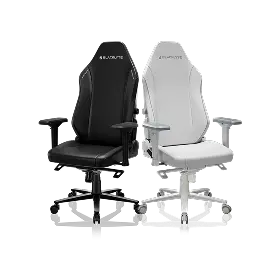
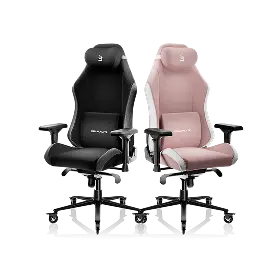
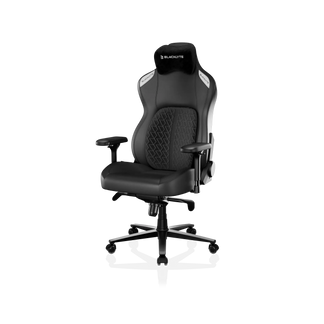
Blacklyte's current chair lineup covers three distinct tiers, all built around Class 4 hydraulic gas pistons and 4D armrests across the full range. The premium Kraken Pro pairs an aluminum alloy base with a built-in floating lumbar that offers front-to-back fine adjustment and lock. Blacklyte's flagship Athena Pro features a full 4-way adjustable built-in lumbar (up/down and front/back), a memory foam seat infused with bamboo charcoal and silver ions over a contour-foam core, and an aluminum alloy base — everything engineered for the longest possible sessions without compromise. The entry-level Athena Gaming Chair rounds out the range with an aluminum-alloy base, an external lumbar pillow, and a contour foam seat, reclining from 90° to 149°.
Not sure which model fits your setup? The Blacklyte chair comparison tool lays every spec side by side so you can make the call without guesswork. Whichever model you choose, all Blacklyte chairs and desks are covered by a warranty extendable up to 5 years, backed by fast free shipping and a 30-day return window if the fit isn't right.
Final Thoughts
A gaming chair that keeps sinking is annoying, but it's rarely a mystery. In almost every case, the hydraulic gas piston has lost pressure through worn seals — and that's a problem with a clear solution, whether that's a quick lubrication job, a temporary hose clamp fix, or a full cylinder replacement that restores the chair to like-new operation. The key is diagnosing which part is actually failing before you act, so you're not wasting time or money on the wrong repair.
If you find yourself repairing the same chair repeatedly, or if the fix brings you back to a chair that was never quite right to begin with, that's your signal to invest in a setup that will last. Prioritize a Class 4 hydraulic gas piston, proper ergonomic lumbar support, and a build quality that matches how hard you actually use it. Your posture — and your performance — will thank you for it. Explore the full Blacklyte gaming chair range to find the right fit for your setup.


