














How to Pick the Right Desk for Your Gaming Setup
You've spent hours researching your GPU, your monitor, your chair. But the gaming desk — the literal foundation that holds it all together — often gets picked last, or worse, picked randomly. That's a mistake that catches up with you fast: a wobbly surface during a clutch moment, a cable mess that looks like a crime scene, or a fixed-height desk that quietly wrecks your posture over hundreds of hours of play.
Picking the right desk for your gaming setup isn't complicated once you know what actually matters. This guide walks you through every key decision point — size, shape, height adjustability, surface material, cable management, weight capacity, and smart features — so you can build a battlestation that performs as well as the hardware sitting on top of it. And if you're looking for a desk that checks every box from the start, we'll show you exactly where Blacklyte's desk lineup fits in.
Why Your Desk Is the Most Important Part of Your Setup
Every other decision in your setup — monitor placement, peripheral layout, cable routing — depends on your desk first. Get the desk wrong, and everything downstream becomes a compromise. Get it right, and your setup almost organizes itself. Most gamers make the mistake of treating the desk as an afterthought, choosing it by price or looks alone. But after 20+ years in the gaming furniture space, the team at Blacklyte will tell you: the desk is the chassis of your entire battlestation, and it deserves the same level of consideration as your rig.
This isn't just about aesthetics. Poor desk ergonomics — the wrong height, insufficient depth, no cable management — quietly drain your performance over long sessions through fatigue, distraction, and discomfort. A properly specced desk keeps your posture neutral, your peripherals exactly where they need to be, and your focus entirely on the game.
Start With Size: How Big Does Your Desk Need to Be?
The right desk size is determined first by your room dimensions, and then by the gear you need to fit on it. Before you look at a single product, measure the wall space you're working with and account for chair clearance — you should be able to comfortably push back around 24 to 30 inches behind the desk without hitting a wall or furniture. That constraint sets your maximum footprint, and everything else works within it.
From there, think about your monitor configuration and peripherals. For a single-monitor setup with standard peripherals, a desk around 120 to 140 cm (roughly 47 to 55 inches) of width is generally sufficient. For a dual-monitor build, you'll want at least 60 inches of width for comfortable positioning. If you're running triple monitors, a streaming setup, or plan to use your desk for both gaming and work, 72 inches or wider starts to make sense — that kind of surface area supports complex builds while keeping everything within reach.
Desk depth gets less attention but matters just as much. A depth of at least 28 to 30 inches is recommended for gaming setups, giving your monitor proper viewing distance of 20 to 30 inches from your eyes. Shallower desks push your screen too close and accelerate eye strain during long sessions. If you're mounting a large monitor or multiple displays on arms, the extra depth gives you the flexibility to position everything precisely.
Straight Desk or L-Shaped? Choosing the Right Form Factor
The vast majority of gaming setups work best with a straight (rectangular) desk. They're straightforward to position, easier to upgrade around, and available in a wide range of sizes — from compact single-monitor builds to 72-inch setups suited for multi-display configurations. If you're fitting into a dedicated gaming room with a clear wall, a straight desk is almost always the cleanest solution.
L-shaped desks become genuinely useful when you need to separate your gaming and work zones, or when you're working with a corner space that would otherwise go to waste. The second surface gives you room for a secondary monitor, a console, speakers, or the kind of reference material that doesn't belong cluttering your primary gaming surface. L-shaped configurations also tend to make more efficient use of limited square footage since they hug the corner rather than consuming a flat wall. The trade-off is weight, assembly complexity, and the fact that monitor arms and cable routing become slightly more involved across two surfaces.
For most gamers, a well-sized straight desk with smart cable management does everything an L-shaped desk does — without the added footprint. Start with a straight configuration and only consider L-shaped if your setup genuinely demands it.
Fixed Height vs. Height-Adjustable: The Ergonomics Case for Sit-Stand
A standard fixed desk sits at around 72 to 76 cm (29 to 30 inches) tall, which suits a range of average-height users reasonably well when paired with an adjustable chair. For casual setups, this is often perfectly adequate. But for serious gamers who spend multiple hours at their desk every day, a height-adjustable sit-stand desk is one of the most impactful ergonomic upgrades you can make — not just for comfort, but for long-term health.
The core advantage of a height-adjustable desk is precision. When sitting, you can dial in a height where your elbows are at a comfortable 90- to 100-degree angle, your wrists are neutral, and your feet sit flat on the floor. When you switch to standing, you raise the surface to maintain that same ideal alignment. This eliminates the wrist extension and shoulder hunching that creep in when a desk is even a few centimeters off for your body type. Research cited by the CDC has found that participants who used sit-stand workstations reported significant reductions in back and neck discomfort compared to those at fixed-height desks.
There's also a performance dimension. Standing periodically during a gaming or work session improves circulation, reduces the postural fatigue that sets in during long seated sessions, and keeps your energy higher over the course of the day. This is why sit-stand desks have become standard equipment for professional esports players and streamers alike — the physical benefit translates directly into sustained focus and performance. If you're spending serious time at your desk, the investment in height adjustability pays back quickly.
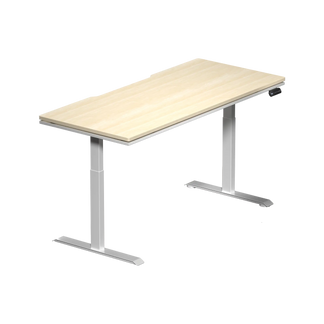
If you decide to go height-adjustable, look for an electric dual-motor mechanism with a meaningful height range. A broader range — something like 62 cm on the low end to 125 cm or more at the top — accommodates both shorter and taller users, and suits multi-user households. Memory presets that let you save your preferred sitting and standing heights are a quality-of-life feature that makes switching positions effortless.
Surface Material and Build Quality: What Actually Matters
Gaming desk surfaces come in a few main material categories, each with real trade-offs. MDF with a scratch-resistant laminate finish is the most common, offering a smooth, consistent surface at an accessible price point, but it can swell or warp under moisture and tends to look worn over time. Tempered glass delivers a clean, modern aesthetic and is easy to wipe down, but it's loud during fast mouse movements and requires a desk mat to be usable for gaming. Carbon fiber textures offer excellent tactile feel and native mouse tracking but vary significantly in quality between manufacturers.
Full-metal desktop surfaces represent the premium tier. Steel tops are rigid, virtually indestructible, and won't show the micro-abrasions that accumulate on laminate or glass over years of use. They also open the door to magnetic accessory ecosystems — monitor arms, cable anchors, and desk mats that snap and hold precisely where you place them, with no drilling, no adhesive, and no commitment. If you're building a setup you plan to keep for years, the material quality of the desktop surface is worth taking seriously.
Beyond the top surface, frame construction defines how stable the desk actually is under load. Look for steel frames with cross-bracing or reinforced leg geometry, and check the manufacturer's rated load capacity against what you actually intend to put on the desk. A multi-monitor setup with monitor arms, a PC, and accessories can easily exceed 40 to 50 kg. A desk frame that flexes noticeably during fast mouse movements is not only frustrating — it's a signal that it won't last under that kind of daily load. For more guidance on how your desk fits into your broader ergonomic picture, Blacklyte's ergonomics guide is a useful starting resource.
Cable Management: The Feature Most Gamers Regret Skipping
Cable management is the single most-regretted omission in gaming setups. It's easy to deprioritize during the buying process, and it becomes an immediate frustration the moment you actually start running cables. A tangled underdesk situation is more than an aesthetic issue — it makes cleaning harder, creates trip hazards, and actively distracts from the carefully built environment around it.
What separates a functional cable management system from a superficial one is integration. Basic desks offer a grommet or two — plastic-lined holes that let cables pass through the desktop. That's the floor, not the ceiling. Purpose-built gaming desks should include an under-desk cable tray with enough volume to house a power strip and cable bundle cleanly, routing channels that guide wires along the frame rather than across the floor, and if you're running a sit-stand setup, enough cable slack management to accommodate the full travel range of height adjustment without cables pulling taut or binding.
If you're building a multi-monitor setup, the cable volume gets significant fast. Between display cables, power cables, USB hubs, audio interfaces, and peripheral connections, a proper cable tray becomes essential rather than optional. Look for a tray with a closeable cover — magnetic closures are particularly convenient — so your cable bundle disappears completely from view, rather than just being corralled into a less-visible mess. You can explore additional cable and desk accessories through Blacklyte's accessories range to complement your build.
Weight Capacity and Frame Stability
This is a specification most buyers don't check until something goes wrong. Gaming setups are heavier than they look. A 27-inch monitor alone can run 5 to 7 kg. Add a second monitor, a desktop PC, speakers, a microphone on a boom arm, a capture card, and the accessories that accumulate on any active gaming desk, and you're looking at a combined load that would stress many budget desk frames. Any desk carrying a serious multi-peripheral setup should have a rated capacity of at least 80 to 100 kg.
For height-adjustable desks, weight capacity is especially important because a loaded standing desk places additional dynamic stress on the lifting mechanism with every adjustment. Look for manufacturers who are transparent about both the static load capacity (how much the desktop holds when stationary) and the lifting capacity (how much the motor system handles through the full range of motion). These are not always the same number, and the difference matters. A desk that holds 100 kg at seated height but struggles under load while adjusting is going to develop mechanical issues over time.
Stability at standing height is a separate but related concern. Height-adjustable desks sometimes develop noticeable wobble at their upper height range, especially on carpeted surfaces or with heavier loads. Desks with dual-motor systems, reinforced steel columns, and wider leg geometry tend to maintain rigidity significantly better at standing heights than single-motor alternatives.
Smart Features, Lighting, and Ecosystem Accessories
For setups where integration and aesthetics matter, smart desk features can meaningfully upgrade the experience. Built-in power delivery — an integrated socket or USB ports at the desk surface rather than requiring a floor-level power strip — keeps your peripherals charged without adding to the cable count. RGB lighting systems that sync with the rest of your setup create the kind of coherent ambient environment that turns a functional workspace into a genuine battlestation. And proprietary desk software, when it's well-designed, can handle height presets, lighting control, and accessory management from a single interface.
The accessory ecosystem around a desk is worth evaluating before you buy. A magnetic surface that's compatible with monitor arms, headphone hangers, cable anchors, and desk mats gives you the flexibility to iterate your layout without tools or permanent modifications. This kind of modular approach means your desk evolves with your setup rather than constraining it. Look at what accessories a desk manufacturer offers before committing — a well-supported product ecosystem extends the useful life of your desk investment considerably. You can browse compatible add-ons and desk accessories through Blacklyte's accessories collection to see how the Atlas desk ecosystem is built.
Which Blacklyte Desk Is Right for You?
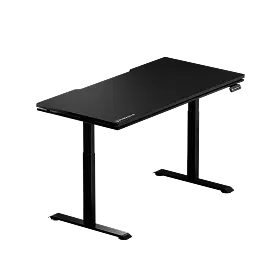
Blacklyte's desk lineup is built around two models: the Atlas Desk and the Atlas Lite Standing Desk. Both are height-adjustable sit-stand desks engineered specifically for gaming and productivity setups, with the full-featured Atlas as the flagship and the Atlas Lite offering a more streamlined option for setups that prioritize simplicity alongside adjustability.
The Atlas Desk: Built for Complete Setups
The Atlas is designed for gamers who want every feature accounted for from day one. It ships with an integrated power supply so your entire desk powers from a single cable, eliminating the floor-level power strip entirely. The magnetic desk surface works with Blacklyte's full range of desk accessories — monitor arms, cable anchors, headphone hangers, and desk mats — all of which attach, reposition, and remove without tools. Cable management is built into the desk structure, not bolted on as an afterthought, and the Atlas Driver software ties lighting control into a single unified interface. If you're building a multi-peripheral setup and want a desk that grows with it, the Atlas is the right starting point. Compare it directly against the Atlas Lite on Blacklyte's desk comparison page.
The Atlas Lite Standing Desk: Capable and Clean
The Atlas Lite delivers the core Atlas experience — electric height adjustability, clean cable management — in a configuration that suits setups where a streamlined profile matters. It's the better fit for single-monitor gaming stations, smaller rooms, and gamers who want the posture and ergonomic benefits of sit-stand without the full accessory ecosystem footprint of the flagship. Both models are covered by Blacklyte's warranty, extendable up to five years, and ship with fast free shipping and a 30-day easy returns policy.
Both desks are part of a broader setup philosophy Blacklyte calls posture-perfect performance: the idea that your physical environment — desk height, surface stability, cable cleanliness, lighting control — is as much a part of your competitive edge as your hardware. If you're putting together the full setup, Blacklyte's Gaming Hub is the best place to explore how desk ergonomics integrate with chair fit and peripheral placement for peak in-game performance.
Your Gaming Desk Buying Checklist
Before you finalize any desk purchase, run through these key criteria to make sure nothing important gets missed:
- Room dimensions: Measure your wall space and chair clearance zone (24–30 inches behind the desk) before looking at specific sizes.
- Surface width: Single monitor: 120–140 cm minimum. Dual monitors: at least 150 cm. Triple or streaming setups: 180 cm or wider.
- Surface depth: Aim for 70–75 cm (28–30 inches) to achieve proper monitor viewing distance and full leg clearance.
- Height adjustability: For daily use setups, electric sit-stand is worth the investment. Look for a broad height range and memory presets.
- Frame material and stability: Steel frames with cross-bracing or reinforced column geometry for load-bearing rigidity at all heights.
- Weight capacity: Rate it against your actual load — monitors, PC, arms, and accessories combined. Aim for 80–100 kg minimum for complex setups.
- Cable management: A closeable under-desk tray plus routing channels is the baseline. Magnetic cable management is the premium standard.
- Accessories and ecosystem: Check what accessories the desk supports natively and whether the surface is magnetic, grommet-based, or neither.
- Warranty and support: Look for at least a multi-year warranty and a brand with a clear support channel behind it.
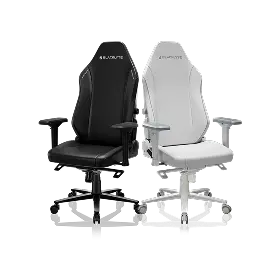
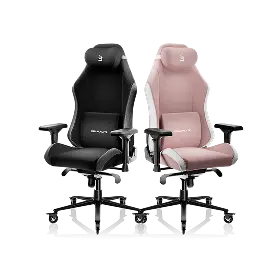
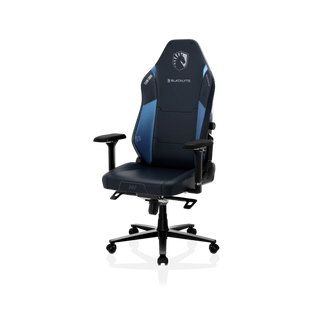
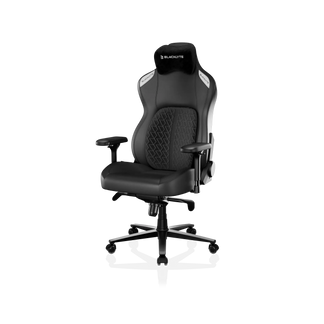
Pair your desk with the right chair and the difference is immediately tangible. Blacklyte's gaming chair lineup — including the Kraken Pro, the flagship Athena Pro, and the Athena — is engineered to work in direct ergonomic relationship with the Atlas desk's height range, so your seated posture, armrest height, and monitor alignment all work together rather than against each other. The full Blacklyte ecosystem, including all desks, chairs, and accessories, is available at Blacklyte's product collection.
The Right Desk Changes Everything
A gaming desk isn't just a surface — it's the structural foundation that determines how comfortable, focused, and physically healthy you are across every session you put in. Size, height adjustability, surface material, cable management, and build quality aren't optional considerations; they're the criteria that separate a setup that works from one that fights you. Take the time to match each of these factors to your actual setup and room before you buy, and you'll end up with a desk that serves you well for years — not one you're already planning to replace.
Blacklyte's Atlas lineup was built to meet every point on that checklist without compromise: electric height adjustment, an integrated power system, magnetic cable management, smart lighting, and a five-year extendable warranty on a desk that was designed alongside 20 years of gaming furniture expertise. Trusted by over 200,000 gamers across 50+ countries and regions, and backed by partnerships with esports organizations including Team Liquid, Fnatic, and tournament organizer BLAST, Blacklyte's desks are built to the same performance standard as the setups they support.
Ready to Build Your Ideal Setup?
Whether you have questions about which Atlas desk is right for your space or want help matching a desk to your chair and peripheral layout, the Blacklyte team is here to help.
Contact Us — and let's build your best setup yet.


