









How Much Recline Do You Really Need in a Gaming Chair?

If you've ever compared gaming chairs, you've probably noticed one feature that manufacturers love to highlight: the recline angle. Some chairs recline to 135°, while others advertise 155° or even a full 180°. But does a bigger number actually make a chair more comfortable? The short answer is probably not.
The ideal gaming chair recline angle depends on what you're doing. Whether you're grinding ranked matches, working from home, editing videos, or simply taking a break, the best angle changes with your activity—not with the highest number on the spec sheet. This guide explains how much recline you really need and why balancing recline with ergonomic support matters more than chasing the biggest angle.
Quick Answer: For most people, a gaming chair recline angle between 90° and 135° covers nearly every daily activity.
| Recline Angle | Best For | Comfort Level |
| 90°–100° | Competitive gaming, focused work | Maximum support |
| 100°–110° | Everyday computer use | Comfortable and ergonomic |
| 110°–120° | Watching videos, casual gaming | Relaxed posture |
| 120°–135° | Reading, controller gaming, breaks | Excellent relaxation |
| 135°–149° | Short rest periods | Deep relaxation |
| 150°–180° | Occasional reclining | Rarely needed for everyday use |
Why Recline Angle Matters More Than You Think
Many gamers assume comfort comes from sitting perfectly upright all day. In reality, staying in any single position for hours places continuous pressure on your lower back, shoulders, and hips. One of the biggest advantages of an ergonomic gaming chair is the ability to change posture throughout the day.
Based on common customer questions, many people who experience discomfort aren't sitting incorrectly—they simply aren't moving enough. Adjusting your recline angle throughout the day helps redistribute body weight and reduces pressure on your spine.
Instead of asking: "What's the biggest recline angle available?"
A better question is: "Can this chair support me comfortably at multiple angles?"
The Best Recline Angle for Different Activities
Competitive Gaming (90°–100°)
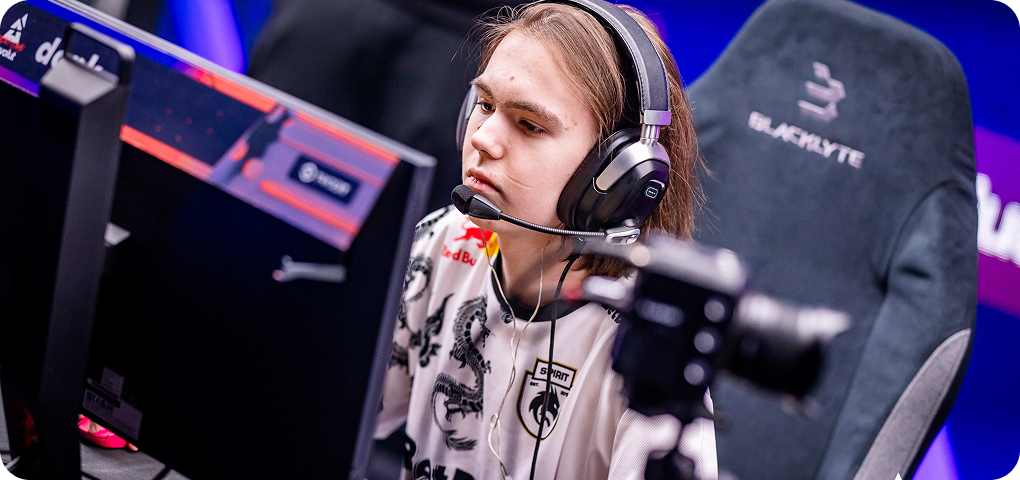
Fast-paced games require quick reactions, precise mouse control, and stable posture.
A nearly upright position helps keep:
- Your shoulders aligned
- Elbows close to your body
- Feet firmly planted
- Wrists properly positioned
Reclining too far while playing competitive titles often reduces control and can lead to poor arm positioning. If you primarily play FPS or esports games, staying close to 95° is usually the sweet spot.
Working From Home (100°–110°)
Remote workers often spend eight or more hours at their desk before switching to gaming in the evening. A slight recline around 100°–110° reduces pressure on the lower back while keeping you productive during meetings, writing, coding, or studying.
This is where a chair with adjustable lumbar support becomes especially valuable because your lower back remains supported as your sitting angle changes. For people using one chair for both work and gaming, this range often becomes the most-used position.
Casual Gaming and Entertainment (110°–120°)
Once the competitive matches are over, many gamers naturally lean back.
Whether you're:
- Playing story-driven games
- Watching Twitch streams
- Browsing Reddit
- Chatting with friends
A recline between 110° and 120° feels noticeably more relaxed while still providing proper support. Your neck and shoulders can relax without making it difficult to interact with your keyboard or controller.
Relaxing Between Sessions (120°–135°)
Sometimes you simply want a break. This is where deeper recline becomes useful. Leaning back around 125°–135° allows your back muscles to relax while reducing pressure on your spine.
It's ideal for:
- Watching YouTube
- Reading
- Listening to music
- Taking short breaks
Many premium gaming chairs are designed to remain stable and supportive throughout this range instead of only feeling comfortable when upright.
Do You Really Need a 180° Recline?
The answer for most people is no. A full-flat recline sounds impressive in marketing materials, but few users actually spend much time lying completely flat in their chair. Most daily activities happen well before reaching that point.
That doesn't mean higher recline limits are useless. A chair capable of reclining to 149° or beyond often has a stronger reclining mechanism and provides more flexibility during breaks. However, buying a chair solely because it reaches 180° usually isn't the best purchasing decision. Comfort comes from the entire ergonomic system working together—not just the maximum recline number.
Recline Is Only One Part of Ergonomic Comfort
A reclining backrest alone won't solve discomfort if the rest of the chair doesn't move with you. When comparing gaming chairs, look for features that complement the recline angle:
| Features | Why It Matters |
| Adjustable lumbar support | Maintains lower-back support while reclining |
| 4D armrests | Keep your arms supported at different angles |
| Magnetic head pillow | Supports your neck without constant adjustment |
| High-density or memory foam | Distributes pressure during long sessions |
| Strong recline mechanism | Keeps movement smooth and stable |
These features work together to create comfortable posture changes throughout the day.
How Blacklyte Designs Recline for Long Sitting Sessions
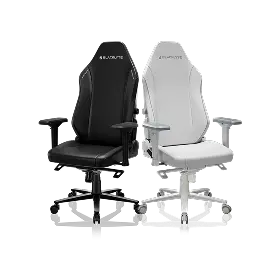
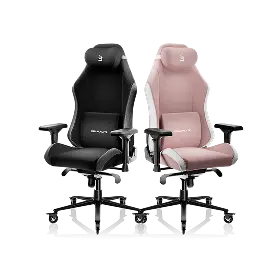
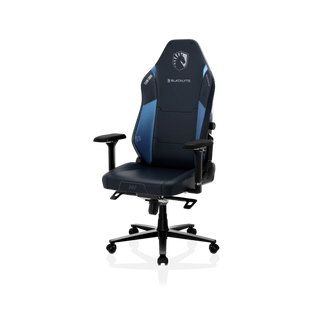
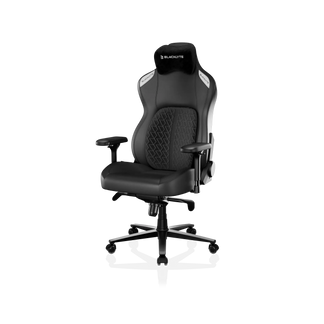
At Blacklyte, recline is designed as part of a complete ergonomic system rather than a standalone feature. For example, the Blacklyte Athena Pro offers a 90°–149° recline, allowing users to move naturally between focused work, competitive gaming, and relaxation without changing chairs. Combined with adjustable lumbar support, 4D armrests, memory foam cushioning, and a magnetic head pillow, the chair is built to support posture across multiple sitting positions—not just one fixed angle.
This flexibility is especially valuable for remote workers, gamers, and creators who may spend an entire day at the same desk but switch between very different tasks.
Explore: Blacklyte Gaming Chair Collection
Learn more: Blacklyte Athena Pro Gaming Chair
Need more room for extended sitting sessions? The Blacklyte Kraken Pro Gaming Chair offers enhanced ergonomic support with a wider seating area.
Key Takeaways
Choosing the right gaming chair recline angle isn't about finding the chair that reclines the furthest. It's about finding one that supports how you actually spend your day.
For most users:
- 90°–100° works best for competitive gaming.
- 100°–110° is ideal for work and productivity.
- 110°–120° suits casual gaming and entertainment.
- 120°–135° provides comfortable relaxation.
- Recline beyond 149° is a nice bonus but rarely essential.
The best gaming chair encourages movement, supports multiple postures, and combines recline with adjustable ergonomic features that help you stay comfortable through every part of your day.
Frequently Asked Questions
1. What is the best gaming chair recline angle?
For most people, 100°–110° provides the best balance between comfort and posture during long sitting sessions.
2. Is a 180° reclining gaming chair worth it?
Not necessarily. Most users rarely recline completely flat. A chair with smooth adjustment up to 135°–149° is sufficient for work, gaming, and relaxing.
3. Does reclining help reduce back pain?
Changing your sitting position regularly can reduce pressure on your lower back. Recline works best when paired with adjustable lumbar support and proper seating posture.
4. Should I recline while gaming?
For competitive gaming, staying closer to 90°–100° usually provides better stability and control. Casual gaming is often more comfortable between 110° and 120°.


