












Glass Mousepads: The Physics of Near-Zero Friction Tracking
Move a high-end gaming mouse across a glass mousepad for the first time and the sensation is unmistakable — a near-frictionless glide that feels less like moving hardware and more like dragging a cursor through air. But the physics behind that feeling are more nuanced than "smooth surface equals fast mouse." Understanding glass mousepads, how they generate near-zero friction, why they actually enable accurate optical tracking instead of destroying it, and when they are the right choice for your setup separates genuine performance knowledge from marketing noise. Whether you are deep into competitive FPS titles or building the kind of precision workstation that keeps you locked in for hours, this breakdown covers everything the spec sheets leave out.
What Is a Glass Mousepad?
A glass mousepad is a rigid, flat surface made from chemically strengthened — typically tempered — glass, engineered specifically for use with optical gaming mice. Unlike the rubber-backed cloth pads that have dominated desks for decades, glass pads offer a hard, non-porous surface with a uniform friction profile across every millimeter of their area. The glass itself is usually between 3 mm and 5 mm thick, treated with either an acid-etching or sandblasting process to create a microscopic texture layer on the top surface. That texture layer is the entire reason a glass mousepad works at all — and it is where the interesting physics begin.
It is important to distinguish between raw, untreated glass and a purpose-built gaming glass mousepad. Plain glass — the kind covering your desk or your phone screen — is far too reflective and texturally flat for modern optical sensors to track reliably. A proper glass gaming mousepad is engineered with a matte or frosted micro-textured finish that scatters light in a way the sensor can read, while the underlying material still provides its defining low-friction characteristics. The result is a surface that is simultaneously optimized for speed and for tracking accuracy.
The Friction Physics: Why Glass Feels the Way It Does
Friction between two surfaces is governed by two measurements that matter enormously in competitive gaming: static friction (the force required to start a movement from rest) and kinetic friction (the force required to keep a movement going). Cloth mousepads vary widely in kinetic friction depending on weave density and coating, while glass surfaces sit at the low end of that spectrum. That difference — noticeably lower resistance than even the fastest cloth speed pads — is what creates the characteristic "weightless" feel that glass users describe.
The critical insight is what happens at the boundary between static and kinetic friction. On a cloth pad, the transition from stationary to moving is gradual — the woven fibers provide a friction gradient that your muscles can feel and respond to, giving you natural deceleration and stopping feedback. On glass, the gap between static and kinetic friction is extremely narrow. The mouse is either still or moving, with almost no tactile transition zone in between. This is precisely why glass pads excel for wide, sweeping tracking movements in high time-to-kill games like Apex Legends or Overwatch 2, where your arm stays in near-constant motion, but requires more deliberate technique adaptation for players who rely on hard, short flicks with immediate stops.
Your mouse feet also play a major role in this equation. Virgin-grade PTFE (polytetrafluoroethylene) skates are the standard pairing for glass pads, delivering a smooth low-friction contact point against the etched surface. Standard or lower-quality plastic feet can scratch the glass over time and introduce inconsistent drag. Some players upgrade to UHMW-PE skates for glass surfaces because, while their coefficient of friction is marginally higher than PTFE, they are considerably more durable on hard surfaces and maintain a consistent glide over many months of use without degrading.
How Optical Sensors Actually Read a Glass Surface
The common misconception is that glass mousepads should be impossible for optical sensors to track. That misconception comes from a real underlying physics problem: a standard optical mouse sensor works by illuminating the surface beneath it at an oblique angle, taking thousands of images per second, and comparing successive images to calculate displacement using digital image correlation. On a perfectly smooth, polished glass surface, the sensor sees a nearly featureless field — the DSP (Digital Signal Processor) cannot find distinguishable patterns to compare between frames, resulting in tracking failure or cursor jitter.
Modern gaming glass mousepads solve this problem through micro-etching. The acid-etching or laser-etching process creates microscopic peaks and valleys on the glass surface at a scale invisible to the naked eye. This manufactured texture gives the sensor's illumination system enough diffuse reflectance and surface feature contrast to reliably detect displacement frame to frame. The surface scatters the sensor's LED or infrared light instead of reflecting it specularly (mirror-like), which is exactly the condition optical sensors need to function. It is the same principle that makes a frosted window readable to a camera while a polished mirror is not.
Not all sensors are equally well-suited for glass, and this matters when choosing your hardware. Most modern flagship optical sensors track etched glass well, while older sensors may still experience tracking inconsistencies on glass, including spin-outs during high-speed flicks or jitter at low speeds caused by surface reflectivity. If you are investing in a glass mousepad, check your mouse maker's surface guidance before you buy — the sensor is part of the system.
Glass vs. Cloth: A Direct Comparison
Both surface types have genuine strengths, and the choice between them comes down to playstyle and priorities rather than an objective quality hierarchy. Here is how they compare across the factors that matter most:
- Speed and Glide: Glass pads offer noticeably lower kinetic friction than premium cloth speed pads. The glide is immediate, consistent across the entire surface, and unaffected by humidity or hand sweat. Cloth pads vary — speed-weave variants close the gap considerably, while control-weave pads prioritize stopping power over raw velocity.
- Stopping Power: Cloth wins clearly. The fiber texture acts as a natural brake, which is particularly valuable in tactical shooters where you flick to a target and need the mouse to stop precisely. Glass offers almost no passive deceleration assistance, so stopping accuracy must come entirely from your technique.
- Consistency Over Time: Glass pads maintain their friction characteristics for years when kept clean — there is no fiber compression, texture degradation, or slow-spot development. Cloth pads gradually lose their surface texture, particularly in the areas you use most, creating performance drift over weeks and months.
- Environmental Immunity: Glass is non-porous, so humidity, hand sweat, and room temperature have no effect on glide speed. Cloth absorbs moisture, which can noticeably slow the surface during intense sessions or in warm, humid conditions.
- Durability and Maintenance: A glass pad's surface is scratch-resistant and can be fully restored with a quick wipe using isopropyl alcohol and a microfiber cloth. Cloth pads require more careful washing and are prone to edge fraying. However, glass pads are vulnerable to cracking if dropped, and trapped dust particles between mouse feet and glass can create micro-scratches over time.
- Mouse Foot Wear: Glass surfaces are harder on mouse feet than cloth. Standard PTFE skates will wear faster on glass and may need more frequent replacement. Upgrading to glass-rated or UHMW-PE skates mitigates this significantly.
Neither surface is universally superior. The real-world performance gap between a premium glass pad and a top-tier cloth speed pad is far smaller than marketing language suggests, and the right choice depends almost entirely on whether your primary aim style benefits more from frictionless sweeping or tactile stopping feedback.
Who Should Actually Use a Glass Mousepad?
The honest answer is that glass mousepads suit a specific player profile, not every gamer across the board. Understanding where glass excels helps you make a genuinely informed decision rather than chasing a premium price tag.
Glass pads are a strong fit if you:
- Play tracking-heavy games where your arm stays in constant motion (arena shooters, battle royales, MOBAs)
- Use a low sensitivity setting with wide, arm-driven sweeps that benefit from minimal resistance
- Have already developed your aim technique and want to remove surface inconsistency as a variable
- Run a modern optical sensor that your mouse maker confirms tracks well on glass
- Prefer a minimal, clean desk aesthetic that doubles as a statement piece in your setup
- Want a surface that, with proper care, feels the same on day one and day one thousand
You may want to consider a premium cloth pad instead if you:
- Play tactical shooters like Valorant or CS2 where hard stops and precise angle holding define your playstyle
- Are still developing your muscle memory and want the forgiving friction gradient that cloth provides
- Prefer a softer surface contact for long sessions where wrist comfort on a hard edge is a concern
- Use an older mouse whose sensor struggles on glass surfaces
Many serious players own both — using cloth for competitive precision titles and glass for tracking-dominant games where arm sweep speed is king. There is no single correct answer, and your aim style matters more than any genre label.
Setup Synergy: Pairing Glass with Your Workstation
A glass mousepad does not exist in isolation — it is one component in a broader system that includes your mouse, your desk surface, your seating posture, and how your arm and wrist interact with the entire workspace. Getting the most out of near-zero friction tracking means building a setup where every element supports your range of motion, not just your mousepad choice.
Desk surface stability matters more with glass than with cloth. Because a glass pad offers no passive resistance to absorb micro-vibrations or desk wobble, any flex or movement in the desk surface directly translates to tracking inconsistency. A rigid, stable desk with solid construction and a flat, level surface eliminates this variable entirely. The same principle applies to desk height: if your arm cannot move freely at the correct angle for your style of play, the frictionless properties of a glass pad become less of an advantage and more of an obstacle. Proper ergonomic desk positioning — with your elbow at approximately 90° and your wrist in a neutral, non-elevated position — lets you access the full glide range of the pad without placing strain on your shoulder or forearm.
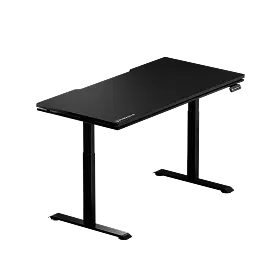
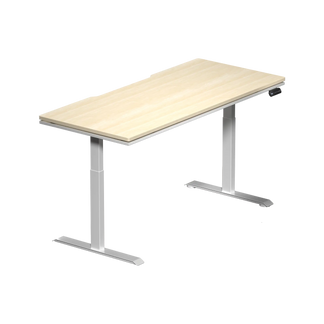
This is where a purpose-built gaming and productivity workspace compounds the benefit of premium peripherals. Blacklyte's standing desks — the Atlas Desk and Atlas Lite Standing Desk — offer height-adjustable frames that let you dial in your exact arm position for both seated and standing play. A height-adjustable desk does not just improve posture; it changes the biomechanics of how your arm interacts with the mouse surface. At the right height, wide arm sweeps on a glass pad feel effortless. At the wrong height, even the best hardware cannot compensate for the mechanical disadvantage. The surface itself is the other half: the Atlas Glass Mouse Pad is a 490×420 mm (19.3″×16.5″), 3 mm chemically tempered glass pad, micro-etched to a smooth frosted finish and anchored by a full-surface honeycomb silicone base. Explore the full range of Blacklyte accessories to complete a setup engineered for both performance and comfort.
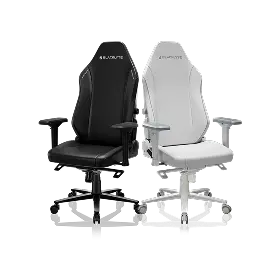
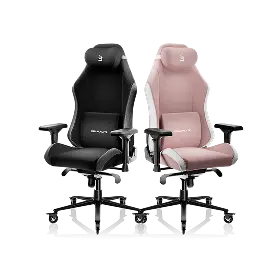
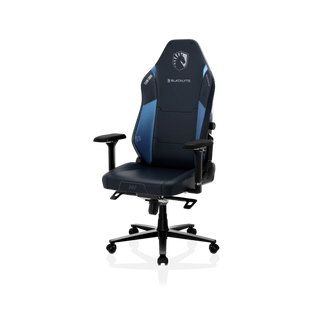
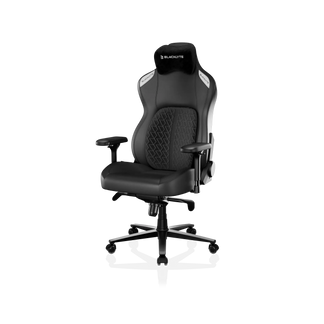
Your chair is equally part of the equation. Arm height, seat height, and back support all influence the angle and freedom of your mousing arm. When pros at tournaments organized by BLAST, or players from partner teams like Fnatic, Team Liquid, Team Vitality, and Team Spirit spend hours in competitive sessions, every element of their physical setup is tuned to reduce fatigue and maximize consistency. The same discipline applies to any serious player building a home setup. Blacklyte's gaming chairs — the Kraken Pro and the Athena Pro — are designed with exactly this system-level thinking in mind. For a broader look at how posture and positioning impact gaming performance, the Blacklyte Gaming Hub is an excellent starting point.
Maintenance and Long-Term Performance
One of the most practical advantages of a glass mousepad is how little upkeep it demands compared to its cloth counterpart. The non-porous glass surface does not absorb sweat, oils, or environmental debris — it sits on top of the surface rather than being pulled into fibers. This means a quick wipe with a microfiber cloth removes most daily contamination in seconds. For deeper cleaning, 70% isopropyl alcohol applied with a microfiber cloth is typically all that is needed to restore the surface to its original condition without any risk of damage.
There are a few things to be mindful of for long-term care. Abrasive cleaning tools or harsh chemical solvents can damage the micro-etched texture layer, which is the surface feature your sensor is tracking. Dust and grit trapped beneath your mouse feet are more damaging on glass than on cloth — a single session of heavy use with debris underfoot can introduce micro-scratches that permanently alter the glide feel in that area. Keeping the pad clean before each session and using quality mouse feet rated for hard surfaces goes a long way toward preserving the performance that drew you to glass in the first place. Store the pad flat rather than standing on an edge, and handle it with care during transport, as tempered glass — while highly scratch-resistant — will crack if subjected to a sharp impact or drop from height.
Final Verdict
Glass mousepads are not simply "fast cloth pads made from a harder material" — they are a fundamentally different physics system that changes how your mouse interacts with the desk, how your sensor reads movement, and how your body must adapt its technique to extract peak performance. The near-zero friction comes from a precisely engineered combination of tempered glass construction, microscopic surface etching, sensor-matched optics, and compatible mouse feet. When all of those variables are aligned correctly, the experience is genuinely unlike anything a cloth surface offers: consistent, predictable, and completely indifferent to humidity, wear, or the passage of time.
Whether glass is right for your setup depends on your playstyle, your sensor, and whether you are willing to adjust your technique to take advantage of what frictionless tracking offers. What is equally true, regardless of your mousepad choice, is that the best peripheral in the world delivers its full potential only when paired with a workspace built around proper ergonomics, stable surfaces, and the kind of seating that keeps you comfortable and mechanically positioned through every long session. That is the setup philosophy Blacklyte was built on — and it applies just as much to your mousepad as it does to your chair and desk.
Build the Setup Your Performance Deserves
Ready to create a workstation engineered for competitive play and long-session comfort? Explore Blacklyte's full lineup of gaming chairs, standing desks, and accessories — or contact us to get expert advice on building your perfect setup.


