













Standing Desks for Tall Users (Above 6'2"): The Complete Ergonomic Guide
If you're above 6'2", you've almost certainly experienced the specific frustration of standing at a desk that's just... not tall enough. Your shoulders creep upward, your elbows drop below the 90-degree mark, your neck tilts forward to meet a monitor that's already too low. After a few hours, you chalk it up to fatigue or posture habits — but the real culprit is usually the desk itself.
Most height-adjustable standing desks on the market top out somewhere between 45 and 47 inches, which works reasonably well for users of average height but leaves taller users in a permanent ergonomic compromise. For anyone serious about their setup — whether you're grinding ranked games, running long work sessions, or doing both across the same day — that compromise adds up. Poor desk height at standing position is one of the most overlooked causes of upper back strain, neck stiffness, and shoulder tension in tall users.
This guide cuts through the spec sheets and explains exactly what to look for in a standing desk when you're over 6'2": the right height range, why three-stage legs matter, how stability behaves at full extension, what surface dimensions actually serve taller frames, and how your desk and chair need to work together as a system. We'll also walk through how the Blacklyte Atlas Desk lineup was engineered to meet these demands without compromise.
Why Standard Standing Desks Fail Tall Users
The standing desk industry largely designs to the statistical middle. The average-height adult in most markets sits between 5'7" and 5'11", and most desk height ranges reflect that. A typical electric standing desk adjusts from roughly 28 inches at its lowest to 46 or 47 inches at its peak. For someone who is 6'2" or taller, 46 to 47 inches at standing height forces the elbows to drop below the ideal 90-degree bend, pulling the shoulders forward and compressing the cervical spine over time.
The problem is compounded by monitor positioning. When the desk surface is too low, the monitor — even on an adjustable arm — often can't reach true eye level without extreme extension. The result is a chain reaction of ergonomic compromises: low desk, low monitor, forward head posture, rounded shoulders. Tall users frequently blame their own posture when the real issue is hardware that was never designed to accommodate their frame. Choosing the right desk isn't a luxury for tall people; it's a functional ergonomic necessity.
What Height Does a Standing Desk Need to Be If You're Over 6'2"?
The standard ergonomic benchmark for standing desk height is simple: when you're standing upright with relaxed shoulders, your forearms should rest on the desk surface with your elbows at approximately 90 degrees. This keeps your wrists neutral, your shoulders down, and your spine in its natural alignment. The height at which this happens varies by person, but a reliable formula is to measure the distance from the floor to your bent elbow while standing. That number is your target desk surface height.
For practical reference, here are the approximate ideal standing heights by user height:
- 6'2" (188 cm): approximately 46 to 48 inches
- 6'3" (190 cm): approximately 47 to 49 inches
- 6'4" (193 cm): approximately 48 to 50 inches
- 6'5" (196 cm): approximately 49 to 51 inches
- 6'6" and above: 51 inches or more
These are starting ranges, not rigid rules. Footwear adds half an inch to an inch, anti-fatigue mats add another quarter to half inch, and individual proportions vary — some tall people have longer torsos relative to their legs, shifting the ideal number up or down. The key takeaway is that if you're 6'3" or above, you should treat 48 inches as your minimum requirement for maximum desk height, and anything below that is a functional compromise rather than an acceptable trade-off.
Key Specs That Actually Matter for Tall Users
When you're shopping for a standing desk at this height range, the spec sheet can feel overwhelming. Weight capacity, motor count, surface material, preset memory, noise levels — all of it sounds important. In reality, a few specifications matter far more than others for tall users specifically, and understanding them separates the desks that genuinely work from those that almost work.
Three-Stage Legs vs. Two-Stage Legs
This is the single most critical technical distinction for tall users and the one most commonly overlooked. Standing desk legs use telescoping columns to achieve height adjustment. Two-stage columns have two nested sections and typically max out at around 45 to 47 inches. Three-stage columns add a third section, extending the possible height range to 48 to 52 inches depending on the model and frame design. If you are over 6'2", you should default to three-stage leg designs and treat two-stage options as unsuitable for standing use at your height. The difference in maximum height between a two-stage and three-stage frame can be 3 to 5 inches — exactly the gap that separates a comfortable standing position from one that leaves you hunching.
Stability at Full Extension
Any standing desk is stable when it's lowered to sitting height. The real test is full extension. At 48 to 50+ inches, the longer the column, the more leverage any lateral force (typing, reaching for items, mouse movement) has to create sway. This is why tall users should pay close attention to column wall thickness, crossbeam design, and base foot width — not just maximum height. A desk that reaches 50 inches but wobbles noticeably at full extension is functionally worse than a solid desk at 48 inches, particularly for gaming where precise mouse control depends on a stable surface. Dual crossbeam frames, wider base footprints, and reinforced column materials all contribute meaningfully to high-extension stability.
Surface Depth and Width
Tall users tend to have longer arms, which affects the ideal distance between the front edge of the desk and the monitor. A standard 28-inch deep surface positions the screen close enough for average-height users but can feel cramped if you have a longer reach. A desk depth of 31 to 32 inches or more gives taller users the space to position monitors further back, reducing eye strain and allowing a more natural arm extension for mouse and keyboard use. Width matters too, particularly for multi-monitor gaming rigs or workstations. Anything under 60 inches starts to feel constraining once you account for two large displays, a keyboard, a mouse, and peripheral space. For tall users building a full gaming or creative workstation, 63 inches or wider is worth prioritizing.
Motor Quality and Lift System
Dual-motor systems are meaningfully better than single-motor designs for tall users, for two reasons. First, dual motors distribute the lifting load more evenly across the frame, which improves stability during height transitions, especially with heavy monitor setups. Second, synchronized dual motors prevent the slight tilting that can occur in single-motor frames when the load is unevenly distributed, which becomes more pronounced at greater heights. For a tall user with a full gaming setup (dual monitors, desktop PC, peripherals, microphone arm), the combined weight can easily reach 60 to 80 pounds — dual motors handle that load more confidently and quietly than single-motor alternatives.
Smart Features and Cable Management
For a standing desk to actually get used, switching between sitting and standing needs to be frictionless. Memory presets are essential: the ability to save your exact sitting and standing heights and return to them with a single button press removes the activation energy of manual re-adjustment. For gamers and remote workers who transition multiple times per day, this makes a measurable difference in how often you actually stand. Beyond presets, cable management is a feature that matters more on standing desks than on fixed furniture — cables that aren't managed properly bunch and strain as the desk moves, which is both unsightly and a long-term reliability concern for the cables themselves. Integrated cable channels, grommets, and power management built into the desk surface dramatically reduce the daily friction of a height-adjustable setup.
The Desk-Chair Relationship: Why Both Have to Be Right
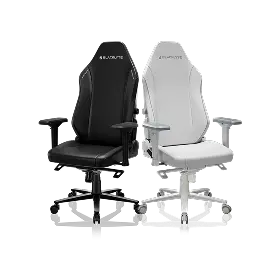
One of the most overlooked aspects of ergonomic setup planning is that your desk and chair are not independent variables — they interact. When you're seated, the desk surface needs to align with your adjusted chair height, which for tall users is typically higher than the default position of most chairs. If your chair can't raise high enough, you end up dropping your shoulders to meet the desk. If your desk can't lower far enough to match your elevated chair height, you end up reaching up to type. For tall users specifically, finding a chair with a seat height range that accommodates longer legs is as important as finding a desk that reaches high enough for standing.
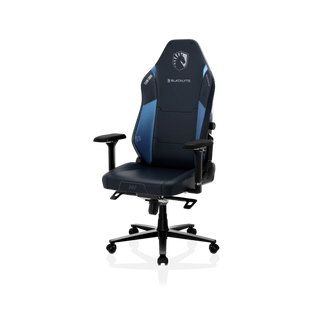
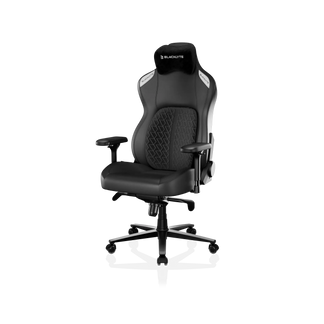
The ergonomic ideal when seated: feet flat on the floor (or supported), thighs roughly parallel to the ground, elbows at or near 90 degrees, monitor at eye level. For a 6'3" user, achieving this typically requires a chair that can raise its seat height to 20 to 22 inches or higher. Blacklyte's gaming chair lineup — including the Kraken Pro and Athena Pro — pairs directly with the Atlas Desk's wide height range to give tall users a fully calibrated seated and standing workspace. Explore Blacklyte's ergonomics guide for a deeper look at how to dial in both seated and standing positions for your specific height.
How the Blacklyte Atlas Desk Is Built for Tall Users
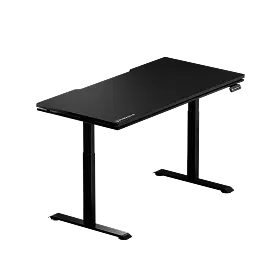
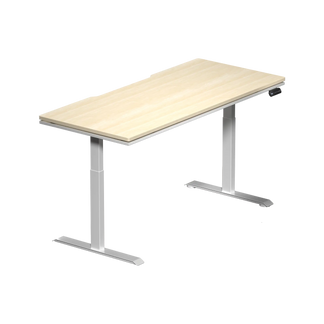
The Blacklyte Atlas Desk and Atlas Lite Standing Desk were designed with the demands of serious gamers and long-session remote workers in mind — which means they were engineered to perform at the extremes of height adjustment, not just the average. The Atlas Desk features a three-stage electric height-adjustment system, giving it a height range that accommodates tall users who would bottom out against the limits of standard two-stage competitors. The dual-motor lift system ensures even, stable transitions across the full height range, including at full extension where lateral sway is the most common failure point in lesser frames.
Beyond height, the Atlas Desk is built to handle the load of a full gaming or professional workstation without compromise. The reinforced steel frame and wide-footprint base provide the structural stability that tall users need at standing height. Integrated cable management channels keep the setup clean through height transitions, eliminating the cable bunching that plagues basic standing desks over time. The desk also features a magnetic surface zone, integrated power supply with accessible ports, and smart lighting controls via the proprietary Atlas Driver software — making it one of the most feature-complete standing desks available for users who demand more than just up-and-down adjustment.
For tall users who want to compare the Atlas Desk's specifications against their personal height requirements, Blacklyte's desk comparison tool provides a side-by-side breakdown of all desk parameters. The full Blacklyte desk collection is available with fast free shipping, 30-day returns, and warranties extendable up to five years.
Building a Healthy Sit-Stand Routine If You're Tall
Having a desk that reaches the right height is only half the equation. How you use it determines whether you actually capture the ergonomic benefits. The most widely cited guideline in occupational health research is a rhythm of approximately 20 to 30 minutes of sitting followed by 8 to 10 minutes of standing, cycling throughout the day. This keeps circulation active, reduces sustained spinal compression from long sitting periods, and prevents the leg fatigue that comes from standing without breaks. For gamers, this rhythm is worth building into natural game transitions: standing during loading screens, between matches, or during mental reset periods.
Tall users should also pay attention to monitor height in both positions. A monitor arm is highly recommended because it lets you independently adjust screen height relative to desk height — critical when you're transitioning between sit and stand. In standing position, the top of the monitor should be at or slightly below eye level. Anti-fatigue mats are worth the investment for standing users above 6'2" because they reduce the pressure on the feet and lower back that accumulates during longer standing intervals. For a full breakdown of both gaming and workstation ergonomics, Blacklyte's Gaming Hub covers optimal setup principles for extended play and productivity sessions.
Frequently Asked Questions
What is the ideal standing desk height for someone who is 6'2"?
For a user who is 6'2", the ideal standing desk height is typically between 46 and 48 inches, measured from the floor to the desk surface. This allows the elbows to rest at approximately 90 degrees with relaxed shoulders. The exact number will vary based on footwear, anti-fatigue mat thickness, and individual body proportions. A desk with a maximum height of at least 48 inches gives 6'2" users room to dial in their exact position rather than being pinned at the top of the adjustment range.
Are standing desks actually beneficial for tall people?
Yes, significantly — but only when the desk reaches an adequate height for standing. For tall users who have spent years at fixed or low-height desks, a proper standing desk eliminates the forced hunching that causes chronic upper back, neck, and shoulder tension. The benefit isn't just standing itself; it's the ability to alternate between well-calibrated sitting and standing positions throughout the day, keeping the spine in neutral alignment during both. A desk that doesn't reach your required standing height provides very little ergonomic benefit despite allowing height adjustment.
What is the difference between two-stage and three-stage standing desk legs?
Two-stage legs use two telescoping column sections and typically max out around 45 to 47 inches in height. Three-stage legs add a third section, extending the maximum height to 48 to 52 inches depending on the frame. For users above 6'2", three-stage legs are strongly recommended because they reach the height range needed for comfortable, ergonomically correct standing. Two-stage legs are generally sufficient for users up to about 6'1" but fall short of the target zone for taller frames.
How do I know if my standing desk is set to the right height?
The simplest test: stand upright with your arms hanging naturally at your sides, then bend your elbows to 90 degrees. Your forearms should rest flat on the desk surface without you needing to raise your shoulders or drop your elbows. Your wrists should be neutral (not bent up or down), and your monitor should sit at or just below eye level. If you have to raise your shoulders to reach the desk, it's too high. If your elbows are dropping below 90 degrees, it's too low. Memory presets on your desk make it easy to return to this calibrated height every time without re-measuring.
Does the type of gaming chair affect how I should set my desk height?
Yes. Your seated desk height is determined by your chair height, and your chair height is determined by your leg length and the chair's adjustment range. Tall users need chairs that can raise their seat height sufficiently to keep thighs parallel to the floor without forcing the knees upward. When shopping for both a chair and a desk, check that the chair's maximum seat height, combined with your thigh height and preferred seated elbow angle, aligns with the desk's minimum height setting. The two components need to be matched, not chosen independently. Blacklyte's chair comparison tool makes it straightforward to assess seat height ranges across the full lineup.
The Bottom Line for Tall Users
For anyone above 6'2", a standing desk isn't just a productivity accessory — it's a structural ergonomic requirement. The difference between a desk that reaches 46 inches and one that reaches 50 inches is the difference between a setup that helps and one that quietly compounds the same postural problems you were trying to escape. The spec that matters most is maximum height, and three-stage leg designs are what get you there reliably.
But height alone doesn't finish the picture. Stability at full extension, surface dimensions that suit longer arms, dual-motor lift systems, integrated cable management, and smart preset features all contribute to a standing desk that actually becomes part of your daily routine rather than sitting locked at one height. And none of it works optimally without a chair that complements the desk's adjustment range for your seated position.
Blacklyte's Atlas Desk was built to meet these demands end-to-end: engineered height range, structural stability, professional-grade features, and the flexibility to build a complete ergonomic workstation around it. Backed by fast free shipping, 30-day returns, and warranties extendable up to five years, it's a long-term investment in how you work and play — at any height.
Ready to Build a Setup That Fits?
Whether you're configuring a gaming battlestation or a professional workstation, our team can help you find the right desk and chair combination for your height and workflow. Browse the full Blacklyte desk lineup, compare models side-by-side with our desk comparison tool, or contact us directly and we'll help you get it right.


