














Adjustable Gaming Desks: Manual, Pneumatic, and Electric Compared
You've got the monitor dialed in, the peripherals arranged just right, and a gaming chair that actually supports your back. But then there's the desk — the centerpiece of the entire setup — and the question that keeps coming up: manual crank, pneumatic, or electric? All three will let you shift between sitting and standing, but the experience of doing so, and the performance trade-offs involved, could not be more different.
Adjustable gaming desks have moved well beyond a niche ergonomics accessory. As more gamers log serious hours at their rigs — whether grinding ranked, streaming, or putting in work sessions between sessions — the ability to change posture throughout the day has become a genuine performance consideration. The mechanism that powers that adjustment shapes how often you'll actually use it, how much weight your setup can handle, and how well the desk holds up over years of use.
This guide breaks down each desk type honestly and in full — how each works, what it's genuinely good at, where it falls short, and which kind of gamer or setup it suits best. By the end, you'll have a clear, confident answer for your own battlestation.
Why Desk Adjustability Matters for Gamers
The case for a height-adjustable desk isn't just about comfort — it directly connects to how well and how long you can perform. Prolonged sitting puts sustained stress on your hips, spine, and shoulders, increasing the risk of muscular imbalance and joint fatigue over time. When you alternate between sitting and standing, you stimulate blood flow, sending more oxygen to your muscles and brain, which can reduce fatigue and help maintain alertness deep into a gaming session. A desk that makes position changes effortless is one you'll actually use — and that frequency of use is where the real ergonomic benefit lives.
The three major types of adjustable desks — manual crank, pneumatic, and electric — all accomplish the same goal through very different means. Each brings distinct trade-offs in terms of effort, speed, weight capacity, noise, and long-term reliability. Understanding those trade-offs is essential before you commit to a surface that might anchor your setup for the next several years.
Manual Crank Desks: Simple, Reliable, and No-Frills
A manual crank desk is exactly what it sounds like: a hand-operated crank mechanism that drives a gear system to raise or lower the desk frame. There are no motors, no electronics, and no power outlet required. The simplicity is the whole point. Because there's nothing complex to break down, manual desks tend to be among the most durable options available — many working flawlessly for a decade or more with minimal maintenance.
The trade-off is effort and time. A typical inch of height adjustment requires five to six full turns of the crank, meaning a standard sitting-to-standing transition of ten to fifteen inches can demand thirty to seventy-plus rotations of the handle. That translates to around thirty to sixty seconds of active cranking every time you want to change positions. The real-world impact? Most people simply stop adjusting as often. If the friction of switching positions is high enough, even well-intentioned users default to staying seated — which defeats the purpose of an adjustable desk entirely.
Manual desks also typically carry lower weight capacities than their electric counterparts, generally ranging from around 50 to 150 lbs. For a laptop-and-monitor setup that stays lightweight, that's usually fine. For a multi-monitor gaming rig with a desktop tower, a speaker system, and a collection of peripherals, it starts to feel tight. Uneven weight distribution across the desktop can also make cranking noticeably harder on one side.
Best for: Gamers on a tighter budget who only plan to change heights infrequently, have a lightweight setup, or need a desk in a space with no reliable power access.
- No electricity required — works anywhere
- Extremely durable with minimal failure points
- Lower upfront cost compared to electric options
- Slow and physically demanding to adjust
- Lower weight capacity than electric models
- No programmable height presets
Pneumatic Desks: Gas-Spring Speed Without the Power Cord
Pneumatic desks use a gas-filled cylinder to assist with height changes — the same core technology found in most adjustable office chairs, scaled up for a full desktop surface. Compressed gas (typically nitrogen) flows through the cylinder, and the differential pressure across the piston generates the lifting force. When properly calibrated to the weight sitting on the desk, the mechanism effectively counterbalances the load, making the surface feel nearly weightless as you lift or lower it using a release lever.
The practical experience is a notable step up from cranking. With the lever engaged, you can raise or lower the desk almost instantaneously — sometimes with just a finger's worth of effort. There's also no power cord involved, which means the desk can sit anywhere in a room, and models with caster wheels can be moved from space to space. The operation is nearly silent; the only sound is a slight hiss of escaping gas and perhaps a bit of frame creak, making pneumatic desks a strong choice for streamers or shared spaces where motor noise would be disruptive.
The limitations are real, though. Gas cylinders are calibrated for a specific weight range — typically an ideal load of around 30 to 50 lbs — and performance degrades meaningfully outside that window. Overload the desk close to its capacity and the mechanism becomes harder to operate; the motion can turn jerky or abrupt rather than smooth. Over time, gas springs can lose pressure or develop leaks, causing the desk to slowly sink mid-session — a problem that's genuinely frustrating and difficult to fix at home. Pneumatic desks also offer less precise control than electric models; fine-tuning your height by a quarter of an inch can require multiple attempts and a fair amount of fidgeting.
Weight capacity is also a consideration for heavier gaming setups. Pneumatic desks often have lower load ratings compared to electric options, which can be a constraint for multi-monitor rigs or setups with heavier peripherals.
Best for: Gamers who want fast, effort-light adjustments without needing an outlet, have a lighter setup, and prioritize near-silent operation.
- Fast, nearly effortless height adjustment
- Silent operation — ideal for streaming or shared spaces
- No power required; fully portable
- Gas springs degrade over time and can lose pressure
- Lower weight capacity — not suited for heavy multi-monitor setups
- Motion can be erratic if desk is over- or under-loaded
- Less precise height control compared to electric
Electric Desks: One Button, Zero Effort
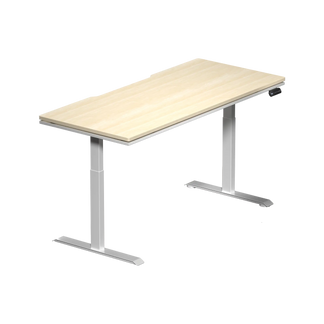
Electric standing desks use a motorized gearing system — typically housed inside telescoping leg columns — to raise and lower the surface at the press of a button. Most quality electric models move at roughly 1.5 to 1.7 inches per second, completing a full sitting-to-standing transition in around ten to fifteen seconds. The effort on your part is a single button press, and the motor handles the rest regardless of how much weight is on the surface.
The standout advantage of electric desks for serious setups is weight capacity. Electric dual-motor desks routinely support 250 lbs or more of dynamic load — enough headroom for a multi-monitor configuration, a desktop PC, speakers, a monitor arm, and still have comfortable margin left. Where pneumatic and manual desks begin to struggle under heavier equipment, electric motors are engineered for exactly that kind of sustained, real-world load.
The feature that genuinely changes daily behavior is programmable height presets. Once you dial in your ideal sitting height and standing height, you save them — and from that point forward, a single button press returns the desk to that exact position every time, with no eyeballing, no guessing, and no readjusting. Research consistently shows that the easier it is to switch positions, the more often people actually do it. Programmable presets remove essentially every remaining barrier to frequent posture changes.
Electric desks do require a nearby power outlet and produce some motor noise during adjustment. Modern dual-motor systems have become impressively quiet — many refined models land in the mid-40 to low-50 dB range during operation, comparable to ambient office noise — but older or lower-quality motors can be notably louder. Like any motorized equipment, the components will eventually wear, though premium models are designed for years of daily cycling. Anti-collision sensors, which detect resistance and stop the motor automatically, add an extra layer of safety that manual and pneumatic desks can't match.
Best for: Most gamers — especially anyone with a heavy multi-monitor setup, who adjusts positions multiple times per day, shares a desk with another user, or values the consistency of programmable presets.
- Completely effortless adjustment at the press of a button
- Highest weight capacities — supports demanding gaming rigs
- Programmable height presets for instant, repeatable positioning
- Smooth, stable movement that won't jostle monitors or peripherals
- Anti-collision safety stops protect cables and objects near the desk
- Requires a power outlet — limits placement flexibility
- Motor and gearing components can wear over time
- Generally higher upfront cost
Head-to-Head Comparison: Which Type Wins Where?
Laid side by side, the three types have clearly different strengths. Here's a quick breakdown of how each performs across the factors that matter most to gamers:
| Factor | Manual Crank | Pneumatic | Electric |
|---|---|---|---|
| Adjustment effort | High | Low | None |
| Adjustment speed | Slow (30–60s) | Fast (seconds) | Fast (~10–15s) |
| Weight capacity | 50–150 lbs | Low–moderate | 150–250+ lbs |
| Noise during adjustment | Minimal | Near-silent | Low (~45–55 dB) |
| Requires power outlet | No | No | Yes |
| Programmable presets | No | No | Yes |
| Long-term reliability | Excellent | Moderate | Good (varies by build) |
| Motion stability | Moderate | Can be jerky | Smooth, consistent |
For most gamers running a modern multi-peripheral setup, the electric desk wins on nearly every practical dimension. But knowing exactly where pneumatic and manual types still hold their own — portability, silence, and upfront simplicity — helps you make a decision that fits your actual situation rather than just the theoretical best option.
The Gaming Ergonomics Angle: Why the Mechanism Actually Matters
Here's the ergonomic reality that most desk comparison articles miss: the type of adjustment mechanism has a direct impact on whether you'll actually change positions throughout your session. A desk you have to crank for a full minute, or one that requires physical effort to unlock and rebalance, creates enough friction that most users stop bothering after the first week. The health and performance benefits of sit-stand work only materialize if you're consistently alternating — experts suggest standing for around 10 to 15 minutes per hour of sitting as a starting point, increasing gradually as you adapt.
For gaming specifically, the implications go further than general office ergonomics. Alternating between sitting and standing stimulates blood flow and delivers more oxygen to the brain, helping maintain alertness and quick decision-making during extended sessions. The smoothness of the adjustment also matters: a jerky pneumatic mechanism when the desk is loaded unevenly can send your drink, headset, or mouse flying mid-transition. Electric desks, by contrast, move at a steady, controlled speed that doesn't disturb anything sitting on the surface.
Programmable presets are particularly valuable in a gaming context. Once you've calibrated your standing height for a keyboard-and-mouse session versus your seated position for longer strategy-game stretches, you can switch between them instantly without interrupting your flow or second-guessing your setup. That level of frictionless position change is what separates a desk that you actually use ergonomically from one that just sits at a fixed height after the first month.
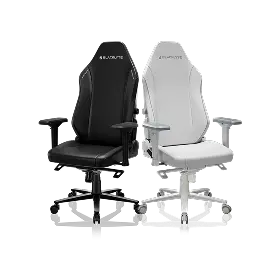
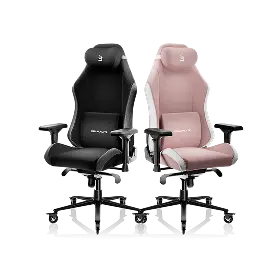
An adjustable desk also works best as part of a complete ergonomic setup — it should be paired with a chair that supports your posture in the seated position, so that the full range of sitting and standing is properly supported. For more on building a posture-first gaming setup, Blacklyte's Gaming Hub and Ergonomics pages cover the principles in depth.
Who Should Choose Which Desk?
The right desk type is ultimately about matching the mechanism to your specific setup, habits, and space. Here's a practical breakdown:
Choose a Manual Crank Desk If...
- You're working with a limited budget and a lightweight setup (laptop, single monitor)
- Your desk location doesn't have a nearby power outlet
- You plan to adjust height rarely — perhaps once at the start and end of a session
- Long-term mechanical simplicity and low maintenance cost is a priority
Choose a Pneumatic Desk If...
- You want quick, low-effort adjustments without any power dependency
- Your setup is relatively lightweight (under roughly 40–50 lbs on the surface)
- You stream or record in an environment where motor noise is unacceptable
- Portability matters — you move your setup between rooms or locations
Choose an Electric Desk If...
- You have a heavier gaming rig — multiple monitors, a desktop PC, or dense peripherals
- You want to switch positions multiple times per day with zero interruption to your workflow
- You share the desk with another person who has a different ideal height
- You want programmable presets for instant, repeatable positioning
- Anti-collision safety features matter to you — especially with cables or objects near the desk's path
For a side-by-side look at specific desk models and their specs, Blacklyte's desk comparison tool is a useful starting point for narrowing down options based on your actual requirements.
Blacklyte's Take: The Atlas Desk and Atlas Lite
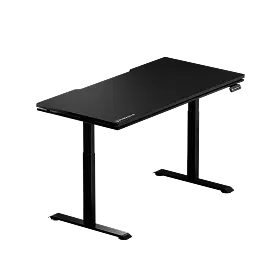
Blacklyte's own adjustable desk lineup — the Atlas Desk and Atlas Lite Standing Desk — are purpose-built for the gamer who doesn't want to compromise between functionality and aesthetics. Both are dual-motor electric models, which reflects Blacklyte's position that for daily gaming use, the convenience and precision of motorized adjustment is the right default. The Atlas is rated to a 275 lb (125 kg) maximum load and the Atlas Lite to 265 lb (120 kg) — ample for a full multi-monitor gaming rig. An effortless button press and reliable programmable presets make sit-stand habits genuinely sustainable, rather than aspirational.
The Atlas Desk goes further than basic height adjustment. It includes a built-in electrical socket (an integrated power strip — no USB, and it doesn't supply power itself), built-in cable management channels to keep your battlestation clean during every position change, magnetic surface compatibility for accessories, and smart lighting controlled through Blacklyte's proprietary Atlas Driver software. For gamers who want their desk to be as thoughtfully engineered as the rest of their setup, it's designed with the kinds of details that actually matter over years of daily use.
The Atlas Lite offers the same core electric adjustability in a cleaner, more streamlined package — a strong option for setups where a full-featured flagship desk is more than the space or workflow demands. Both desks pair naturally with Blacklyte's gaming chair lineup, completing an ergonomic setup that's engineered from the surface up. You can explore the full desk range at Blacklyte's desk collection, or browse the complete lineup — including chairs and accessories — on the all products page.
Backed by 20 years of ergonomic engineering, trusted by over 200,000 gamers across 50+ Countries & Regions, and supported by esports partnerships with organizations including tournament organizer BLAST, Team Liquid, and Fnatic, Blacklyte builds every desk — and every product — around the principle that performance and posture are not trade-offs. They're the same goal.
The Bottom Line
Manual crank, pneumatic, and electric desks each have a legitimate place depending on what you're working with. Manual desks reward you with simplicity and durability but make frequent adjustments impractical. Pneumatic desks offer a fast, power-free alternative that works well for lighter setups in quiet environments. Electric desks clear every practical hurdle for serious gaming rigs — delivering effortless adjustment, the highest weight capacities, smooth motorized movement, and programmable presets that turn position-switching into a habit rather than a chore.
For the vast majority of gamers who want to genuinely benefit from an adjustable desk — not just own one — the electric type is the right answer. The key is choosing a model built to a standard that matches the investment you've made in the rest of your setup: sturdy frame, reliable motors, smart cable management, and ergonomic features that hold up over time. That's the bar Blacklyte engineers to every time.
Ready to Build Your Ideal Setup?
Explore Blacklyte's full range of electric height-adjustable desks, ergonomic gaming chairs, and accessories — or get in touch with the team for personalized setup guidance.
Shop DesksContact Us


