


Chairs
SIGNATURSTÜHLE
Alle Stühle

Kraken Pro Chairs
Maßgeschneidert für jeden Körper, liefert eine perfekt ausgerichtete Körperhaltung.
Mehr erfahren
Kaufen
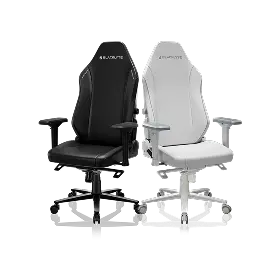
Athena-Serie
Die typische Wahl mit einer perfekten Mischung aus stilvoller Ästhetik.
Mehr erfahren
Kaufen
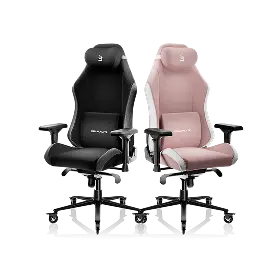
Athena X-Serie
Entwickelt für Profi-Komfort, gestaltet mit ikonischem Stil.
Mehr erfahren
Compare Chairs
Chairs Add-ons
Lederreiniger 250 ml
Lederpflegemittel 250 ml
Desks
SIGNATURE-SCHREIBTISCHE
Alle Schreibtische

Atlas Desk
Alle Kernfunktionen für weniger Geld
Mehr erfahren
Kaufen
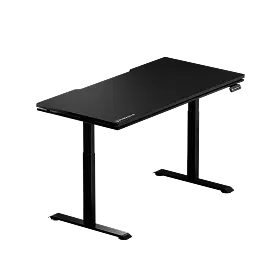
Atlas Lite Schreibtisch
Einstellbare Höhe zur Personalisierung Ihres Setups
Mehr erfahren
Kaufen
Compare Desks
Desks Add-ons

Atlas-Glas-Mauspad

Atlas Dual-Monitorarm

Atlas-Monitorarm
BELEUCHTUNG
Accessories
Chairs Add-ons
Lederreiniger 250 ml
Lederpflegemittel 250 ml
Desks Add-ons
Atlas-Glas-Mauspad
Atlas Dual-Monitorarm
Atlas-Monitorarm
Neu eingetroffen

Atlas Dual-Monitorarm
Buy

Atlas Dual-Monitorarm
Buy

Atlas-Monitorarm
Buy

Atlas-Monitorarm
Buy

Athena Pro Gaming-Stuhl
Buy

Athena Pro Gaming-Stuhl
Buy

Athena Pro Gaming-Stuhl
Buy
UNTERSTÜTZUNG
ENTDECKEN
Aktivitäten
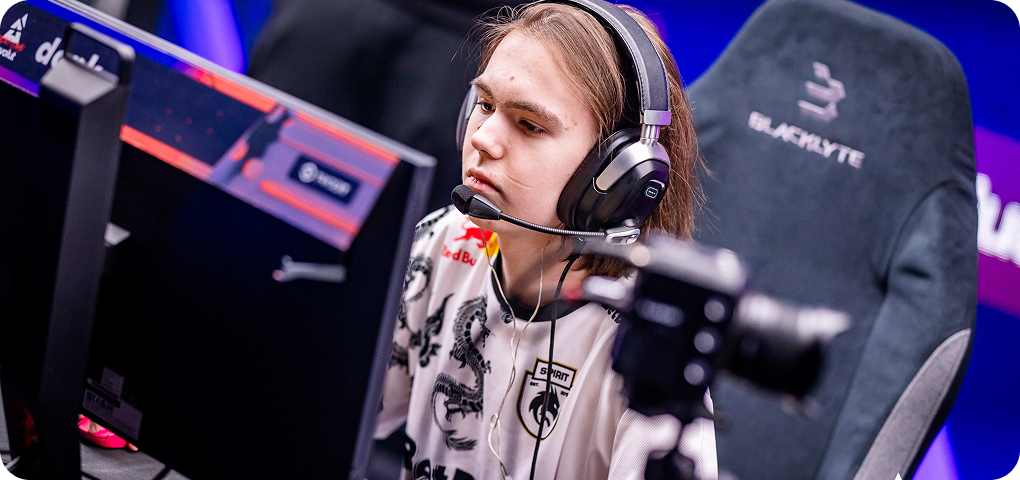
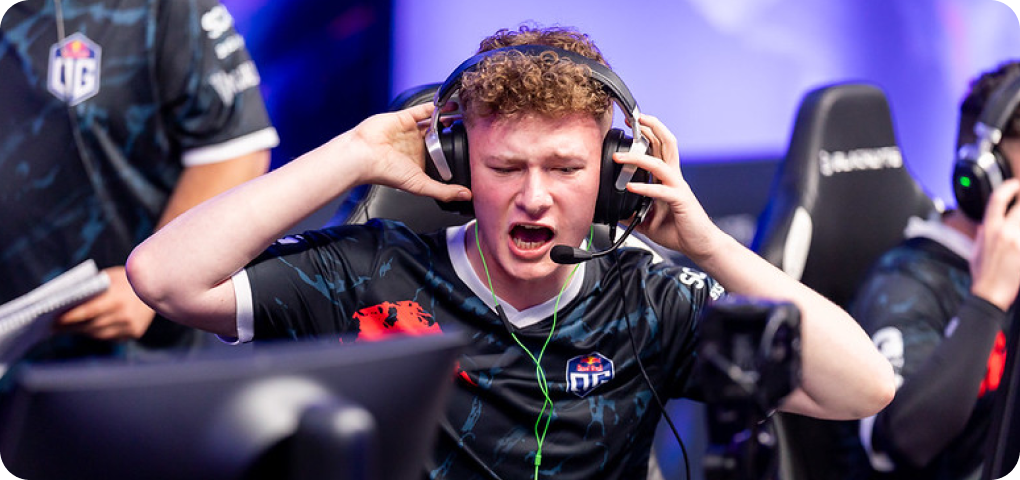
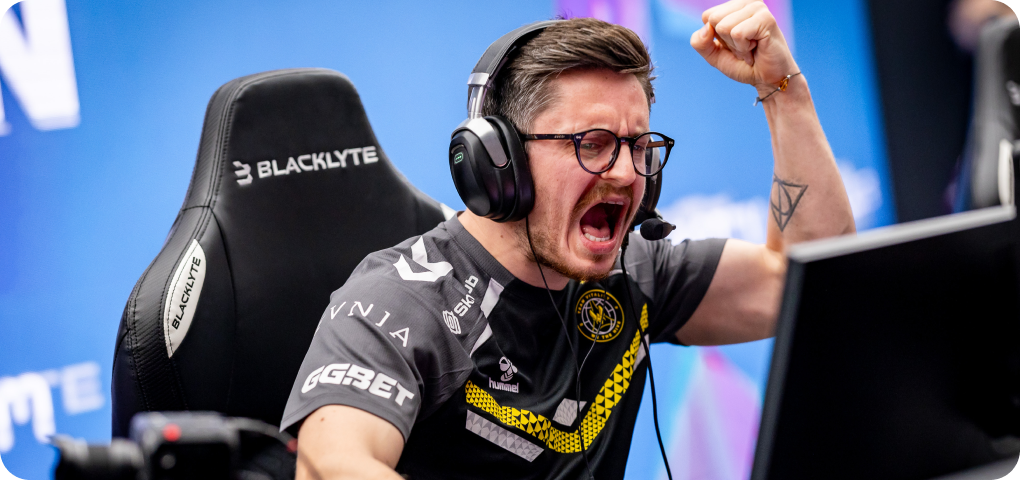


Welcher Stuhl ist richtig für Sie?
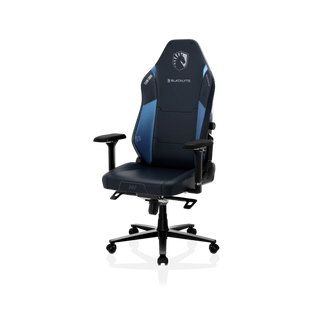
Athena Pro
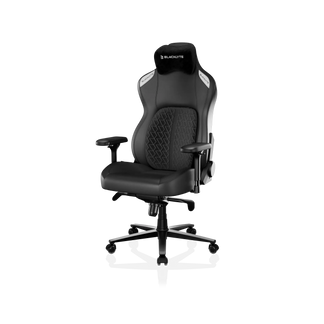
Kraken Pro
Our premium chair experience, with upgraded dual-layer memory foam
Our flagship chair experience, redefining support, comfort, and craftsmanship.
Aus
€429
€519
Aus
€499
€599
Eingeklappte Ansicht
Nur Unterschiede anzeigen
Hauptmerkmale
Polsteroptionen
Blacklyte FlexKnit™ Stoff
Verbesserter Gewebebezug. Hochfeste Fasern für Abriebfestigkeit, atmungsaktiven Komfort und eine hochwertige Haptik.
Blacklyte DuraGen™ Kunstleder
Umweltzertifiziertes PU-Leder der nächsten Generation. Schwer entflammbar, hydrolyse- und UV-beständig mit langanhaltender Haltbarkeit.
Blacklyte DuraGen™ Kunstleder
Öko-zertifiziertes PU-Leder der nächsten Generation. Schwer entflammbar, hydrolyse- und UV-beständig mit lang anhaltender Haltbarkeit.
Kopfkissen
Duales magnetisches Kopfkissen
Geschwungenes doppel-magnetisches Kopfkissen
Lendenwirbelstütze
Integrierte dynamische 4-Wege-Lendenwirbelstütze
Dynamisches Luft-Lendenwirbelstützsystem
Dynamische Lendenwirbelstütze, die frei schwebt und sich arretieren lässt – passt sich mühelos Ihrer Körperhaltung an.
Sitzpolster
Verbesserter zweischichtiger Memory-Schaumstoff
Hochdichter Memory-Schaumstoff
Härtegrad
Mittelhart mit weicher zweischichtiger Kissenoberseite
Mittelhart
Armlehnen
Verbesserte 4D-Armlehnen mit weicherer Haptik (Heavy-Duty-Edition)
Standard 4D-Armlehnen
Verfügbarkeit
Größe
Standard
Einheitsgröße, die sich den meisten Körpertypen anpasst
Standard
Einheitsgröße, passend für die meisten Körpertypen
Farben
Leder
Schwarz, Weiß, Blau, Weinrot
Stoff
Schwarz, Kreide, Camo
Schwarz
Technische Daten
Fußkreuz
Aluminiumlegierung
Aluminiumlegierung
Rückenlehnenneigung
90–149°
90–149°
Wippfunktion
0–14°
0–14°
Rollen
50-mm-PU-Leisrollen
Ultra-leise & bodenschonend
Ultra-leise & bodenschonend
50 mm leise PU-Rollen
Ultra-leise & bodenschonend
Ultra-leise & bodenschonend
Gasdruckfeder
Klasse 4
KGS-Gasdruckfeder (mit Dämpfung)
KGS-Gasdruckfeder (mit Dämpfung)
Klasse 4
KGS Gasdruckfeder (mit Dämpfung)
KGS Gasdruckfeder (mit Dämpfung)
Multifunktionsmechanik
Frog-Mechanik
Frog-Mechanismus
Garantie
3 Jahre Garantie
erweiterbar auf bis zu 5 Jahre
erweiterbar auf bis zu 5 Jahre
3 Jahre Garantie
verlängerbar auf bis zu 5 Jahre
verlängerbar auf bis zu 5 Jahre
Our premium chair experience, with upgraded dual-layer memory foam
Our flagship chair experience, redefining support, comfort, and craftsmanship.
Aus
€429
€519
Aus
€499
€599
Eingeklappte Ansicht
Nur Unterschiede anzeigen
Hauptmerkmale
Polsteroptionen
Blacklyte FlexKnit™ Stoff
Verbesserter Gewebebezug. Hochfeste Fasern für Abriebfestigkeit, atmungsaktiven Komfort und eine hochwertige Haptik.
Blacklyte DuraGen™ Kunstleder
Umweltzertifiziertes PU-Leder der nächsten Generation. Schwer entflammbar, hydrolyse- und UV-beständig mit langanhaltender Haltbarkeit.
Blacklyte DuraGen™ Kunstleder
Öko-zertifiziertes PU-Leder der nächsten Generation. Schwer entflammbar, hydrolyse- und UV-beständig mit lang anhaltender Haltbarkeit.
Kopfkissen
Duales magnetisches Kopfkissen
Geschwungenes doppel-magnetisches Kopfkissen
Lendenwirbelstütze
Integrierte dynamische 4-Wege-Lendenwirbelstütze
Dynamisches Luft-Lendenwirbelstützsystem
Dynamische Lendenwirbelstütze, die frei schwebt und sich arretieren lässt – passt sich mühelos Ihrer Körperhaltung an.
Sitzpolster
Verbesserter zweischichtiger Memory-Schaumstoff
Hochdichter Memory-Schaumstoff
Härtegrad
Mittelhart mit weicher zweischichtiger Kissenoberseite
Mittelhart
Armlehnen
Verbesserte 4D-Armlehnen mit weicherer Haptik (Heavy-Duty-Edition)
Standard 4D-Armlehnen
Verfügbarkeit
Größe
Standard
Einheitsgröße, die sich den meisten Körpertypen anpasst
Standard
Einheitsgröße, passend für die meisten Körpertypen
Farben
Leder
Schwarz, Weiß, Blau, Weinrot
Stoff
Schwarz, Kreide, Camo
Schwarz
Technische Daten
Fußkreuz
Aluminiumlegierung
Aluminiumlegierung
Rückenlehnenneigung
90–149°
90–149°
Wippfunktion
0–14°
0–14°
Rollen
50-mm-PU-Leisrollen
Ultra-leise & bodenschonend
Ultra-leise & bodenschonend
50 mm leise PU-Rollen
Ultra-leise & bodenschonend
Ultra-leise & bodenschonend
Gasdruckfeder
Klasse 4
KGS-Gasdruckfeder (mit Dämpfung)
KGS-Gasdruckfeder (mit Dämpfung)
Klasse 4
KGS Gasdruckfeder (mit Dämpfung)
KGS Gasdruckfeder (mit Dämpfung)
Multifunktionsmechanik
Frog-Mechanik
Frog-Mechanismus
Garantie
3 Jahre Garantie
erweiterbar auf bis zu 5 Jahre
erweiterbar auf bis zu 5 Jahre
3 Jahre Garantie
verlängerbar auf bis zu 5 Jahre
verlängerbar auf bis zu 5 Jahre
Welcher Schreibtisch ist der richtige für Sie?
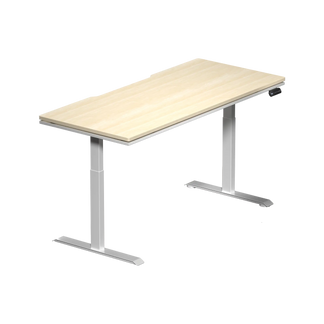

Atlas Lite Stehpult
Atlas Desk
Unser höhenverstellbarer Schreibtisch der nächsten Generation, erhältlich in vier Größen und drei Farben.
Unser höhenverstellbarer Schreibtisch der ersten Generation mit dynamischer Beleuchtung, die mit Ihrem System synchronisiert ist
Aus
€609
€699
Aus
€949
€1.199
Eingeklappte Ansicht
Nur Unterschiede anzeigen
Hauptmerkmale
Integrierte Stromversorgungssäule
Integrierte Kabelmanagement-Wanne
Magnetische Oberfläche
100%
Kompatibilität für modulares Schreibtisch-Zubehör
Teilweise kompatibel
Höhenverstellbereich
700 mm–1170 mm(27,6″–46,1″)
720 mm–1370 mm(28,3″–53,9″)
Beleuchtungssteuerung
Höhen-Speicherplätze
4
2
Verfügbarkeit
Größe
Klein
1200 mm × 800 mm(47,2″ × 31,5″)
Mittel
1400 mm × 800 mm(55,1″ × 31,5″)
Groß
1600 mm × 800 mm(63,0″ × 31,5″)
Extra Groß
1800 mm × 800 mm(70,9″ × 31,5″)
Groß
1500 mm × 700 mm(59,1″ × 27,6″)
Farben
Obsidianschwarz, Mondsteinweiß, Natur-Eiche
Nur Schwarz
Technische Daten
Tischplattenkonstruktion
(Außen) Melamin-Laminat(Innen) MDF
(Außen) PVC-Umwandung(Innen) MDF mit Stahl
Motoren
Elektrische Doppelmotoren
Elektrische Doppelmotoren
Tischbeine
2-stufige Beine
3-stufige Beine
Kollisionsschutzsystem
Erhöhte Stabilität
Netzschalter
Motorgeschwindigkeit (Vertikalhub)
25 mm/s (1″/s)
38 mm/s (1,5″/s)
Geräuschpegel
≤48 dB
<48 dB
Maximale verteilte Tragfähigkeit
120 kg (265 lbs)
125 kg (275,6 lbs)
Maximale Ausgangsleistung
100–240 V
100–240 V
Zertifizierungen
Garantie
3 Jahre
3 Jahre
Unser höhenverstellbarer Schreibtisch der nächsten Generation, erhältlich in vier Größen und drei Farben.
Unser höhenverstellbarer Schreibtisch der ersten Generation mit dynamischer Beleuchtung, die mit Ihrem System synchronisiert ist
Aus
€609
€699
Aus
€949
€1.199
Eingeklappte Ansicht
Nur Unterschiede anzeigen
Hauptmerkmale
Integrierte Stromversorgungssäule
Integrierte Kabelmanagement-Wanne
Magnetische Oberfläche
100%
Kompatibilität für modulares Schreibtisch-Zubehör
Teilweise kompatibel
Höhenverstellbereich
700 mm–1170 mm(27,6″–46,1″)
720 mm–1370 mm(28,3″–53,9″)
Beleuchtungssteuerung
Höhen-Speicherplätze
4
2
Verfügbarkeit
Größe
Klein
1200 mm × 800 mm(47,2″ × 31,5″)
Mittel
1400 mm × 800 mm(55,1″ × 31,5″)
Groß
1600 mm × 800 mm(63,0″ × 31,5″)
Extra Groß
1800 mm × 800 mm(70,9″ × 31,5″)
Groß
1500 mm × 700 mm(59,1″ × 27,6″)
Farben
Obsidianschwarz, Mondsteinweiß, Natur-Eiche
Nur Schwarz
Technische Daten
Tischplattenkonstruktion
(Außen) Melamin-Laminat(Innen) MDF
(Außen) PVC-Umwandung(Innen) MDF mit Stahl
Motoren
Elektrische Doppelmotoren
Elektrische Doppelmotoren
Tischbeine
2-stufige Beine
3-stufige Beine
Kollisionsschutzsystem
Erhöhte Stabilität
Netzschalter
Motorgeschwindigkeit (Vertikalhub)
25 mm/s (1″/s)
38 mm/s (1,5″/s)
Geräuschpegel
≤48 dB
<48 dB
Maximale verteilte Tragfähigkeit
120 kg (265 lbs)
125 kg (275,6 lbs)
Maximale Ausgangsleistung
100–240 V
100–240 V
Zertifizierungen
Garantie
3 Jahre
3 Jahre


Atlas-Monitorarm
Profitieren Sie von der neu gewonnenen Flexibilität und dem Platzangebot. Der Atlas-Monitorarm bewegt sich in dynamischen Bewegungen, um Ihren Gaming- und Produktivitätsanforderungen gerecht zu werden.
€99
€129
Speichern €30
€4,13
/Monat oder 3 zinsfreie Zahlungen von
€33
mit

Color
Elegantes Schwarz
Limettenweiß
Atlas-Monitorarm
€129
Zwischensumme
€129
Rabatte
-€30
Insgesamt
€99
Estimated to ship out by November 10, 2026 or earlier.
€99
€129
Speichern €30
€4,13
/Monat oder 3 zinsfreie Zahlungen von
€33
mit
Kostenloser Versand für alle Bestellungen
30-Tage
Rückgaberecht
Refund Policy
Return & Refund Policy
Thank you for shopping with Blacklyte. To ensure a smooth and transparent return process, please carefully review the following policy.
Initiating a Return
To start a return, please contact our customer service at [email protected] with your proof of purchase. Unauthorized returns will not be accepted. Returns must be requested within 30 days of receiving your product. Upon approval, we will provide you with a return shipping label and detailed instructions on how to send your item back to us. Please provide tracking information within 7 days of receiving the return label to expedite the processing of your return.
Return Eligibility
To be eligible for a return, the item must be unused, in its original condition, and in its original packaging with all tags attached. Returns that do not meet these conditions may incur additional fees.
If the original packaging is not returned, or if the item or packaging is damaged or missing components, a damage fee may be applied to cover the cost of restoration or replacement. This fee ensures that returned products meet resale standards. We ask that you carefully inspect and pack your items before returning them to avoid any additional charges.
Return Shipping Costs
· Customer Responsibility: Customers are responsible for return shipping fees for all non-quality-related returns, including returns for reasons such as changing your mind or ordering the wrong item.
· Manufacturer's Defects: If your return is due to a manufacturer's defect or damage during shipping, we may cover the return shipping costs. Please contact us with details for assessment.
Damages and Issues
Upon receiving your order, please inspect it thoroughly. If the product is damaged, defective, or if you received the wrong item, contact us immediately. We will address the issue promptly and take the necessary steps to rectify it.
Exchanges
If you wish to exchange an item, we recommend processing a return first. Once approved, you can place a new order for the replacement product. This process ensures a faster exchange.
Refunds
Once we receive and inspect your return, we will notify you of the approval status of your refund. If approved, refunds will be processed to your original payment method within 14 business days. Please note that banks or credit card companies may take additional time to post the refund. If you have not received your refund within 15 business days, please contact us at [email protected].
Warranty Returns
For warranty-related returns or repairs, the customer is responsible for all shipping costs, including return and replacement shipments. If a warranty claim is approved, we will provide further instructions on shipping procedures. We may cover the return shipping costs. Please contact us with details for assessment.
For any additional questions, don't hesitate to reach out to us at [email protected]. We're here to help!
1 Jahr Garantie-Schutz
Zahlungsmöglichkeiten
Zahlungsmöglichkeiten
Das könnte Ihnen auch gefallen
Atlas-Schreibtisch
+€949
€1.199
In den Warenkorb legen
Details


Atlas-Schreibtisch
€949
€1.199
Synchronisieren Sie mit PC-Programmen und passen Sie Gaming-Algorithmen an, um Ihr Spielerlebnis zu verbessern.
Atlas Lite Stehpult
+€609
€699
In den Warenkorb legen
Details

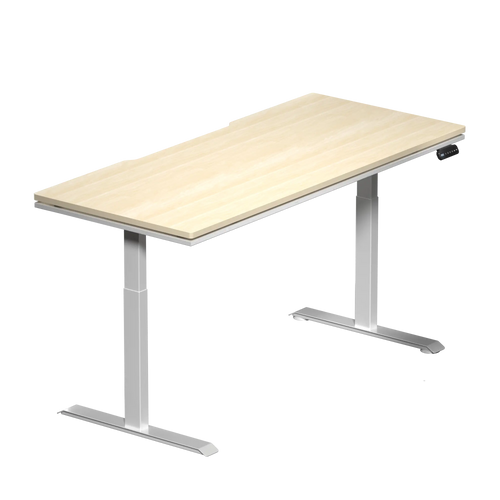
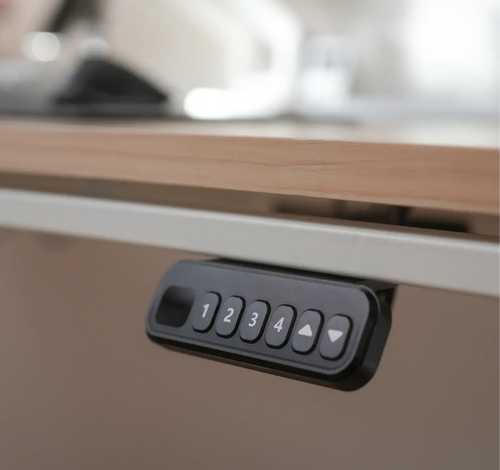
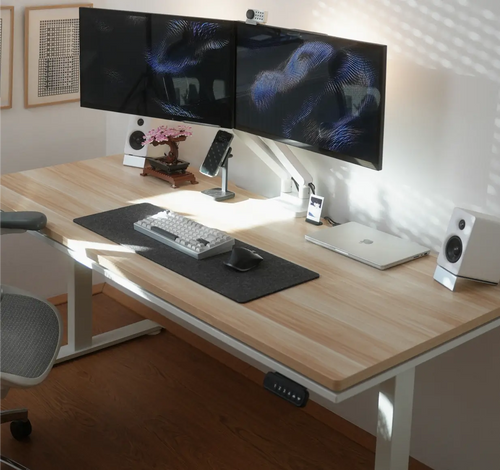
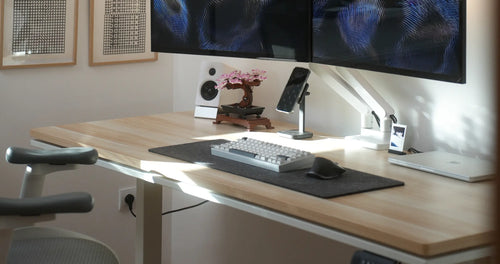


Atlas Lite Stehpult
€609
€699
Personalisieren Sie Ihren Arbeitsplatz einfacher und ohne Kompromisse. Jetzt breiter und in 4 Größen erhältlich.
€99
€129
Speichern €30
€4,13
/Monat oder 3 zinsfreie Zahlungen von
€33
mit
Pay over time with Klarna
How to Pay with Klarna:
1. Add to Cart – Select the product you wish to purchase and proceed to checkout.
2. Choose Klarna – Select Klarna as your payment option and you'll be redirected to Klarna's secure page.
3. Enter Your Details – Fill in your shipping information and personal details.
4. Select Instalments – Klarna provides a real-time loan decision. Choose Pay Later in 3 interest-free instalments and confirm.
5. Complete Your Order – Review your order details, confirm, and you're done!
Notes:
Klarna is not available for pre-order items.
Currently, only the Pay Later in 3 interest-free instalments option is offered.
For full terms and conditions, visit the
Klarna website.
Important Information:
Klarna's Pay in 3 instalments and Pay Later in 30 days are credit agreements not regulated by the Financial
Conduct Authority (FCA). This means they may offer limited consumer protections compared to regulated credit
products. Borrowing more than you can afford or missing payments may affect your financial standing and future
credit options. These services are available only to UK residents aged 18 or over, and are subject to Klarna's
credit assessment. Klarna's terms and conditions apply, including possible late payment fees.
Why Choose Klarna?
1. Pay in 3 Interest-Free Instalments – Split your purchase into three equal payments, automatically charged every 30 days. No credit checks, interest, or fees when you pay on time.
2. Safe and Secure – Your purchase is protected under Klarna's Buyer Protection policy, and modern safeguards keep your information secure.
Atlas Single-Monitorarm
Erhöhen Sie Ihre Perspektive – Freiheit für Ihr Setup
Optimieren Sie Ihr Setup – vom Sichtfeld bis zur Arbeitsfläche
Ausgestattet mit individueller Spannungseinstellung und integrierter Kabelführung lässt der Atlas Monitorarm Ihren Bildschirm mühelos in den perfekten Winkel gleiten und beseitigt gleichzeitig jeglichen Kabelleitungs-Salat von Ihrem Schreibtisch.
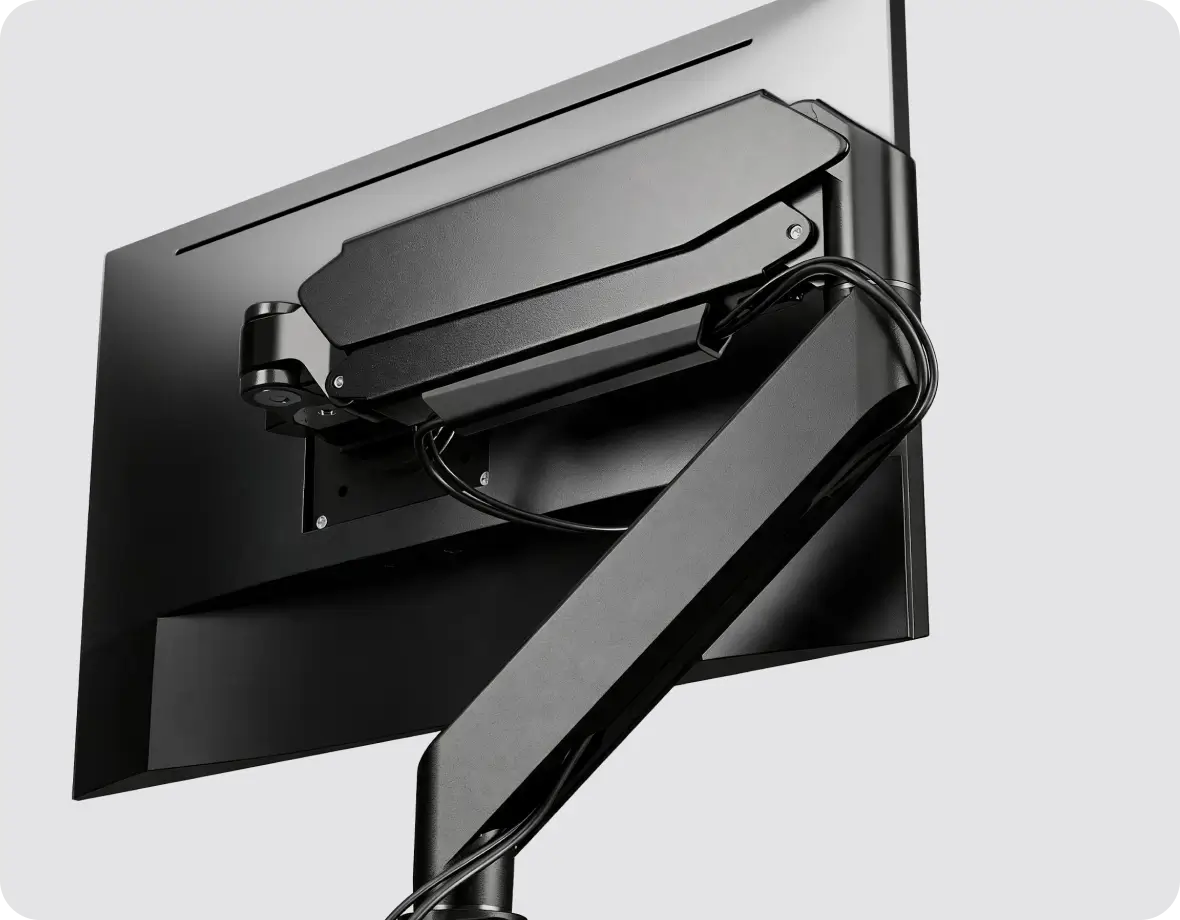
Integrierte Kabelführung
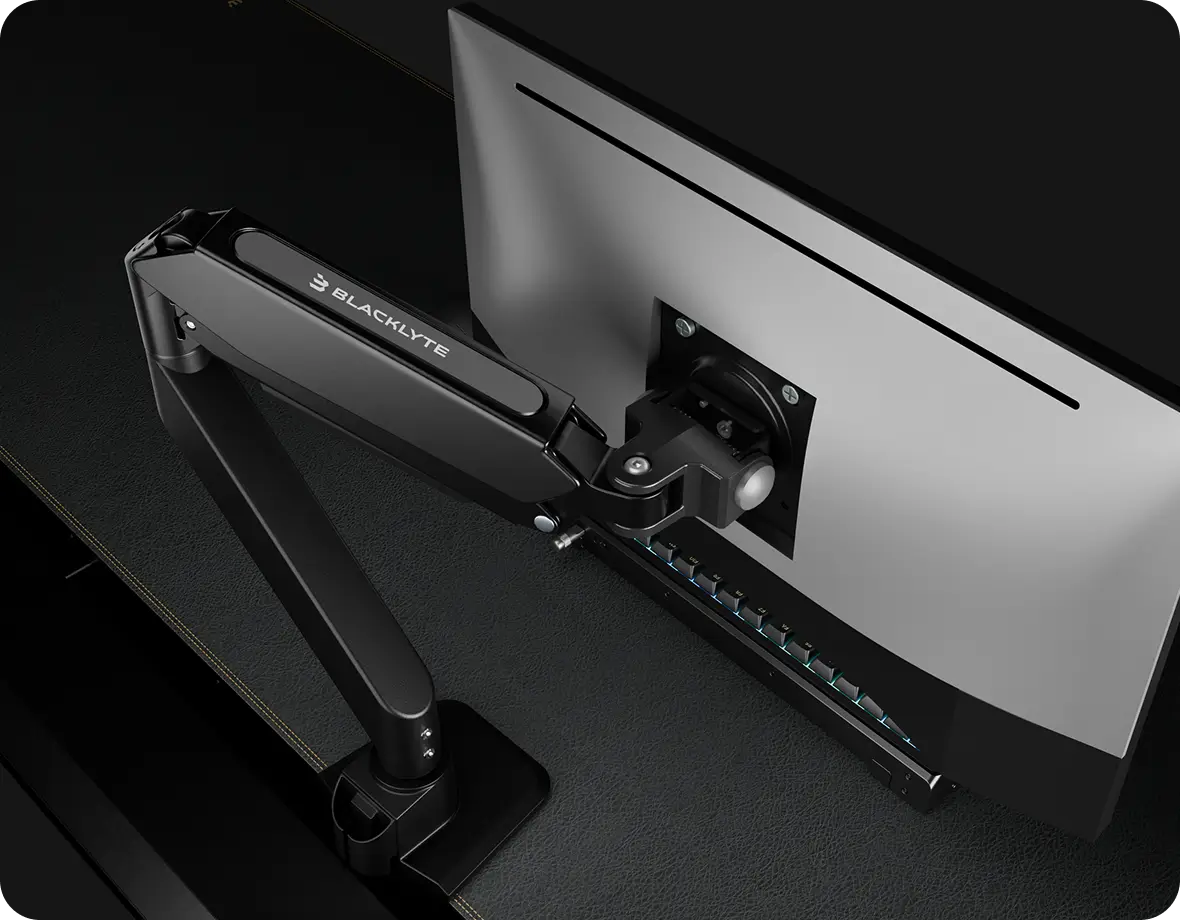
Müheloses Neigen & Halten
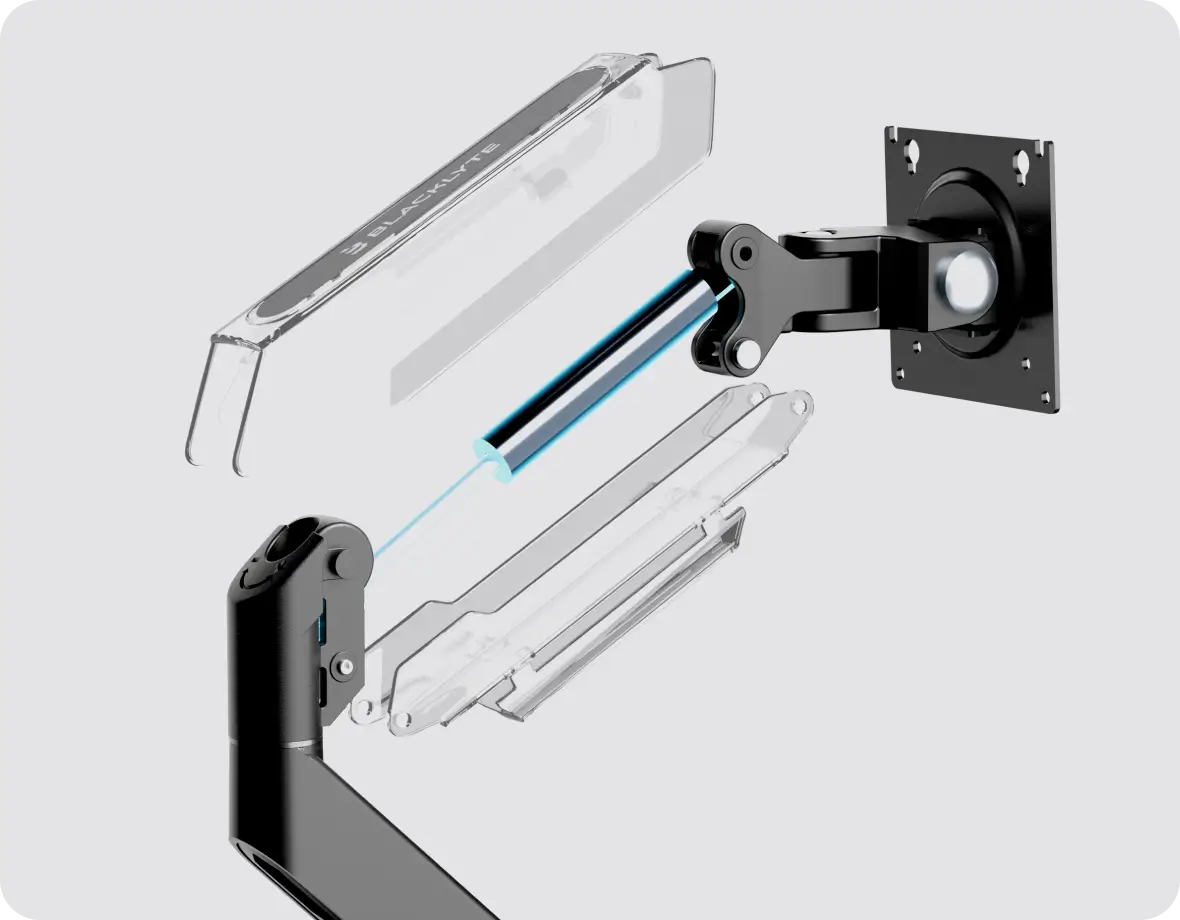
Präzise Höhenverstellung
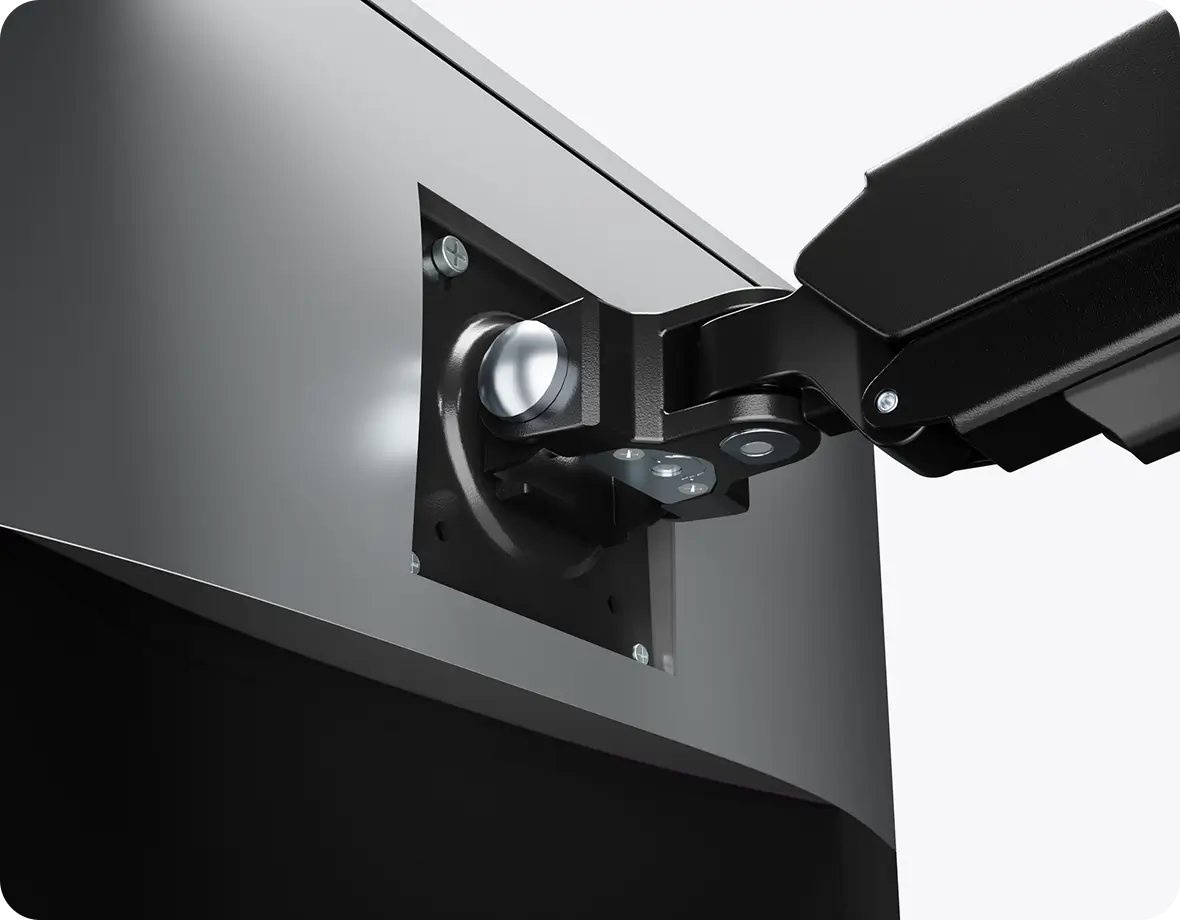
Schnelle Montage
Optimale Ausrichtung für schmerzfreies Arbeiten
Passen Sie Ihren Bildschirm ganz einfach an Ihre ideale Körperhaltung an. Der Atlas Monitorarm reduziert Nacken-, Rücken- und Augenbelastung, indem er Ihr Display genau dort hält, wo es hingehört.
Gewinnen Sie Ihren Arbeitsplatz zurück

Herkömmliche Monitorständer nehmen viel zu viel wertvolle Schreibtischfläche ein, sorgen für unnötige Unordnung und schränken Ihre Bewegungsfreiheit ein. Indem Sie Ihr Display mit einem am Rand montierten Atlas Monitorarm anheben, geben Sie sofort erstklassige Nutzfläche direkt unter Ihrem Bildschirm frei.
Dieser neu gewonnene Platz ermöglicht es Ihnen, Ihre wichtigste Ausrüstung übersichtlich zu organisieren, ein aufgeräumtes Setup zu bewahren und eine ablenkungsfreie Umgebung zu schaffen, die sowohl den Fokus als auch die Produktivität steigert.
Dieser neu gewonnene Platz ermöglicht es Ihnen, Ihre wichtigste Ausrüstung übersichtlich zu organisieren, ein aufgeräumtes Setup zu bewahren und eine ablenkungsfreie Umgebung zu schaffen, die sowohl den Fokus als auch die Produktivität steigert.
So könnte Ihr Setup aussehen
-
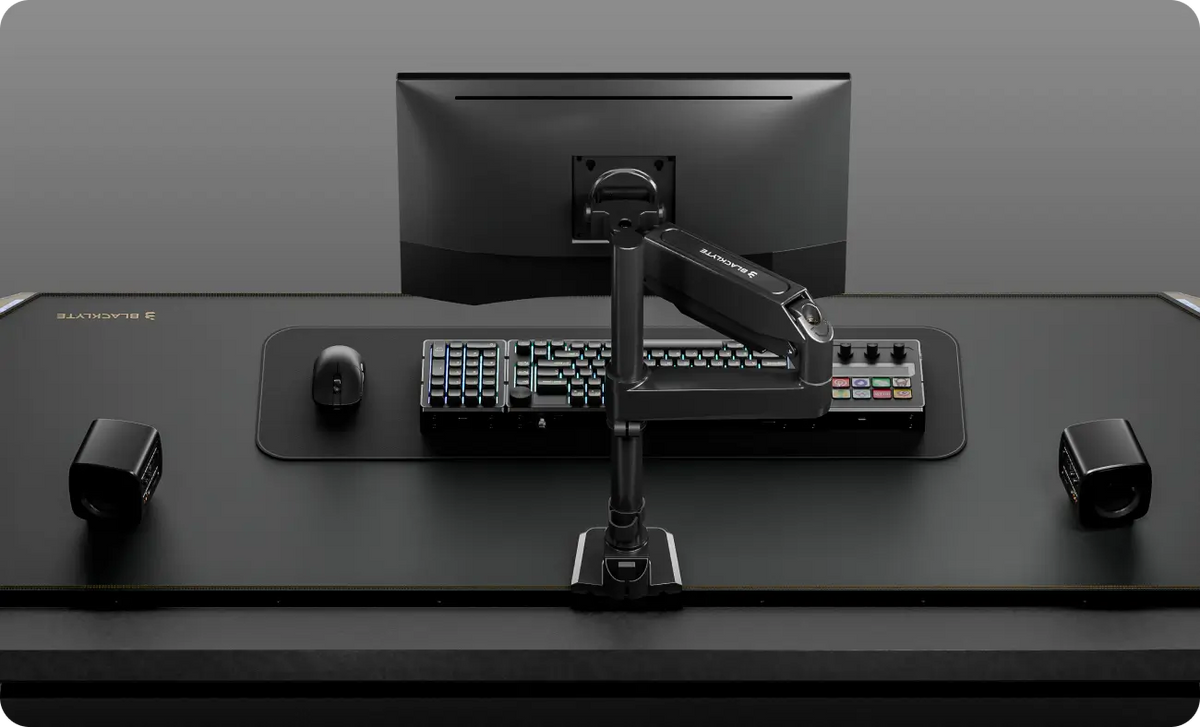
Einzel-Monitor-Setup (Querformat)
-
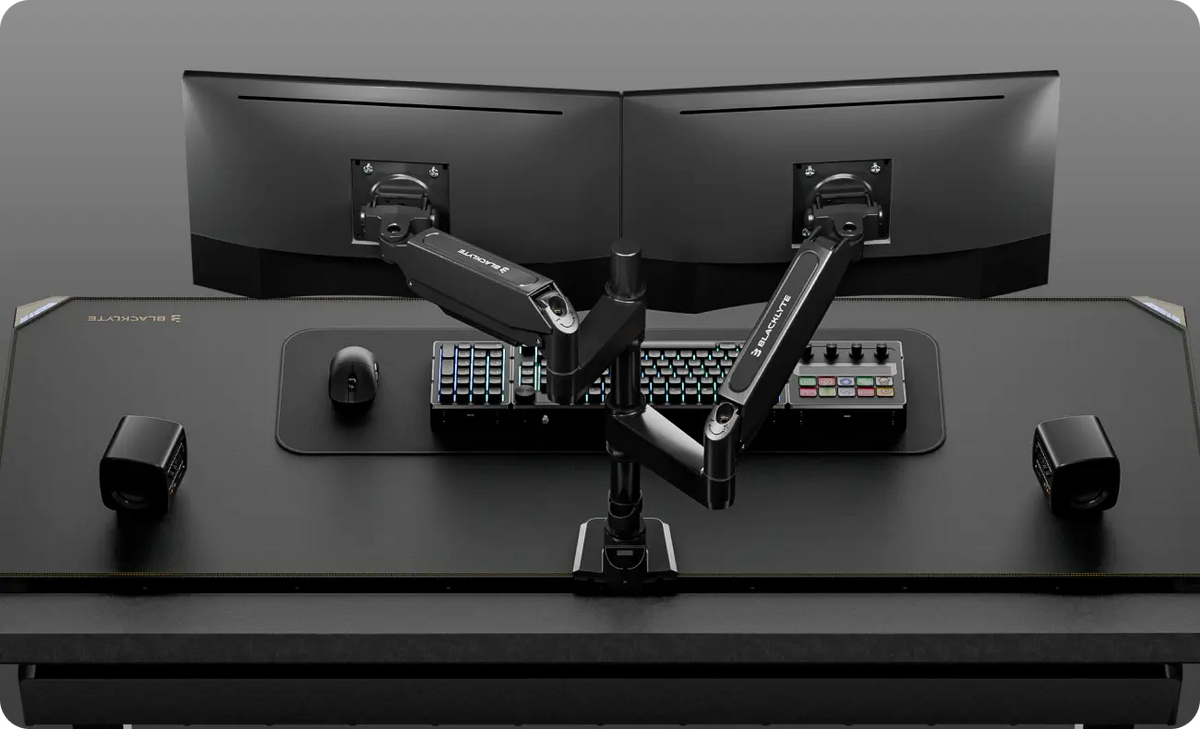
Dual-Monitor-Setup (Querformat + Querformat)
-
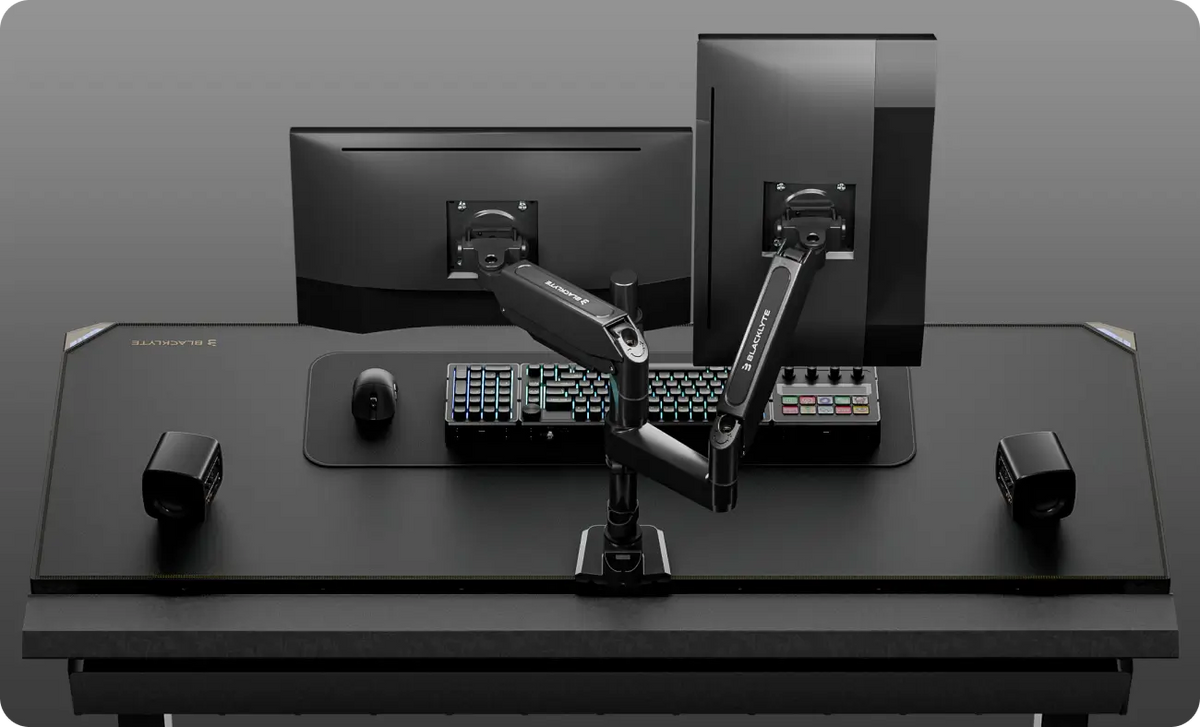
Dual-Monitor-Setup (Querformat + Hochformat)
-
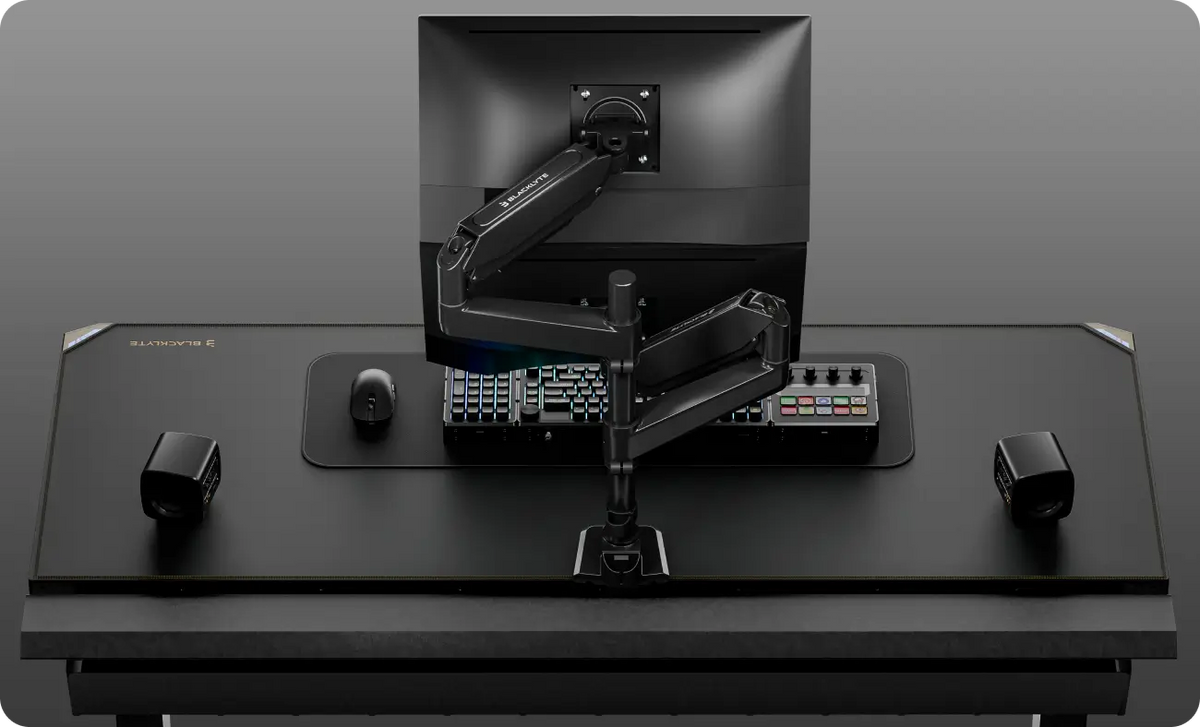
Dual-Monitor-Setup (Querformat + Querformat gestapelt)

Mühelose Montage
Dank des Slide-and-Lock VESA-Designs und der mühelosen Einsteck-Armverbindungen gelingt die Installation des Atlas Monitorarms bemerkenswert schnell und unkompliziert.

Vielseitige Dual-Befestigung
Ausgestattet mit C-Klemmen- und Tüllenmontage-Optionen (Grommet) passt der Atlas Monitorarm zu Ihrem aktuellen Schreibtisch und passt sich zukünftigen Setup-Upgrades problemlos an.
Maximale Bewegungsfreiheit
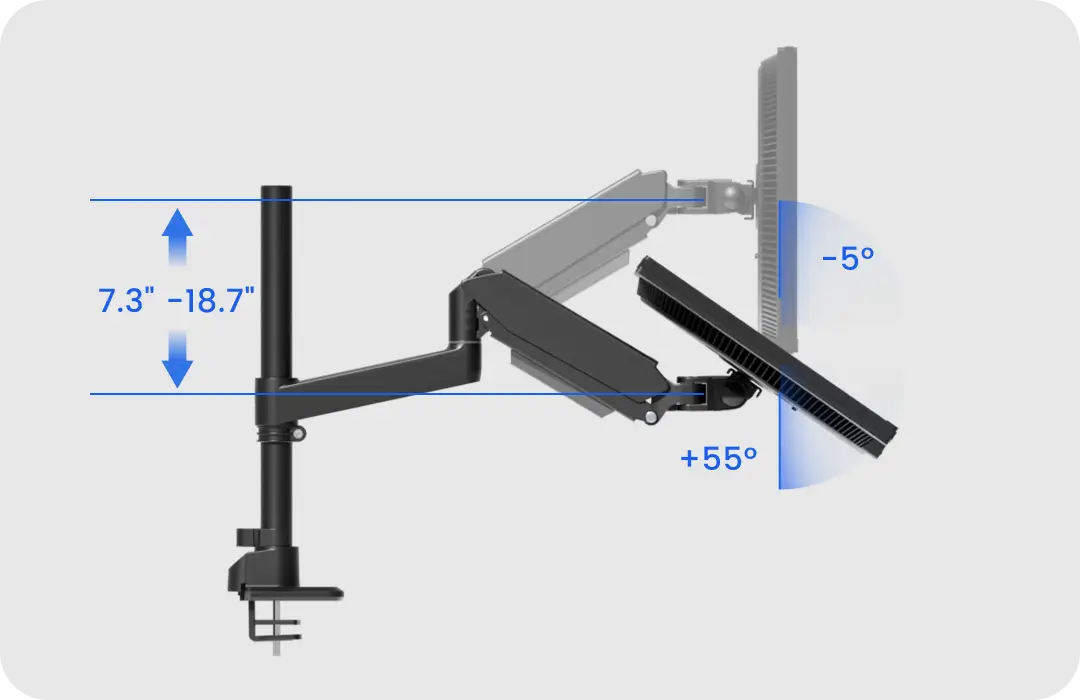
Neigungswinkel: +55° bis -5°
Höhenverstellbereich: 18,5 cm bis 47,5 cm (7,3" bis 18,7")
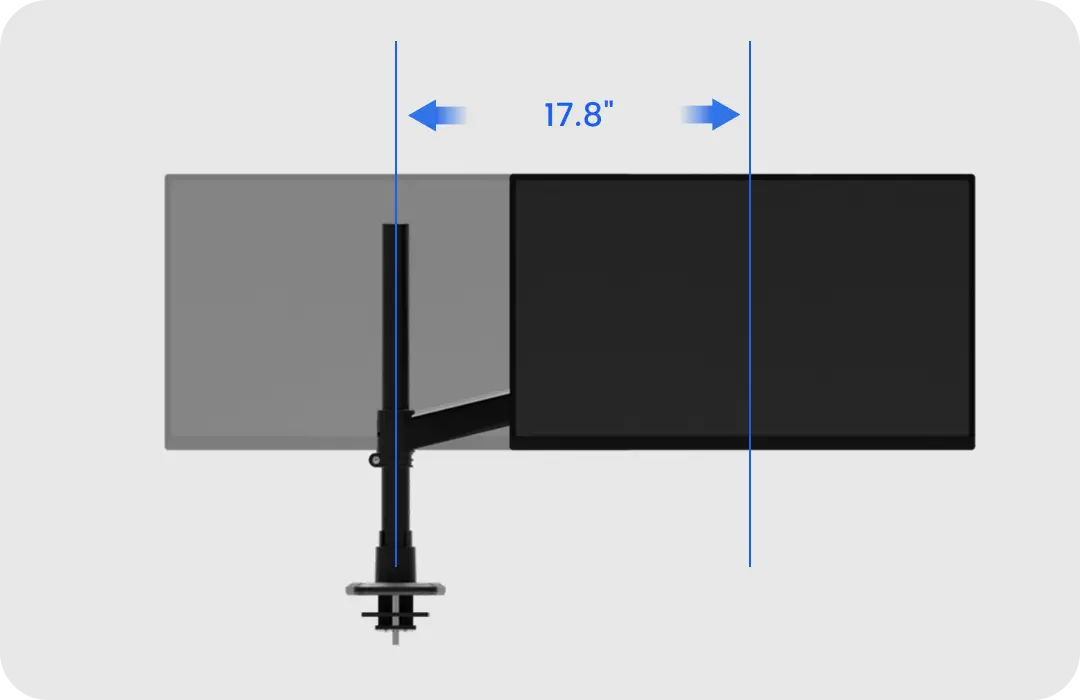
Horizontaler Verstellbereich: 45,2 cm (17,8")
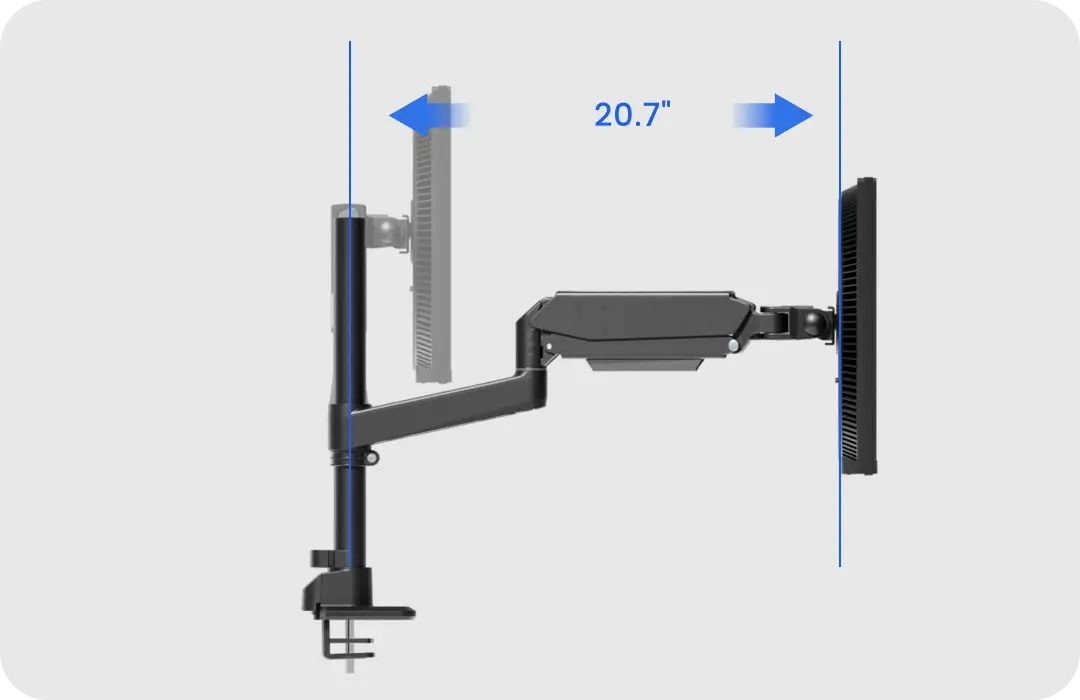
Maximale Reichweite: 52,6 cm (20,7")
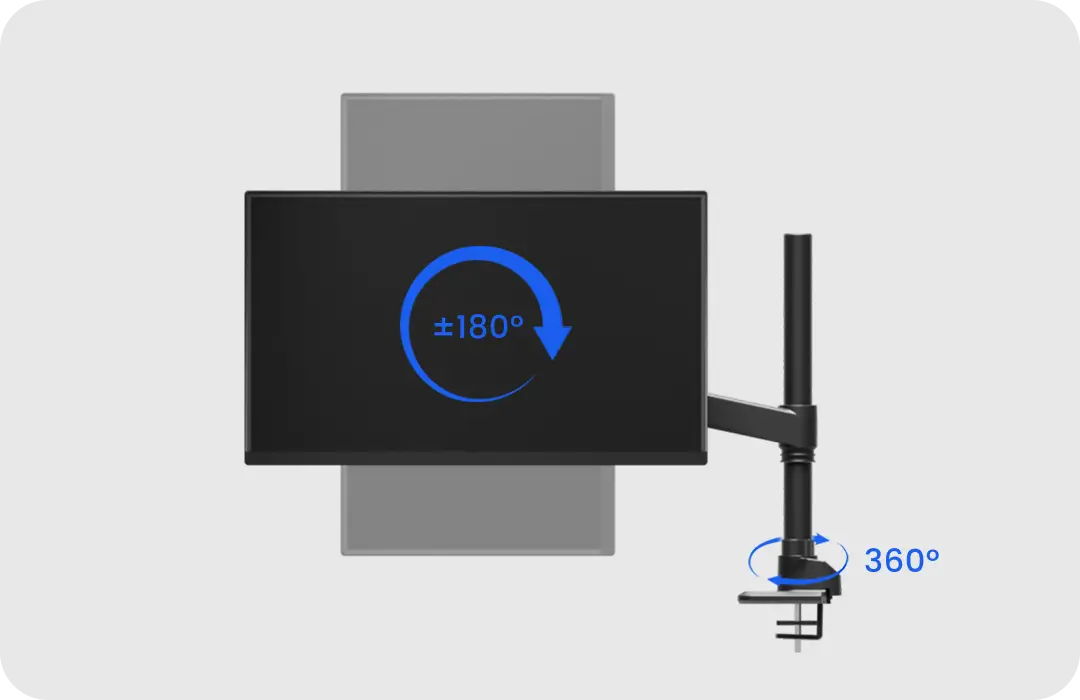
Bildschirmrotation: 360°
Produktinformationen

Montageart:Tischklemmen- / Tischlochmontage
Material:Aluminium, Stahl, Kunststoff
Tragfähigkeit:2–20 kg (4,4–44,1 lbs)
Bildschirmgrößen-Kompatibilität:13″–49″
VESA:75x75 mm, 100x100 mm
Neigungsbereich:+55°/-5°
Schwenkbereich:±90°
Drehung:+180°
Höhenverstellung:186–474 mm (7,3″–18,7″)
Oberarm:Spannungsanzeige
Unterarm:Kabelmanagement
Kopfstück:Torsionsfeder-Neigestruktur
Oberflächenfinish:Pulverbeschichtung
Zertifizierung:RoHS, Salzsprühtest, Gasfeder-Ermüdungstest
Garantie:1 Jahr
Rückgabe:30-Tage-Rückgaberecht
Farben:Schwarz / Weiß
Verpackungsmaße:810 x 220 x 155 mm (31,89″ x 8,66″ x 6,1″)
Nettogewicht:3,8 kg (8,38 lbs)
Bruttogewicht:4,8 kg (10,58 lbs)
Lieferumfang

A. Oberarm
B. Silikonpad
C. Basisklemme
D. Gewindestange
E. Metall-Basisplatte
F. M4×10 Kreuzschlitzschrauben (4 Stk.)
G. M5×10 Kreuzschlitzschrauben (4 Stk.)
H. Schwarze Kunststoff-Unterlegscheiben (4 Stk.)
I. 4-mm-Inbusschlüssel (1 Stk.)
J. 5-mm-Inbusschlüssel (1 Stk.)
K. 6-mm-Inbusschlüssel (1 Stk.)
Häufig gestellte Fragen (FAQ)
Ein Monitorarm ist eine verstellbare Halterung, die entwickelt wurde, um Ihren Bildschirm über dem Schreibtisch zu halten und gleichzeitig die volle Kontrolle über Höhe, Tiefe und Blickwinkel zu ermöglichen. Er nutzt ein Gasdruckfeder- oder mechanisches Gelenksystem, um das Gewicht des Displays zu tragen, sodass Sie Ihren Monitor reibungslos und mit minimalem Aufwand neu positionieren können.
- Die Auswahl einer Auswahl führt zu einer vollständigen Seitenaktualisierung.