












Standing Desk for Gaming: When Standing Actually Helps Performance
Here's a question most gaming furniture brands won't answer honestly: does standing while gaming actually make you better? The short answer is sometimes — and the longer answer is more interesting than you'd expect.
Standing desks have become almost obligatory in the "serious gamer" setup conversation, but the reality is more nuanced than the marketing suggests. Standing isn't universally better than sitting, and for certain types of gameplay it can actively work against you. At the same time, used at the right moments and with the right setup, a standing desk for gaming can genuinely sharpen your focus, reduce physical fatigue over long sessions, and keep you performing at a higher level for longer.
In this guide, we break down exactly when standing helps, when it doesn't, how professional and serious gamers are actually using height-adjustable desks, and what to look for in a standing desk purpose-built for gaming — not just repurposed office furniture.
The Standing Desk Gaming Debate Nobody Is Having Honestly
Most content about standing desks and gaming falls into one of two camps: either enthusiastic promotion that treats standing as an automatic upgrade, or skeptical dismissal that calls it a gimmick. Both miss the point. The real question isn't whether standing is good or bad — it's whether standing is right for your situation, game type, and session length.
Research into standing's effect on cognitive performance offers some useful context. Studies published in sports science and occupational health journals consistently show that light physical engagement (such as standing) increases arousal and alertness, particularly when transitioning from a prolonged seated state. Blood flow improves, the body's passive fatigue signals reduce, and many people report feeling more mentally present. For gaming, those effects translate directly into reaction time, decision-making speed, and sustained concentration — at least in the short term.
The catch is that sustained standing — anything beyond 60 to 90 minutes without movement — introduces its own fatigue, particularly in the lower back and legs. Micro-tremors in standing posture can also affect fine motor precision. So the performance case for a standing desk isn't "stand all the time"; it's "stand at the right times." That's a meaningfully different recommendation, and it's one worth understanding before you spend money on a height-adjustable setup.
When Standing Actually Helps Your Gaming Performance
There are specific scenarios where switching to a standing position delivers a measurable edge. Understanding them helps you build intentional habits rather than just standing because you heard you should.
During High-Stakes or High-Intensity Moments
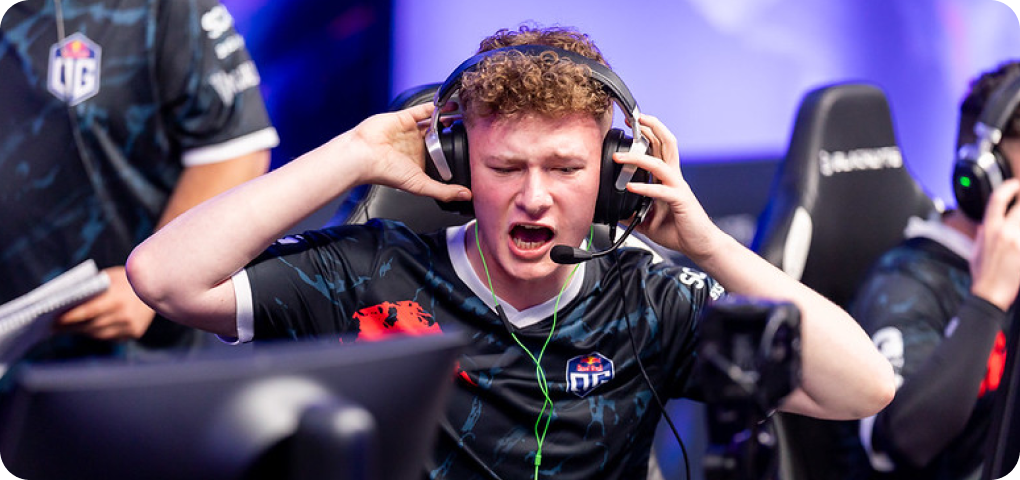
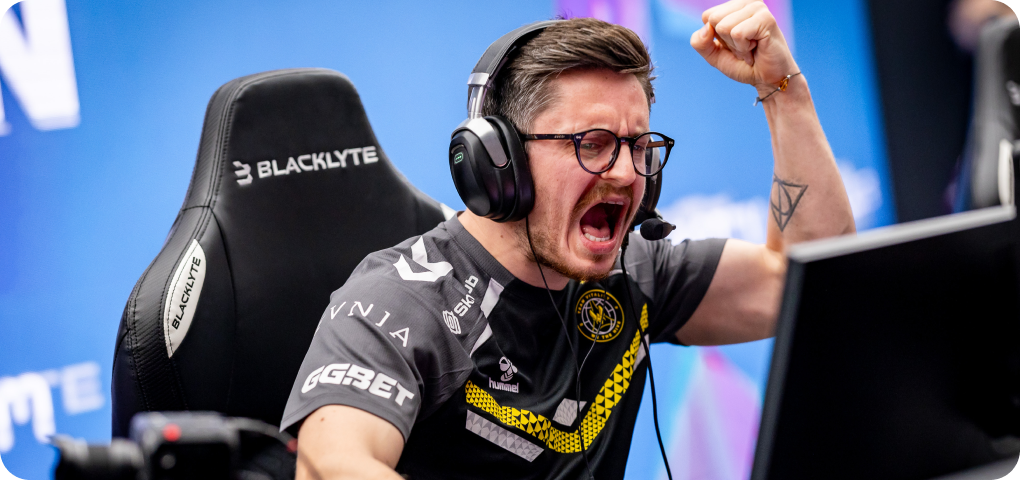
Many players instinctively lean forward or half-rise from their chair during tense in-game moments — a pre-tournament lobby, a clutch round, a ranked match where a single decision matters. That instinct isn't irrational. Standing increases physiological arousal in a controlled way, activating the same alert-state your body enters during mild physical engagement. If you find yourself mentally sluggish in high-pressure moments, transitioning to standing for that segment of play can sharpen your edge. Several professional esports athletes have described standing during warmup or between map rounds specifically for this reason.
During Long Sessions to Combat Passive Fatigue
Passive fatigue — the dull, creeping tiredness that comes from holding one position for hours — is a genuine performance killer. It's distinct from active tiredness; you might feel mentally capable but your reaction times slow, your posture collapses, and your in-game decision-making becomes lazier. Standing for 15 to 20 minutes every hour disrupts that cycle. It reactivates the musculoskeletal system, improves circulation to the brain, and effectively resets your body's fatigue clock. Treat it like a built-in performance maintenance tool, not a health obligation.
During Strategy Reviews, Spectating, and VOD Watching
Not every moment at your desk is active gameplay. When you're reviewing replays, watching opponent footage, studying maps, or coordinating strategy with teammates, standing is almost always advantageous. The cognitive tasks involved — analysis, memory encoding, planning — benefit from heightened alertness, and the physical stakes (fine motor precision) are minimal. This is arguably the highest-value use case for a standing position at a gaming desk, and it's one that often goes unmentioned in the broader conversation.
When You Should Absolutely Sit Down
Honesty matters here. There are gaming scenarios where standing is a liability, and a performance-first approach means knowing when to lower the desk and take your seat.
Precision-heavy gameplay — particularly sniping in FPS titles, high-accuracy mouse work in RTS games, or any scenario where sub-millimeter cursor control matters — is compromised by standing. Even perfect standing posture involves micro-level postural sway that seated posture eliminates. If you're running a support class, playing sniper, or in a game where cursor precision is the primary mechanic, sit down.
Extended ranked sessions lasting more than two to three hours are another case where you want to spend the majority of time seated in a properly configured ergonomic chair. Standing for too long without anti-fatigue mats, proper footwear, and a biomechanically sound desk height creates its own physical strain — lower back compression, plantar stress, and leg fatigue — that will degrade your performance just as effectively as sitting too long in a bad posture.
Late-night sessions are a special case worth mentioning. If you're already fighting mental fatigue, standing can sometimes backfire by accelerating physical tiredness without providing the alertness boost it delivers when you're reasonably rested. Read your body, not just the clock.
The Hybrid Approach: How Top Players Actually Use Standing Desks
The most effective use of a height-adjustable gaming desk isn't a standing desk or a sitting desk — it's both, transitioned fluidly throughout a session. This is what ergonomics professionals call "dynamic working," and it's exactly how serious players integrate height-adjustable setups into their routines.
A practical framework used by many competitive and semi-professional players looks something like this: start a session seated for the first 30 to 45 minutes while warming up and getting into the game's rhythm. Transition to standing for 15 to 20 minutes when energy dips or a high-stakes segment begins. Return to sitting for extended precision work or when the session stretches past the two-hour mark. Use standing again for any post-session review, coaching calls, or strategy work.
The key enabler of this approach is a desk that makes transitions effortless. If adjusting the desk height takes significant time or effort, you simply won't do it consistently — and the benefits collapse. Electric height adjustment with programmable memory presets is what separates a desk that genuinely changes your habits from one that stays at one height forever. You can explore the full range of Blacklyte's gaming desks to see how this is implemented at a hardware level.
Getting the Ergonomics Right When Standing
A standing desk only delivers performance benefits when the ergonomic setup is correct. An incorrectly configured standing position is worse than sitting poorly — it creates acute stress rather than distributing it. Getting this right requires attention to a few key variables.
- Desk height: When standing, the desk surface should sit at or just slightly below your bent elbow height, so your forearms rest parallel to the floor with no shoulder shrug or wrist deviation. For most adults, this falls between 38 and 44 inches, but body proportions vary significantly — this is exactly why a wide adjustment range matters.
- Monitor height: Your monitor should remain at eye level whether you're sitting or standing. If it's on a fixed arm or riser, you may need to reconfigure it when you transition. A monitor arm with vertical adjustment range is the cleanest solution.
- Anti-fatigue mat: Non-negotiable for standing sessions beyond 20 minutes. These mats encourage subtle postural micro-movements that maintain blood flow and reduce lower limb fatigue significantly.
- Footwear: Standing barefoot or in socks on a hard floor accelerates fatigue. Wear supportive footwear or use a cushioned mat if gaming barefoot is your preference.
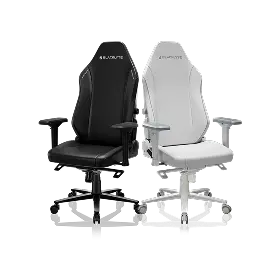
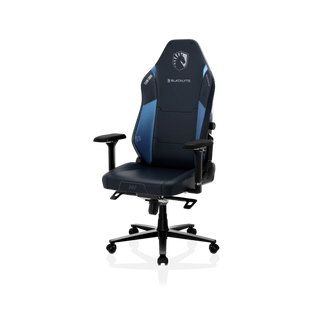
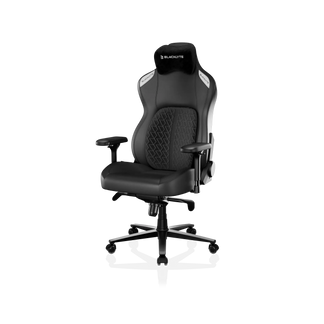
- Keyboard and mouse position: Your input devices should follow the same elbow-height rule as the desk surface. If your chair has 4D armrests (as Blacklyte gaming chairs do across the full lineup), note that armrests become irrelevant when standing — your elbows are supported by the desk surface itself.
For a deeper look at ergonomic positioning principles that apply whether you're sitting or standing, Blacklyte's dedicated Ergonomics resource and Gaming Hub cover the science in practical detail.
What to Look for in a Gaming Standing Desk
Not all standing desks are equally suited to gaming environments. Office-oriented standing desks are designed for productivity workflows — documents, keyboards, monitors — but gaming setups have unique demands: heavier multi-monitor loads, cable-heavy peripherals, RGB lighting ecosystems, and users who expect their hardware to perform under daily, intensive use.
When evaluating a standing desk specifically for gaming, prioritize the following:
- Height range and motor quality: Look for a range that covers both your seated and standing positions comfortably, typically 24 to 50 inches or wider. Dual-motor systems offer more even lift distribution and better stability under heavier loads.
- Weight capacity: Multi-monitor gaming setups with ultrawide screens, heavy peripherals, and audio equipment can easily exceed 50 kg of total load. Confirm the desk's rated capacity before purchasing.
- Memory presets: One-touch preset buttons to snap between your exact sitting and standing heights are essential for making transitions habitual rather than occasional.
- Surface size: Gaming setups need room. A minimum of 140 cm width is practical for dual-monitor configurations; 160 cm or more is preferable.
- Cable management: Clean cable routing isn't just aesthetic — loose cables at a height-adjustable desk become a real tangle hazard as the frame moves up and down.
- Stability at standing height: Wobble at full extension undermines both precision input and your confidence in the setup. Frame rigidity and crossbar construction matter significantly here.
How the Blacklyte Atlas Desk Is Built for This
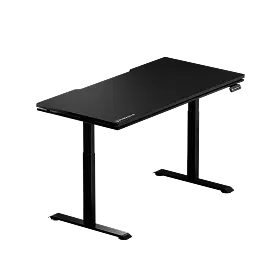
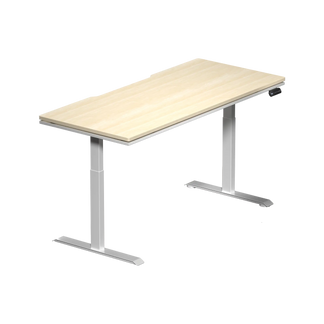
Blacklyte's Atlas Gaming Desk and Atlas Lite Standing Desk were developed with gaming environments specifically in mind — not adapted from an office product line, but engineered for the demands of intensive gaming and streaming setups from the ground up.
The Atlas Desk features integrated cable management channels that keep your peripheral ecosystem tidy regardless of whether the desk is at sitting or standing height — a detail that sounds minor until you've watched a height adjustment yank a cable loose from a running system. The integrated power strip with built-in AC outlets eliminates the peripheral cable sprawl that plagues most gaming desks, keeping the surface clear and reducing trip hazards at the base.
Smart lighting controls via Blacklyte's proprietary Atlas Driver software, and a single button press can switch your entire setup from "seated session" to "standing mode" — correct height, correct lighting, minimal friction. The magnetic surface panels and accessory compatibility make it easy to expand and adapt the setup as your peripherals evolve.
For gamers who want to compare the Atlas and Atlas Lite side by side on specifications like height range, weight capacity, and surface dimensions, the desk comparison tool makes the differences immediately clear. You can also browse the full desk collection to see current configurations and availability.
Backed by Blacklyte's reputation across 50+ Countries and Regions, with 20+ global esports partnerships including tournament organizer BLAST, Team Liquid, Fnatic, Team Spirit, and Team Vitality, the Atlas lineup is built to the same standards that professional esports environments demand — because those are the standards Blacklyte is held to every time a partner event goes live.
The Bottom Line
A standing desk for gaming isn't a universal performance upgrade — it's a strategic tool. Used at the right moments (high-stakes rounds, mid-session energy dips, VOD review, strategy work), it genuinely sharpens focus, improves circulation, and breaks the cycle of passive fatigue that grinds down performance over long sessions. Used indiscriminately or with poor ergonomic setup, it introduces its own problems. The players who get the most from height-adjustable setups are the ones who treat the transition between sitting and standing as a deliberate performance decision, not a casual habit.
Build the habit around your game type, your session structure, and your body's feedback — and pair it with a desk that makes the transition fast enough to actually happen. That's when standing starts paying off.
Ready to Build a Setup That Performs?
Whether you're configuring your first standing desk setup or upgrading a competitive rig, Blacklyte's team can help you match the right desk, chair, and accessories to your gaming style, room dimensions, and budget. No generic recommendations — just setup advice built on 20 years of ergonomic engineering and real esports environments.
Talk to the Blacklyte TeamOr explore the full gaming desk lineup and all products at your own pace. Free Shipping, 30-day returns. Warranties extendable up to 5 years on chairs and desks.


