















Buying a Desk and Chair Together vs Separately: The Real Trade-Offs
Most gaming setup guides treat the chair and the desk as two separate problems to solve at two separate times. Pick a chair, tick that box. Pick a desk, tick that box. Done. What they rarely address is the question underneath both decisions: does the timing of how you buy them actually change how well they work together?
The answer is yes — and the consequences show up in your posture, your budget, and the long-term flexibility of your setup. Buying a gaming desk and chair at the same time opens up different options than buying them weeks or months apart. Neither approach is automatically correct. What matters is understanding what you actually gain and give up with each, so you can make the decision that fits your specific situation — not someone else's buying guide formula.
This article breaks down the real trade-offs between buying together and buying separately: ergonomic compatibility, financial structure, setup flexibility, and the practical checklist that keeps either approach from going wrong. Whether you're building your first serious setup or upgrading an existing one, the framework here will help you make a decision you won't need to undo six months later.
Why Chair and Desk Compatibility Matters More Than You Think
Before the question of timing even comes up, it's worth being clear on why chair-desk compatibility is a non-negotiable foundation. Your chair and desk don't function independently — they form a single ergonomic system. The height of your desk surface determines the angle at which your arms rest and the degree of shoulder elevation during long sessions. The height range of your chair determines whether you can position your eyes at monitor level while keeping your feet flat on the floor. The depth of the desk affects how far your monitor sits from your face, which directly influences neck and eye strain over hours of use.
When these variables are mismatched, even high-quality furniture performs below its potential. A chair with excellent lumbar support still can't correct posture that's being forced into a bad angle by a desk that's too high or too low. This is the ergonomic logic that makes the buying-together vs. buying-separately decision more consequential than it initially appears — because one approach makes it easier to verify system compatibility before you commit, while the other introduces a genuine risk of mismatch that only surfaces after delivery. For a detailed look at how these elements interact, Blacklyte's ergonomics guide covers the biomechanical principles that should inform every setup decision.
The Case for Buying Together
Purchasing a gaming chair and desk at the same time offers a set of advantages that are easy to underestimate until you've had to coordinate two separate deliveries, two separate assembly sessions, and two separate return processes. The most practical benefit is that you can verify compatibility before anything ships. You can check the desk's height range against the chair's seat height, confirm that the aesthetic pairing works across both products, and in many cases take advantage of bundle pricing that reduces the combined cost compared to buying each piece individually at full price.
There's also a workflow advantage: setting up both pieces at once means you configure the ergonomic relationship between them from day one, rather than adjusting an existing setup around a new piece of furniture later. When you add a new desk to an existing chair, or vice versa, there's inevitably a recalibration period — and sometimes the proportions simply don't align the way they would if you'd chosen both together. Buying at the same time also consolidates your customer support experience. One brand, one shipping window, one warranty process — that simplicity has real value when something needs to be addressed post-purchase.
The financial case is particularly compelling when promotional or bundle pricing is available. Brands like Blacklyte offer dedicated bundle deals that can represent meaningful savings versus buying each item separately at full retail. If both products in a given combination fall within your ideal specification range, that pricing structure is straightforwardly better than splitting the purchase across two separate transactions.
The Case for Buying Separately
Buying a desk and chair at different times — either because of budget, timing, or evolving priorities — is a legitimate strategy, not just a compromise. The primary advantage is financial flexibility. Spreading a significant investment across two purchase windows is easier on cash flow, and it gives you the ability to allocate budget more deliberately. If your current chair is still functional but your desk is genuinely limiting your posture and productivity, upgrading the desk first and waiting on the chair is a defensible decision.
Buying separately also gives you more time to research each product category in isolation. Chair ergonomics and desk specifications are genuinely different knowledge domains. Understanding what lumbar support design, seat foam construction, and recline mechanism actually mean for long-session comfort takes time. So does understanding what height range, motor system, surface area, and cable management mean for a desk. When you're not buying both at once, you can give each decision the attention it deserves without feeling rushed to coordinate a single transaction.
There's a third scenario that makes phased purchasing genuinely sensible: if your setup is likely to change significantly in the near future. Moving to a new home, switching from gaming-only use to a hybrid gaming-and-work environment, or expecting to share the setup with someone of a different body type — any of these circumstances make it worth waiting on one purchase until your requirements are clearer. A standing desk that works for a solo setup may need to be reconsidered if the workflow is about to shift. Buying the chair you're confident about now, and deferring the desk until the situation is clearer, is a reasonable response to that uncertainty.
The Real Trade-Offs: A Direct Comparison
The honest version of this comparison doesn't have a clear winner — it has a set of genuine trade-offs that cut both ways depending on your situation. Understanding what each approach costs and delivers is more useful than a verdict that doesn't apply to your specific context.
Ergonomic compatibility: Buying together makes it easier to verify compatibility upfront. Buying separately requires deliberate cross-referencing of specifications — particularly the desk's height range against the chair's seat height — and carries a higher risk of mismatch if that research step is skipped.
Cost structure: Buying together often unlocks bundle pricing and consolidates shipping costs. Buying separately may cost more in aggregate, but spreads financial impact across time and allows you to invest more selectively in whichever product matters most at a given moment.
Aesthetic cohesion: Buying together from a single brand makes visual coordination effortless. Buying separately requires intentional color and style matching — something that takes more planning but isn't inherently harder to achieve, especially within a brand's consistent design language.
Flexibility and upgradeability: Neither approach locks you in permanently. A chair bought separately today can be paired with a desk bought later, as long as compatibility is verified. But if you're buying both together because of a bundle discount, ensure that the combination is genuinely right for you — not just priced attractively. A bundle that includes one component that doesn't meet your actual needs isn't a saving; it's a delayed replacement cost.
Setup and support experience: A single coordinated purchase is simpler to manage from assembly through any post-purchase support. Separate purchases from different time periods may require dealing with different promotions, different delivery windows, and potentially different warranty registration processes.
When Buying Together Makes the Most Sense
Buying a gaming chair and desk at the same time is the right call in a specific set of circumstances. If this is your first serious ergonomic setup and you're replacing a standard office chair and basic desk simultaneously, buying together ensures you're configuring the full system at once rather than inheriting the ergonomic limitations of whatever you're replacing. It also means you can take advantage of any bundle pricing or seasonal promotions without having to time two separate transactions.
Buying together also makes sense when aesthetics matter significantly to your setup. Streamers, content creators, and anyone building a setup that needs to look cohesive on camera benefit from having both products designed under the same visual language from day one. Matching colorways, complementary material finishes, and consistent design proportions are easiest to achieve when you're selecting both pieces at the same time.
Finally, if you've done the research and both your ideal chair and your ideal desk are available from the same brand — and particularly if they're available at a combined price point that beats buying separately — there's no reason to split the purchase artificially. The compatibility is verified, the aesthetics are aligned, and the economics favor buying together. That's the scenario where simultaneous purchase is simply the better decision by every measure.
When Buying Separately Makes the Most Sense
Phased purchasing works best when your situation has meaningful asymmetry — where one piece of your setup is clearly more urgent or more important than the other. If you're spending 8+ hours a day in a chair that's causing back pain, getting the right chair immediately is the priority, regardless of what desk it sits in front of. In that scenario, waiting to buy the chair until you can also afford the desk is the wrong calculus. Address the most critical ergonomic issue first.
Buying separately also makes sense when your desk and chair requirements fall into different budget tiers and you can't comfortably fund both at once. Investing in a premium ergonomic chair now — one that will serve you for years — while using a functional but basic desk in the interim is a defensible approach, provided you verify that the desk's height is compatible with the chair's seat range. The same logic applies in reverse: if you need a height-adjustable standing desk to support a hybrid work-and-gaming workflow, but you're not yet ready to commit to a premium chair, prioritizing the desk and using your existing chair in the interim is a reasonable bridge strategy.
The one discipline that phased purchasing requires is deliberate compatibility checking. When you buy the second piece, you can't assume it will work with the first — you need to verify the height ranges overlap correctly, and ideally that both products share enough visual consistency to feel like a unified setup rather than two pieces of mismatched furniture that happened to end up in the same room.
What to Verify Before You Buy Either Way
Whether you're buying together or in two separate stages, the compatibility checklist is the same. Skipping it is the primary way a well-intentioned setup ends up not working as well as it should. These are the specifications that need to align between your chair and desk before you commit to either.
- Desk height range vs. chair seat height: The most critical check. Your desk's minimum height needs to be low enough for your arms to rest at approximately 90 degrees when you're seated at your correct chair height. For most adults, this means a desk with a meaningful adjustment range rather than a fixed-height model.
- Chair lumbar support type: Whether a chair uses a built-in adjustable lumbar or an external lumbar system matters more than it sounds. A built-in lumbar that adjusts in multiple axes — height and depth, as on the Athena Pro — is less dependent on desk positioning than an external pillow that can shift during a session.
- Desk surface depth: The depth of the desk surface determines how far your monitor sits from your eyes. Shallower desks push monitors closer; deeper desks allow proper viewing distance. This isn't a chair spec, but it affects your neck and eye strain in ways that interact with how your chair supports your head and upper back.
- Desk cable management and power integration: If you're investing in a serious chair, you're likely building a serious setup. Desks with integrated cable management and a built-in electrical socket (like both the Atlas Desk and the Atlas Lite Standing Desk) reduce desktop clutter and make the overall ergonomic environment cleaner and more functional.
- Armrest adjustability: 4D armrests on a chair only reach their potential if the desk height allows your elbows to rest naturally without your shoulders rising. Check that your chair's armrests can be set at a height that aligns with your desk surface, not just in the abstract range.
- Weight capacity and size: Desk load capacity needs to accommodate your full monitor, peripherals, and any accessories. Chair weight ratings need to match the user. These checks matter whether you're buying together or separately.
You can use Blacklyte's chair comparison tool and desk comparison tool to cross-reference specifications side by side, which makes this compatibility verification significantly faster than hunting through individual product pages.
How Blacklyte's Lineup Supports Both Approaches
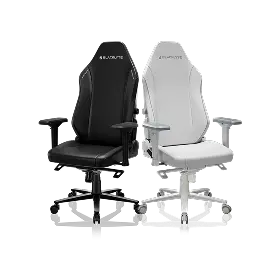
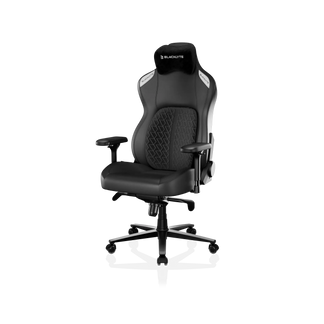
Blacklyte's current chair lineup consists of two models, each with a distinct positioning. The Kraken Pro is the premium, high-end model, built with DuraGen™ Leatherette upholstery, high-density memory foam, an aluminum alloy base, and the Dynamic Air Lumbar Support System — a floating lumbar design that fine-adjusts front-to-back and locks in place. The Athena Pro is the flagship model, available in both FlexKnit™ Fabric and DuraGen™ Leatherette, featuring upgraded dual-layer memory foam (an ultra-soft memory foam top layer over a high-density polyurethane core infused with carbon and silver ions) and a 4-Way Built-in Adjustment lumbar that adjusts both vertically and front-to-back. Both chairs recline 90° to 149°, feature a frog-type tilt mechanism with 0° to 14° of rocking and adjustable tilt tension, use a Class 4 hydraulic gas piston, and ship with 4D armrests across the lineup.
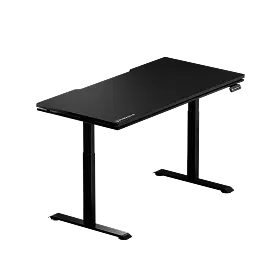
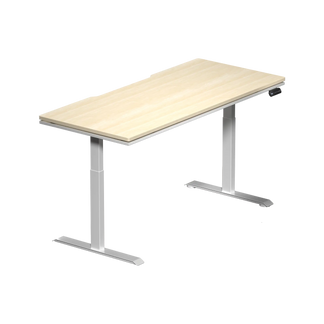
On the desk side, both the Atlas Desk and the Atlas Lite Standing Desk are engineered to integrate with either chair without compatibility compromises. Both feature dual electric motors, integrated cable management, a built-in electrical socket, and independent height adjustment controls with memory presets. The Atlas Desk adds a magnetic desktop surface and smart lighting controls via Blacklyte's proprietary Atlas Driver software, with a height range of 28.3" to 53.9" and 3-stage leg columns. The Atlas Lite Standing Desk offers four size options and three colorways (Obsidian Black, Moonstone White, and Natural Oak), with 2-stage legs and a height range of 27.6" to 46.1". Either desk will function correctly with either chair in terms of height compatibility for the majority of users.
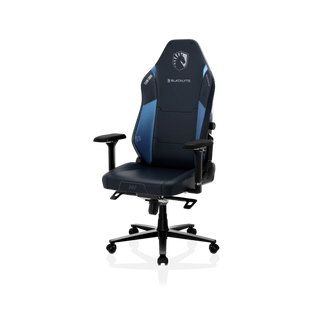
Whether you're buying a chair and desk simultaneously or phasing the investment across two purchases, Blacklyte's product architecture supports both strategies. The brand's bundle pricing makes buying together financially compelling when both products match your requirements. And if you're approaching each category independently, the full gaming chair range and standing desk lineup are each strong enough to stand alone as independent purchases that can be paired at any point. For additional setup guidance oriented around gaming performance, Blacklyte's Gaming Hub provides ergonomic recommendations specifically for gaming workflows. With partnerships spanning tournament organizer BLAST and esports teams including Team Liquid and Fnatic, and chair warranties extendable up to 5 years, Blacklyte is built for the kind of long-term setup investment that rewards whichever purchasing approach you take — as long as the specifications are right for you.
The Verdict: It Depends on Your Situation, Not a Universal Rule
Buying a gaming desk and chair together delivers ergonomic confidence, potential cost savings, aesthetic cohesion, and a simpler support experience. Buying separately gives you financial flexibility, the ability to prioritize the most urgent ergonomic need first, and more time to research each product on its own merits. Neither is universally superior. Both are defensible strategies when applied to the right circumstances.
The variable that matters most in this decision isn't the price or the convenience — it's whether you've done the compatibility homework. A perfectly timed simultaneous purchase of two mismatched products is a worse outcome than a phased purchase where both pieces were individually verified to work together. Whether you buy together or separately, the checklist is the same: confirm the height ranges align, verify the lumbar and armrest specs match your body and posture needs, and ensure the desk surface and load capacity support your full setup. Get those right, and the timing of how you bought them becomes irrelevant to how well they perform.
Ready to Build Your Setup? Blacklyte's Team Can Help.
Whether you're buying both pieces at once or building your setup in stages, Blacklyte's team can help you identify the right chair, the right desk, and the right combination for your space, body type, and workflow. Contact us for personalized recommendations, or start exploring directly:


