












The Overlooked Feature That Impacts Every Gaming Session

When gamers shop for a new chair, they usually focus on lumbar support, armrests, reclining angles, or upholstery materials. Those features matter, but one specification often gets ignored until discomfort starts showing up after a few weeks: Seat depth.
Based on common questions from gamers and remote workers, many people assume back pain or leg discomfort comes from poor cushioning when the real issue is that the chair simply doesn't fit their body dimensions.
If you spend six, eight, or even ten hours a day sitting for gaming, work, streaming, or content creation, seat depth can significantly impact how comfortable you feel at the end of the day.
What Is Gaming Chair Seat Depth?
Seat depth refers to the distance from the front edge of the seat cushion to the backrest.
Think of it as the amount of space available to support your thighs while you're seated. A properly sized seat depth helps:
- Support your thighs evenly
- Maintain healthy sitting posture
- Reduce pressure behind the knees
- Improve blood circulation
- Keep your back positioned correctly against the lumbar support
When seat depth doesn't match your body size, even a premium gaming chair can become uncomfortable.
How Incorrect Seat Depth Creates Problems
When the Seat Is Too Deep
A deep seat may seem spacious, but it can create several ergonomic issues. To reach the backrest, shorter users often have to slide forward. This leaves a gap between the lower back and lumbar support, causing the spine to lose its natural alignment.
Common symptoms include:
- Lower back discomfort
- Slouching posture
- Neck strain
- Shoulder tension
- Reduced effectiveness of lumbar support
Many remote workers and gamers experience this issue without realizing seat depth is the cause.
When the Seat Is Too Shallow
A seat that's too short creates the opposite problem. Without adequate thigh support, more pressure is concentrated on the hips and sitting bones.
Over time, users may notice:
- Leg fatigue
- Uneven weight distribution
- Reduced sitting stability
- Increased discomfort during long sessions
This is particularly common among taller gamers who purchase chairs designed for average-height users.
Why Seat Depth Matters for Long Gaming Sessions
Gaming often involves long periods of focused sitting. Whether you're climbing ranked ladders, streaming, editing videos, or working remotely during the day and gaming at night, your body remains in a seated position for extended periods.
Proper seat depth supports the upper legs and distributes body weight more evenly. This helps reduce pressure points and allows you to maintain a comfortable posture for longer periods.
For gamers who spend significant time at their desks, seat depth can have just as much impact on comfort as lumbar support or cushioning quality.
Seat Depth and Blood Circulation
One of the most overlooked consequences of poor seat depth is circulation. When a seat edge presses against the back of the knees, blood flow can become restricted. You might experience:
- Tingling legs
- Numbness
- Restlessness
- Frequent posture shifting
Many gamers assume these symptoms are unavoidable during long sessions. In reality, the wrong seat depth is often contributing to the problem. A properly fitted chair allows the thighs to remain supported without creating excessive pressure behind the knees.
Seat Depth and Posture Work Together
Good posture isn't just about sitting upright. It requires multiple chair components working together:
| Chair Feature | Purpose |
| Seat Depth | Supports things and positions the body correctly |
| Lumbar Support | Maintains natural spinal curve |
| Backrest Height | Supports upper back and shoulders |
| Armrest | Reduce shoulder and wrist strain |
| Headrest | Supports neck alignment |
When seat depth is incorrect, every other ergonomic feature becomes less effective. Even advanced lumbar systems struggle to provide proper support when users cannot sit fully against the backrest.
How to Check If Your Gaming Chair Fits Properly
A quick test can help determine whether your current chair has appropriate seat depth. Sit all the way back in your chair and check the space between the seat edge and your knees.
Good Fit
- 2–4 inches of space behind the knees
- Full thigh support
- Lower back remains in contact with lumbar support
- Feet rest comfortably on the floor
Seat Too Deep
- Seat edge touches the back of your knees
- You slide forward while sitting
- Lumbar support feels ineffective
Seat Too Shallow
- Large gap behind knees
- Limited thigh support
- Increased pressure on hips
This simple evaluation often reveals why a chair feels uncomfortable despite having premium features.
Why Adjustable Seat Depth Is Becoming More Important
The gaming chair market is evolving beyond the traditional one-size-fits-all approach.
Today's users include:
- Gamers
- Remote workers
- Streamers
- Students
- Content creators
Body sizes vary significantly, which is why adjustable ergonomic features are increasingly valuable. While adjustable seat depth remains more common in office ergonomics, gaming chairs with carefully designed seat dimensions and ergonomic support systems offer a practical solution for most users. For people who spend long hours working and gaming in the same chair, proper seat dimensions become even more critical.
Choosing a Gaming Chair With Better Seat Support
When evaluating a gaming chair, don't focus only on aesthetics or marketing claims. Look for chairs that offer:
- Ergonomic seat design
- High-density foam cushioning
- Adjustable lumbar support
- Proper seat width
- Suitable seat depth for your height
- Long-session comfort features
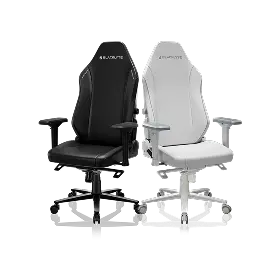
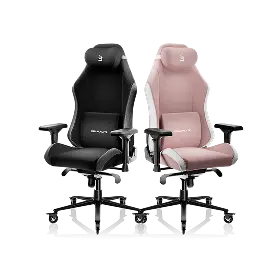
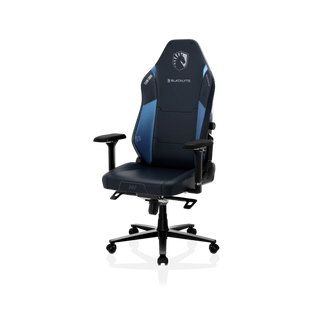
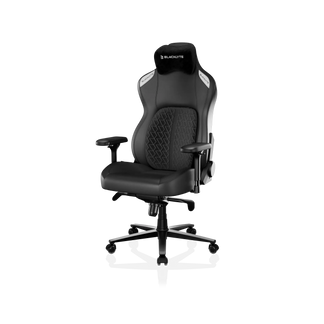
Premium ergonomic gaming chairs such as the Blacklyte Athena Pro and Blacklyte Kraken Pro are designed around long-session comfort, combining adjustable lumbar support, high-density cushioning, and ergonomic seat construction to support both gaming and work environments.
You can explore the full range of ergonomic options in the Gaming Chairs Collection, Gamers seeking advanced lumbar support may also consider:
Key Takeaways
Seat depth rarely receives the attention it deserves, yet it plays a major role in gaming chair comfort and ergonomics. A properly sized seat depth helps:
- Maintain healthy posture
- Improve circulation
- Reduce pressure on the legs
- Enhance lumbar support effectiveness
- Increase comfort during long gaming sessions
The next time you compare gaming chairs, don't just look at armrests, recline angles, or upholstery materials. Pay close attention to gaming chair seat depth, because the right fit can make the difference between ending a session refreshed or ending it with aches and fatigue.


