













Glass Gaming Mousepads: Who They Suit and Who Should Avoid Them
The glass gaming mousepad has gone from niche curiosity to legitimate desk-setup conversation starter — and for good reason. It promises an ultra-smooth, friction-free glide that never degrades, a surface that wipes clean in seconds, and a premium aesthetic that cloth simply cannot match after two years of daily use. But there is a catch, and it is a meaningful one: a glass mousepad is a high-commitment peripheral that actively works against certain playstyles and physical preferences. Buying one without understanding the trade-offs is one of the fastest ways to spend real money on something you will rarely touch.
This guide cuts through the marketing noise on both sides of the debate. Whether you are a competitive FPS player fine-tuning every millisecond of input latency, a creative professional who needs precise, fatigue-free cursor control across an eight-hour session, or simply someone building a clean, high-performance workstation, you will find a clear, honest answer here. We cover the performance science, the comfort realities, who genuinely benefits, who should stick with cloth, and what your desk setup needs to look like for a glass pad to make sense.
What Is a Glass Gaming Mousepad?
A glass gaming mousepad is a hard-surface mouse mat made from tempered glass, typically 3–5 mm thick, with a micro-etched or frosted finish on the tracking surface. That surface treatment is critical: plain reflective glass would confuse most optical sensors, so manufacturers apply fine sandblasting or chemical etching to create a pattern the sensor can read reliably. The result is a surface that is visually smooth to the touch but carries just enough microscopic texture to support consistent sensor tracking and to introduce a controlled level of friction — far less than cloth, but not zero.
Most glass pads ship with a rubber or silicone base that grips the desk and prevents sliding, and the edges are typically CNC-machined and beveled to reduce the risk of wrist contact with a sharp corner. Size options range from compact squares suited to tight desks up to XL formats designed for wide, sweeping arm movements. The physics are straightforward: because glass does not compress, flex, or absorb moisture, the glide you experience on day one is functionally identical to the glide you experience two years later — a consistency that cloth pads simply cannot replicate over time.
The Real Advantages of a Glass Mousepad
Unmatched surface consistency. Glass is a consistent surface with no random soft or dead spots, which most soft mousepads develop from prolonged use. On cloth, the fibers in the zones where your wrist rests and where your mouse travels most heavily are the first to flatten and slow down. A glass mouse pad, by contrast, is going to stay consistent and uniform for considerably longer. That predictability matters enormously for aim training: your muscle memory is encoding the same movement-to-result ratio every single session, rather than adapting to a surface that is quietly changing beneath you.
Speed and low friction. A glass mousepad allows your mouse to move with minimal resistance, especially when paired with quality mouse skates, enabling faster flicks to targets, less fatigue from long sessions since you use less force, and more fluid tracking for fast-moving enemies. This speed advantage is most noticeable for players who run low sensitivity and cover large distances with each arm sweep — the effort required on a worn cloth pad can be surprisingly tiring over a three-hour session.
Maintenance and longevity. Cloth accumulates dirt, grime, and sweat after hundreds of hours of use, which requires thorough cleaning that can further degrade the pad. Glass mousepads, in contrast, are resistant to wear and can be easily cleaned with a simple wipe-down. For players in humid environments, this is a particular advantage: in hot or humid climates, cloth pads can become sticky, damp, and unpleasant to use, while a glass pad resists moisture and can feel cooler and smoother in these conditions.
Aesthetics and desk presence. Glass pads carry a premium visual quality that cloth cannot sustain long-term. Glass mousepads look good and serve as a simple but premium accessory on your desk. While you can choose from a range of aesthetics with cloth as well, cloth pads won't look nearly as good after two years of regular use. For anyone building a deliberate, visually cohesive setup, that longevity of appearance is a genuine consideration.
The Genuine Drawbacks You Need to Know
Almost no stopping power. This is the single most important trade-off, and it catches players off-guard more than any other factor. The key distinction isn't just speed — it's control granularity. On glass, you're either moving or you're not, with almost no transition zone between static and kinetic friction. On cloth, you get a smooth gradient from stopped to moving, which gives your muscles more feedback for micro-adjustments. Players who rely on the pad itself to help brake a flick — rather than controlling the stop entirely through their hand and wrist — will frequently overshoot targets until they adapt, and some never fully do.
Wrist comfort and surface feel. A glass surface is hard and unforgiving, and while this rigidity helps with consistency, it can be less comfortable for your wrist or forearm compared to a soft cloth pad. Glass stays at room temperature and pulls heat from the wrist, which can be particularly unpleasant in winter. Players who rest their wrist or forearm directly on the pad during long sessions should treat wrist comfort as a serious variable in their decision rather than a secondary concern.
Mouse skate wear. A glass mouse pad usually wears soft mouse skates faster than a cloth pad. Its hard, finely textured surface does not compress under the mouse, so repeated movement removes small amounts of skate material, and dust trapped between the two surfaces can accelerate the process. This is an ongoing cost that cloth users rarely think about. Budget for replacement skates and keep both the pad and skate surfaces clean.
Audible glide noise. Glass produces audible clicks under fast movement and feels cold under the palm. Both are minor, but both surprise people on day one. If you game in a shared space, record content, or are sensitive to audio distractions during play, this is worth factoring in before committing.
Fragility and size constraints. A glass gaming mousepad is built to withstand normal desktop use, including intense gaming sessions. While it is still possible to chip or break the pad with enough force or a hard fall, this is uncommon under typical conditions. However, a glass mousepad becomes exponentially harder to ship the larger it gets. It cannot be rolled up, and the bigger it is, the more likely it is to sustain damage. XXL glass pads exist but are heavy, expensive to replace if broken, and uncomfortable when your wrist rests on the edge during typing.
Who Should Use a Glass Gaming Mousepad
Competitive FPS Players Running Low Sensitivity
Professional and high-level amateur FPS players often benefit from the consistency of glass. In games like Valorant, precise flicks and micro-adjustments feel more predictable because the surface never changes, and low-sensitivity players appreciate effortless wide swings without the drag that develops on dirty or humid cloth pads. If you are tracking aim improvement through deliberate practice and you want your equipment to be the most stable variable in that process, glass delivers a surface that will not introduce drift into your data over time.
High-Sensitivity, Wrist-Aim Players
Glass rewards a specific player: high sensitivity, wrist-and-fingertip aim, and a tolerance for consumables. When your movements are small and wrist-driven, the ultra-low friction means you need minimal physical effort for each flick, which reduces fatigue across long sessions. Importantly, smaller movements mean less skate wear and less wrist contact with the hard surface, making two of glass's biggest drawbacks much less impactful for this profile.
Players in Hot or Humid Environments
Humidity is cloth's silent killer. A pad that felt premium in autumn can turn sluggish and sticky by summer without any visible deterioration. For users who struggle with sweaty hands, a glass pad combined with appropriate mouse feet can help maintain a consistent glide even during intense sessions. The cool, non-absorbent surface is a meaningful practical advantage in this context, not just a performance preference.
Creative Professionals and Power Users
Graphic designers and digital artists who value consistent glide for long drawing sessions, video editors and 3D artists who perform precise timeline scrubbing or object manipulation, and programmers and office workers who spend many hours using a mouse and want a stable, cleanable surface can all find genuine value in a glass pad. The performance differences in non-gaming contexts are subtle, but the maintenance and longevity benefits are real and relevant for anyone who relies on their desk setup for daily productivity.
Who Should Avoid a Glass Gaming Mousepad
Players Who Rely on Surface Friction to Brake
If your current aiming technique involves any degree of using the pad's resistance to slow and stop your mouse at a target, glass will actively fight your mechanics. The extra speed comes at the cost of stopping power. When you need to snap to a target and stop precisely, glass offers almost no resistance to help you brake. Rebuilding aim mechanics around a frictionless surface is a genuine months-long project, not a weekend adjustment. If you compete at a level where even a short regression in performance has real stakes, the timing risk is not trivial.
Players With Wrist or Forearm Sensitivity
Anyone who already experiences wrist discomfort, plays sessions longer than three hours regularly, or rests their forearm on the mousepad surface while gaming should treat glass with caution. The hard surface may be less comfortable without a wrist rest, and the thermal effect of glass drawing heat from your skin is a subtle but cumulative fatigue factor. This is not a dealbreaker for everyone, but it is a dealbreaker for some, and it is one you cannot fully evaluate from a product page. Pairing a glass pad with a quality wrist rest can offset much of this discomfort, which is worth considering as part of the total setup investment.
Casual Gamers and New PC Players
Because glass costs more than cloth and feels harder under the wrist, it makes the most sense for players whose aim depends on surface consistency. If you play primarily single-player games, MMOs, MOBAs, or casual titles where raw aim precision is not the central mechanic, the performance differences between glass and cloth become less critical, and comfort, available desk space, and personal preference may matter more. A well-chosen cloth pad offers more than enough performance for most gaming contexts and is far more forgiving for players still building their habits and preferences.
Anyone on a Tight Setup Budget
The upfront cost of glass is higher than cloth, but the ongoing cost is what surprises people. You will need to budget for replacement mouse skates on a regular basis. Since the glass surface is harder than PTFE mouse feet, the feet will wear down significantly faster. While a cloth pad might allow skates to last a year, a glass pad may require skate replacements every few months depending on usage intensity, and users are advised to invest in high-quality hardened PTFE or specialized UHMWPE skates. Factor that into the true cost of ownership before committing.
Skate and Sensor Compatibility: What to Check First
Before purchasing any glass pad, verify two things: that your mouse sensor is compatible, and that your current skates are appropriate for a hard surface. Modern optical sensors (PixArt 3360 and above, Focus+, etc.) track reliably on etched glass. Older laser sensors or budget office mice may struggle. If your mouse is a recent gaming peripheral from a reputable manufacturer, you are almost certainly fine — but if you are running older hardware, it is worth checking.
On the skate side, the rules are straightforward:
- PTFE (Teflon) skates are compatible and widely available; they will wear faster on glass than on cloth, so keep spares.
- UHMWPE skates are compatible and slightly more durable on hard surfaces than standard PTFE.
- Ceramic skates should never be used on glass. Ceramic is harder than glass. Using ceramic feet will scratch the surface of the mousepad, creating permanent dead spots and ruining the glide.
- Glass-on-glass skates are the other pairing to avoid — a matte glass pad tracks well with any modern mouse, but glass mouse skates should not be used on a glass mouse pad.
Keeping both the pad surface and your skates clean is the single most effective thing you can do to extend skate life. Dust and debris trapped between the two surfaces act as an abrasive, accelerating wear far beyond what the glass itself causes.
How Your Desk Setup Affects the Experience
A glass mousepad does not exist in isolation — how it performs is directly connected to the rest of your workstation. Desk height matters more than most players realize. If your desk is too high relative to your chair, your forearm rests at an upward angle that increases wrist contact pressure with the hard surface. If the desk is too low, you end up hunching forward, which places more weight through your mousing arm. Getting this geometry right transforms the glass experience from uncomfortable to genuinely ergonomic.
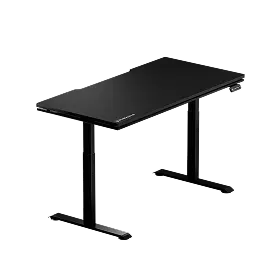
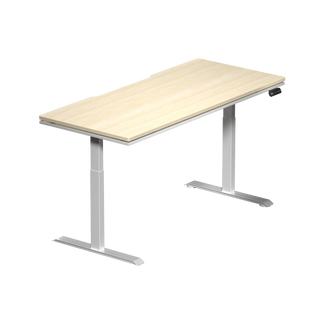
A height-adjustable standing desk makes this calibration straightforward because you can dial in the exact elbow angle that keeps your wrist floating freely above the surface rather than pressing into it. Blacklyte's Atlas Desk and Atlas Lite Standing Desk both offer precise height adjustment with integrated cable management, so your entire setup — including the mousepad cable run if you use a wired mouse — stays clean and organized. You can explore the full desk lineup and use Blacklyte's desk comparison tool to find the right fit for your space.
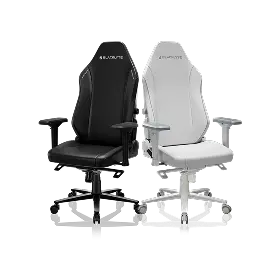
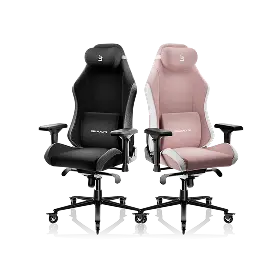
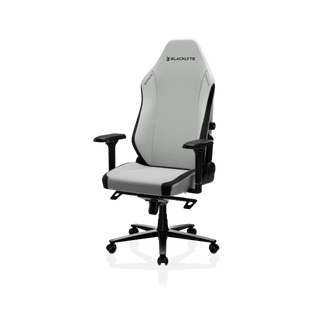
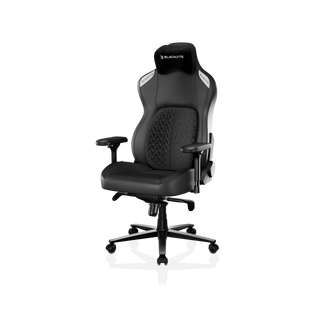
The chair is the other half of the equation. A gaming chair with a well-positioned armrest keeps your elbow supported without forcing an awkward angle at the wrist — which matters even more with a glass pad, since you cannot rely on the surface's softness to cushion any pressure. Blacklyte's Kraken Pro and Athena Pro gaming chairs both ship with 4D armrests across the lineup, giving you precise control over armrest height, width, depth, and angle to match your exact mousing position. For a deeper look at how chair geometry and desk height work together to protect your posture during long sessions, the Blacklyte Gaming Hub is a solid starting resource. You can also compare both chair models directly on the chair comparison page.
Glass vs. Cloth: Quick-Reference Summary
Rather than declaring a universal winner, the honest conclusion is that glass and cloth serve different players well. Use this summary to identify where you fall:
- Choose glass if: you prioritize consistent glide over stopping power, you game in a warm or humid environment, you want a surface that lasts years without degradation, or you are a competitive FPS player who has already developed controlled stopping technique.
- Choose cloth if: you rely on surface friction as part of your braking mechanics, you play for long sessions with your wrist or forearm resting on the pad, you prefer a softer feel and quieter movement, or you are still developing your aim style and want a more forgiving surface.
- Consider both if: many serious gamers actually own both types and switch depending on the game they're playing — using cloth for tactical shooters where precision matters and switching to glass for fast-paced games where speed is king.
The surface under your mouse is just one input in a larger system. Pair it with a setup that supports your posture, keeps your wrist at the right angle, and gives you a stable, distraction-free environment, and the choice between glass and cloth becomes far less fraught. Get the fundamentals of your chair and desk geometry right first, and the mousepad decision tends to answer itself.
Final Verdict
Glass gaming mousepads are a compelling choice for the right player — competitive FPS enthusiasts running low sensitivity, high-sensitivity wrist aimers, or anyone who values a maintenance-free surface that holds its performance characteristics for years with basic care. For casual gamers, players who depend on surface friction to control their aim, and anyone with wrist sensitivity concerns, cloth remains the more forgiving and practical choice. The key is matching the surface to your actual playstyle rather than buying on reputation or aesthetics alone.
Whatever surface you choose, the desk and chair setup surrounding it shape the experience more than most players expect. A well-configured workstation — correct desk height, supportive armrests, and a chair that keeps you in an ergonomically neutral position — makes any mousepad perform better, reduces fatigue, and lets you focus entirely on the game rather than fighting your own equipment. Check out Blacklyte's full range of gaming chairs, standing desks, and gaming accessories to build a station that matches your performance goals from the ground up. If glass fits your profile, the Atlas Glass Mouse Pad covers the essentials described above: a 490 × 420 mm (19.3″ × 16.5″), 3 mm chemically tempered glass surface micro-etched to a smooth frosted finish, CNC-milled rounded edges, and a full-surface honeycomb silicone base.
Build Your Perfect Gaming Setup
Have questions about choosing the right chair, desk, or accessories for your gaming station? The Blacklyte team is here to help.
Contact Us


