












LED Gaming Desks: Integrated Lighting vs Stick-On Strips — Which Really Wins?
The right lighting transforms a desk into a battlestation. It sets the mood before a session, reduces eye fatigue during marathon runs, and gives your setup that polished, professional edge when the camera is rolling. But when it comes to LED gaming desk lighting, the path splits early: do you invest in a desk with a factory-integrated lighting system, or reach for a roll of stick-on LED strips and DIY your way to RGB glory?
Both approaches can produce impressive results — and both come with real trade-offs that most buyers only discover after the fact. This guide breaks down every meaningful difference between integrated desk lighting and aftermarket strip solutions, covering LED technology quality, cable management realities, bias lighting science, software sync capabilities, and long-term reliability. By the end, you will have a clear picture of which option actually fits your setup, your workflow, and your standards.
Why Desk Lighting Matters More Than You Think
Ambient desk lighting is no longer purely decorative. For competitive gamers, streamers, and remote workers pulling long hours, lighting has a measurable effect on comfort and performance. A dark room lit only by a bright monitor creates a severe contrast that forces the eyes to constantly readjust — a cycle that drives fatigue, headaches, and dryness over time. Ambient light placed behind or beneath the desk softens that contrast, keeping the eye in a more relaxed, neutral state throughout the session. When your setup is dialed in visually, you also spend less mental energy on your environment and more on the game or task in front of you.
Beyond ergonomics, desk lighting is a key element of setup identity. For streamers and content creators, the ambient glow visible in a camera frame communicates production value and brand personality. For competitive players, a clean, consistent light environment minimizes visual distraction. The question is not simply whether to add RGB lighting, but which method delivers that lighting reliably, cleanly, and in a way that holds up under real daily use.
How Stick-On LED Strips Work (And Where They Fall Short)
Aftermarket LED strips are thin, flexible circuit boards with surface-mounted LED chips bonded to a peel-and-stick adhesive backing. Their appeal is immediate: a basic RGB strip costs very little, ships in a day, and can theoretically go anywhere on your desk. For someone looking to add a splash of color on a budget or test lighting placement before committing, the low barrier to entry is genuinely attractive. The DIY ecosystem has also grown considerably, with smart addressable strips, companion apps, and hardware sync controllers now available at accessible price points.
The problems, however, accumulate quickly in practice. Adhesive failure is the most common complaint — standard strip backings lose grip on textured, painted, or non-metal surfaces, and even good adhesive degrades over months with heat cycling. Once a strip starts to peel, it sags or falls entirely, leaving a gap in your ambient glow and an adhesive residue on your desk. The wiring situation compounds this: a typical DIY setup involves the strip itself, a power brick, a separate controller (or remote), and the cable runs connecting them. Routing all of that cleanly under a desk without creating a tangle requires patience and planning that most gamers would rather direct at their setups.
There are also real quality inconsistencies in the aftermarket strip market. Low-density strips produce visible individual LED dots rather than a smooth, even glow — a phenomenon known as hotspotting that looks cheap and can reflect distractingly off monitor surfaces. Cheap controllers introduce flicker, color drift, and app instability. And voltage mismatches between strip and power supply create risks that range from premature LED burnout to, in extreme cases, fire hazards. The DIY route rewards careful, knowledgeable buyers, but it punishes anyone who cuts corners on components.
Before You Buy DIY Strips: Key Considerations
- Adhesion surface: Smooth metal or glass holds standard adhesive far better than textured or painted wood. Budget for 3M VHB tape or dedicated mounting clips regardless of what the strip packaging promises.
- LED density: Look for 60+ LEDs per metre for a smooth, even glow without hotspots. Lower-density strips work for hidden under-desk runs but fail visually on open edges.
- Voltage matching: Always verify that your strip, controller, and power supply share the same voltage (typically 12V or 24V). Mismatches cause hardware failure immediately or shorten LED lifespan significantly.
- Controller ecosystem: Decide whether you want a simple IR remote, a Bluetooth app, or full PC sync before purchasing — these require different controllers and are not interchangeable after installation.
- Power budget: Calculate total wattage draw and add at least 20–25% headroom to your power supply rating. Running a supply at maximum rated output generates heat and reduces reliability.
Integrated Desk Lighting Explained: Built to Perform
Integrated lighting systems treat the LED as a core component of the desk's engineering, not an afterthought. The strips, diffusers, wiring, and control hardware are all specified and tested together as a single system before the product ships. This means the manufacturer has already solved the placement, adhesion, power routing, and heat management problems that DIY builders must figure out independently. From a user perspective, the experience begins at assembly and stays seamless throughout the product's lifespan.
The practical advantages are significant. Because the wiring is routed through the desk frame or a dedicated internal cable channel, the exterior of the desk stays clean. There are no visible cables running from strip to controller to power brick. The control interface is typically consolidated — a single panel, app, or software driver manages the lighting, rather than a separate remote for every strip. This integration eliminates the patchwork of remotes and apps that accumulates in a mature DIY setup.
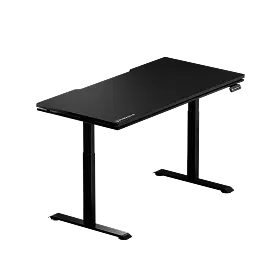
Blacklyte's Atlas Desk is a strong example of how far integrated desk lighting has evolved. Its smart lighting system is managed through the proprietary Atlas Driver software, which gives users precise control over colors, effects, and brightness directly from their PC — no separate remote required. The Atlas also combines its lighting system with a built-in electrical socket and advanced cable management infrastructure, so the entire desk operates as a coherent electronic system rather than a collection of loosely connected parts. For gamers who want a truly clean battlestation, that level of integration is difficult to replicate with aftermarket strips alone.
LED Quality Signals: SMD vs COB and Why It Matters
Not all LED strips are equal, and the technology type determines how the light actually looks on your desk. The two main types you will encounter are SMD (Surface-Mounted Device) strips and COB (Chip-on-Board) strips. SMD strips use individual LED chips spaced along a circuit board. Lower-density SMD strips are responsible for the hotspot problem mentioned earlier — you see the individual points of light, especially on reflective surfaces or when the strip is not recessed. Higher-density SMD strips (at 60 or more LEDs per metre) are substantially better, producing an acceptably even glow for most ambient use cases.
COB technology takes a different approach, packing a dense array of tiny LED chips beneath a continuous phosphor layer. The result is a truly uniform, seamless glow with no visible individual dots. For desk edge-lighting — particularly on desks with glossy or glass surfaces — COB produces a visibly cleaner result that looks premium rather than DIY. The tradeoff is that COB strips are less flexible in terms of cutting points and addressability, meaning fine per-zone color control is more limited compared to high-end addressable SMD strips.
Premium integrated desk lighting systems tend to use diffused LED assemblies that borrow from COB design principles: light is diffused before it exits the desk surface, preventing hotspots regardless of the LEDs' underlying density. This is one of the less-discussed but genuinely meaningful advantages of integrated systems — the diffusion engineering is handled by the manufacturer rather than being left to the buyer to solve with aftermarket diffuser sleeves and mounting profiles.
Cable Management and Standing Desks: The Hidden Challenge
Standing desks introduce a cable management challenge that flat-desk users rarely consider: every time the desk raises or lowers, every cable connected to it moves. A cable routed with just enough slack for seated height will go taut at standing height, stressing connectors and eventually pulling free. A cable routed with enough slack for standing height will coil loosely at seated height, creating the exact visual mess you were trying to avoid. Getting this right requires deliberate planning at setup time — and it's a problem that DIY LED strips make significantly more complex.
With stick-on strips on a standing desk, you are managing the strip's own power cable plus its controller cable through vertical travel of potentially 40–50 cm or more. A reasonable approach is to leave an S-loop of cable slack sized for the full height range, secured to the desk's cable channel so it articulates cleanly rather than dangling freely. If the cable is too short or poorly routed, the first full-height raise can rip connectors from the strip entirely. This is not a hypothetical: it is one of the most common DIY lighting failure modes on height-adjustable desks.
Integrated lighting in a purpose-built standing desk eliminates this problem at the design level. The manufacturer has already accounted for the desk's full travel range when routing internal wiring, leaving the correct amount of slack within the frame to handle vertical movement without stress on any connection.
Bias Lighting and Eye Health: The Science Behind the Glow
One of the strongest functional arguments for quality desk lighting is its role in reducing eye strain during long sessions. The mechanism is straightforward: in a dark room, a bright monitor creates a severe luminance contrast between the screen and the surrounding environment. The eye's iris must continuously adjust between these two extremes, a process that accelerates fatigue, dryness, and the headaches that accumulate over a long gaming session or workday. Ambient lighting placed behind the monitor — a technique called bias lighting — reduces that contrast, giving the eye a stable mid-ground to reference rather than forcing it between extremes.
The key to effective bias lighting is restraint and placement. The goal is not maximum brightness but a soft, even glow that reduces contrast without washing out shadow detail on your screen. Running desk backlighting at a modest brightness level — well below maximum — provides the visual relief that matters for eye comfort without compromising image quality on your display. The LED strip should illuminate the wall or surface behind and below the monitor, not shine directly at the screen or into the viewer's eyes. Placement matters enormously: strips positioned where they reflect off the monitor surface or face directly toward the viewer work against the purpose of bias lighting entirely.
This is another area where integrated desk systems tend to outperform DIY setups in practice. Factory-integrated lighting is positioned and diffused by the manufacturer specifically for the desk's geometry, ensuring the glow falls where it benefits the user rather than creating glare. A poorly placed DIY strip — visible from the seated position, bouncing off a glossy monitor bezel — can actually worsen eye strain rather than relieve it. Thoughtful placement is achievable with DIY, but it requires testing and adjustment that an integrated system handles from day one.
Software Sync and Ecosystem Control
The gap between integrated and DIY lighting grows most visibly when you examine software control and peripheral sync. A high-end DIY setup can, in principle, sync LED strips with your PC's RGB ecosystem using software bridges like SignalRGB or OpenRGB. In practice, this involves confirming that your strip's controller is compatible with the chosen software, updating firmware, configuring the controller’s PC connection, and troubleshooting the inevitable ecosystem conflicts between different brands of hardware. For technically inclined builders who enjoy this process, it is a genuine form of customization. For everyone else, it is a maintenance task that competes with actually using the setup.
Integrated desk systems with proprietary software drivers streamline this considerably. The Atlas Driver software for Blacklyte's Atlas Desk, for instance, provides a single control interface for the desk's lighting without requiring users to navigate third-party compatibility matrices. As the broader gaming peripheral ecosystem matures — with platforms expanding support for smart home protocols and game-reactive lighting — integrated desks with software-driven control systems are better positioned to participate in those ecosystems than consumer strips running on generic controllers.
For streamers and content creators, software control of color temperature is especially valuable. Matching the desk's ambient glow to camera white balance requires fine-grained adjustment that a basic IR remote cannot provide. App and software-driven integrated systems offer that precision, ensuring the lighting that looks great in person also translates cleanly on camera — which is the standard that professionals on Twitch, YouTube, and similar platforms are increasingly working toward.
Head-to-Head: Integrated Lighting vs Stick-On Strips
| Factor | Integrated Desk Lighting | DIY Stick-On Strips |
|---|---|---|
| Aesthetics | Clean, cohesive, diffused — professional finish from day one | Variable; requires skilled placement and quality components to avoid hotspots |
| Setup Complexity | Straightforward — part of standard desk assembly | Requires planning, testing, and careful component selection |
| Cable Management | Excellent — wiring routed internally by the manufacturer | Challenging — multiple external cables require dedicated management |
| Standing Desk Compatibility | Fully engineered for height travel — no cable stress risk | Significant risk of connector damage if slack is not carefully planned |
| LED Quality | Manufacturer-specified and diffused — consistent, even glow | Depends entirely on component quality; cheap strips show hotspots |
| Software Control | Proprietary driver with direct PC control — no compatibility guesswork | Third-party bridges required; ecosystem conflicts common |
| Customizability | Rich within the system's feature set; excellent for most users | Virtually unlimited — length, placement, color zones, and effects |
| Upfront Cost | Higher — included in desk investment | Lower initially; quality builds approach comparable costs quickly |
| Long-Term Reliability | Backed by desk warranty; no adhesive failure risk | Adhesive and controller degradation over time; no warranty on DIY labor |
Which Is Right for You?
The honest answer depends on what you value most and what stage of your setup journey you are at. Stick-on strips make genuine sense in specific scenarios: you already own a quality desk that you are not replacing, you are a builder who genuinely enjoys the tinkering process, or you have a non-standard desk geometry that no integrated product covers. In those cases, spending the time to source quality components, plan your adhesion and cable management properly, and configure a reliable controller ecosystem will yield a result you can be proud of.
For the majority of serious gamers and professionals, however, the integrated path is the clearer choice. The time saved on planning, installation, troubleshooting, and eventual replacement pays dividends over years of daily use. The visual result is cleaner and more consistent from the start. And critically, on a height-adjustable standing desk — which is increasingly the standard for performance-focused setups — integrated wiring removes a genuine reliability risk that DIY builders must actively manage. You bought a premium setup to perform, not to re-stick a peeling LED strip on a Tuesday afternoon.
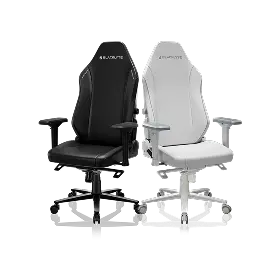
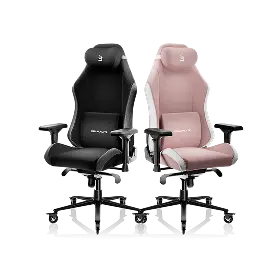
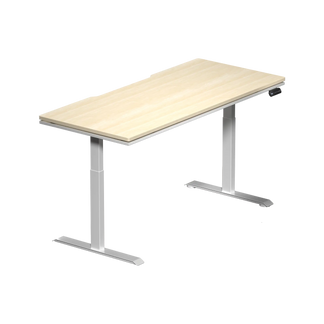
If you are building or upgrading a serious gaming or workstation setup, the Atlas Desk and Atlas Lite Standing Desk are worth a close look. Both feature built-in electrical sockets and integrated cable management, with the Atlas adding smart lighting controls through the Atlas Driver software — so your desk handles the light engineering while you focus on your game. Pair either with a Blacklyte gaming chair for a complete, ergonomically optimized battlestation. You can also explore the full accessories range to round out the setup with complementary components designed to the same standard.
The Bottom Line
Integrated LED desk lighting and DIY stick-on strips are not solving the same problem for the same person. Stick-on strips offer flexibility and low upfront cost for builders willing to invest time in component selection, placement planning, and ongoing maintenance. Integrated desk lighting offers something different: a professionally engineered system where every aspect of the lighting — placement, diffusion, cable routing, and software control — has already been solved before the desk reaches your room.
For height-adjustable standing desks especially, that engineering matters. The lighting is designed to move with the desk, not fight against it. And for gamers, streamers, and professionals who spend meaningful hours at their setup every day, ambient lighting that works reliably and looks clean from every angle is not a luxury — it is exactly what the setup deserves. Explore the full Blacklyte desks collection to see how integrated smart lighting fits into a performance-engineered workspace built for the long game.
Ready to Build Your Best Setup?
Have questions about which Blacklyte desk or chair is right for your space? Our team is here to help you put together a setup that performs as well as it looks.
Contact Us


