











Gaming Chairs That Help With Neck Pain: Headrest and Recline Setup Guide
If you've ever finished a long session and rolled your neck to find it stiff, tight, or outright painful, you're not dealing with a unique problem — you're dealing with one of the most common complaints in gaming. Neck pain from extended play affects millions of gamers, and the culprit is almost always the same: a chair that doesn't support the head and cervical spine, paired with a recline angle that puts the neck under constant, low-level strain.
The good news is that the right gaming chair, set up correctly, can make a significant difference. This guide breaks down exactly what causes gaming-related neck pain, which chair features actually address it, and how to configure your headrest and recline for proper cervical alignment. We'll also walk through Blacklyte's current lineup so you can see how each model approaches neck and upper-spine support at a practical level.
Why Gaming Causes Neck Pain in the First Place
The human head weighs roughly 10–12 pounds in a neutral, upright position. For every inch the head tilts forward, the effective load on the cervical spine increases dramatically — reaching up to 60 pounds of force at a 60-degree forward tilt. During gaming, that tilt happens constantly: leaning toward the monitor, craning upward at a screen that's too high, or simply sinking into a chair that offers no upper-back support. Over hours, those forces accumulate into the tension, soreness, and sometimes chronic pain that gamers know too well.
Poor chair geometry is a key contributor. A backrest that ends at shoulder blade height gives your upper spine nowhere to rest. A headrest positioned too far forward actively pushes your head into a chin-to-chest posture. A recline angle that's too upright (90 degrees) compresses the lumbar and encourages the whole torso to pitch forward, dragging the neck with it. Understanding these mechanisms is the first step to solving the problem rather than just masking it.
What to Look for in a Gaming Chair for Neck Pain
Not every gaming chair is built with genuine cervical support in mind. Many rely on a generic neck pillow strapped to the top of the backrest — better than nothing, but far from optimal. When evaluating chairs specifically for neck pain relief, the features that matter most are backrest height, headrest adjustability, recline range, and lumbar integration (because lower-spine support directly affects upper-spine posture).
Backrest height needs to extend high enough to actually reach the back of the head, or at minimum the upper cervical vertebrae. A backrest that only reaches mid-shoulder forces the neck to float unsupported regardless of how good the headrest pillow is.
Headrest adjustability is where the real difference lies. A fixed headrest is designed for one body geometry. Height-adjustable or angle-adjustable headrests let you position the support exactly where your specific head and neck need it, whether you're 5'5" or 6'3". Look for systems that allow both vertical positioning and forward/backward tilt.
Recline range and mechanism matter because optimal sitting isn't vertical. Research consistently shows that a recline angle between 100 and 120 degrees reduces spinal disc pressure compared to sitting bolt-upright at 90 degrees. A chair that only locks at 90 or 135 degrees without meaningful intermediate stops limits your ability to find the sweet spot.
Lumbar support quality rounds out the picture. A well-supported lower back keeps the entire spine in a natural S-curve, which in turn keeps the head over the shoulders rather than in front of them. Chairs with integrated, adjustable lumbar systems outperform those relying solely on an external pillow, particularly for longer sessions.
How to Set Up Your Headrest Correctly
Getting the headrest into the right position is surprisingly specific work, and most people never bother doing it — which is why they still have neck pain even in a chair advertised as ergonomic. The goal is neutral cervical alignment: ears directly over shoulders, chin parallel to the floor, no forward head posture.
Start by sitting in your normal gaming posture with your back against the backrest and your lower back supported by the lumbar system. Don't try to sit up straight artificially — sit how you actually sit. Now locate where the base of your skull meets your neck. The headrest should contact the chair at or just below that point, providing a gentle rearward cradle for the occiput (the back of the skull). It should not be pressing against the middle of your neck, which would push your head forward.
If the headrest is too low, raise it. If it has a forward-tilt adjustment, set it so the support surface is angled slightly upward, cradling the skull rather than jutting into the back of the neck. Once positioned, the headrest should feel like passive support — you shouldn't be actively pushing back into it or away from it. Your neck muscles should be able to relax completely.
For gaming specifically, also account for monitor height. If your monitor is too low, you'll tilt your head down and the headrest becomes irrelevant. If it's too high, you'll crane upward. Eye level should land roughly at the top third of the screen when your head is in neutral position.
Finding the Right Recline Angle for Your Neck
The recline angle of your gaming chair has a more direct effect on neck comfort than most people realize. When you sit upright at 90 degrees, your body is fighting gravity — the spine compresses, the hip flexors tighten, and the whole upper body gradually pitches forward over the course of a session. Opening the recline to between 100 and 120 degrees transfers more of your body weight through the backrest, decompresses the lumbar, and allows the head to naturally stay over the shoulders rather than drifting forward.
For active gaming where you need precision and quick reactions, a range of 100 to 110 degrees works well — slightly reclined but still engaged. For more casual or cinematic play, or for watching streams between matches, you can comfortably open to 120 to 130 degrees without losing screen visibility if your monitor is positioned correctly. Beyond 130 degrees, the neck often has to work harder to hold the head in viewing position unless the headrest is very precisely placed, so this range is better suited for rest breaks than active sessions.
When adjusting recline, do it in small increments and pay attention to where your neck naturally wants to rest. The ideal angle is the one where your neck muscles stop working — where your head just floats without effort, supported by the headrest behind it and gravity working with your posture rather than against it. Most quality gaming chairs allow you to lock the recline at specific angles rather than using a free-float mechanism, which is preferable for gaming because it gives your body a stable reference point.
The Full Ergonomic Picture: Lumbar, Armrests, and Desk Height
Neck pain is rarely an isolated problem. In most cases, it's the top of a postural chain that starts at the lower back and works upward. A collapsed lumbar means a rounded lower spine, which means a hunched upper back, which means a forward head. Fixing the headrest without addressing lumbar support is like patching a leak without turning off the water.
Armrest height is also directly connected to neck and shoulder tension. Armrests set too low cause you to drop your shoulders and reach downward, which strains the trapezius and cervical muscles. Armrests set too high hike the shoulders upward, creating a similar tension pattern. The correct height puts your elbows at roughly 90 to 100 degrees with shoulders relaxed and level. Proper ergonomic setup treats the body as a connected system — every adjustment point interacts with the others.
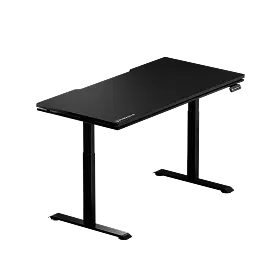
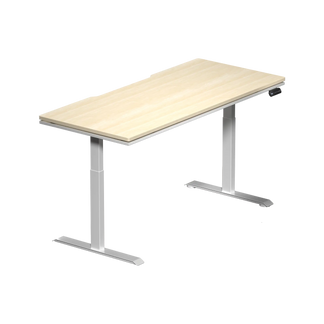
Desk height matters too. If your desk is too high relative to your chair, your arms reach upward all session long, pulling on the neck and shoulders. A height-adjustable standing desk gives you the flexibility to match desk surface to armrest height precisely, rather than forcing your chair setup to compensate for a fixed surface. You can explore Blacklyte's standing desk lineup if desk height is a limiting factor in your current setup.
Blacklyte Gaming Chairs Built for Neck and Spine Support
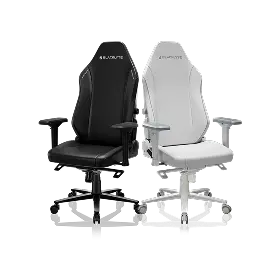
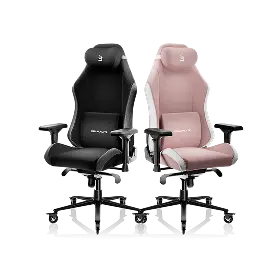
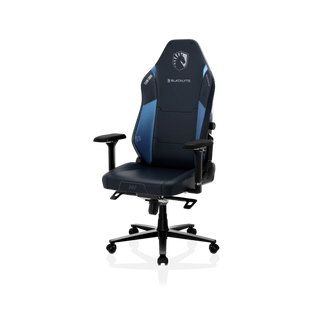
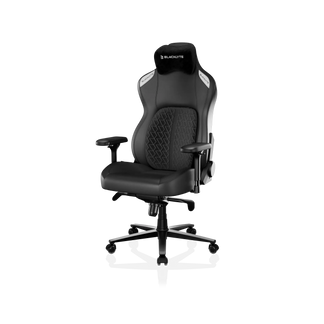
Blacklyte's current chair lineup — the Athena, Athena Pro, and Kraken Pro — is built around a common ergonomic architecture that addresses the full spinal chain, with meaningful differences between tiers that matter for neck pain specifically.
All three models recline from 90 to 149 degrees with locking positions throughout that range, operate on a Class 4 hydraulic gas piston for smooth, precise height adjustment, and ship with 4D armrests across the full lineup. The backrest height on each model is designed to extend into the upper cervical region, and every chair ships with a neck pillow for additional upper-spine contouring.
Athena: The entry-level model uses an external lumbar pillow and a contour foam seat (55–60 kg/m³), and sits on an aluminum alloy 5-star base. It's a solid starting point for gamers who want ergonomic fundamentals — adjustable recline, 4D armrests, and a headrest pillow — without the added complexity of integrated lumbar systems.
Kraken Pro: Blacklyte's premium chair steps up with a built-in floating lumbar system that allows fine front-to-back adjustment and locking. The lumbar floats with your movement rather than staying static, which is especially useful for longer sessions where posture naturally shifts. The Kraken Pro uses an aluminum alloy base and DuraGen™ Leatherette upholstery, with contour foam in the seat at 45–50 kg/m³. For gamers who want integrated lumbar support without the full flagship price point, this is the tier to consider.
Athena Pro: Blacklyte's flagship chair builds on the Kraken Pro's foundation with a 4-way adjustable built-in lumbar (height and depth), a memory foam seat layered over a contour-foam core and infused with bamboo charcoal and silver ions, an aluminum alloy base, and FlexKnit™ Fabric upholstery option for superior breathability. The Athena Pro is designed for users who spend the most time seated and demand the most precise spinal alignment — the kind of setup where a properly adjusted lumbar makes an immediate, measurable difference to how the neck and shoulders feel after hours of play.
You can compare all three models side by side on the Blacklyte chair comparison page, or browse the full gaming chairs collection to see current options.
Quick Setup Checklist for Neck Pain Relief
Once you have a chair with the right features, the difference between relief and continued pain comes down to how carefully you dial in the setup. Use this checklist as a starting point each time you make a change to your configuration:
- Chair height: Feet flat on the floor, thighs roughly parallel to the ground, knees at 90 to 100 degrees.
- Lumbar support: Adjusted to fill the natural inward curve of your lower back without pushing your torso forward.
- Recline angle: Start at 100 to 110 degrees for active gaming; adjust incrementally until neck muscles relax.
- Headrest position: Cradles the base of the skull, not the middle of the neck; tilt angled upward to support the occiput.
- Armrest height: Elbows at 90 to 100 degrees with shoulders level and relaxed.
- Armrest position (4D): Forearms supported without reaching forward or sideways to the keyboard and mouse.
- Monitor height: Eye level at the top third of the screen with your head in a neutral position.
- Desk height: Surface level with or slightly below elbow height to avoid upward reaching.
Run through this list after any setup change and again after your first full session. Ergonomic adjustment is an iterative process — small tweaks over a few days will get you closer to genuine relief than trying to nail everything perfectly in one sitting. For a more detailed overview of the ergonomic principles behind these adjustments, Blacklyte's ergonomics resource page covers the science of seated posture in depth, and the Gaming Hub applies those principles specifically to gaming setups.
Neck pain during and after gaming isn't something you have to accept as normal. It's a postural problem, and postural problems have postural solutions. The combination of the right chair, a properly positioned headrest, a thoughtfully chosen recline angle, and a holistic setup that accounts for lumbar support and desk height can eliminate most gaming-related neck tension entirely. The key is treating your setup as a system rather than a collection of isolated pieces — every adjustment point connects to the others.
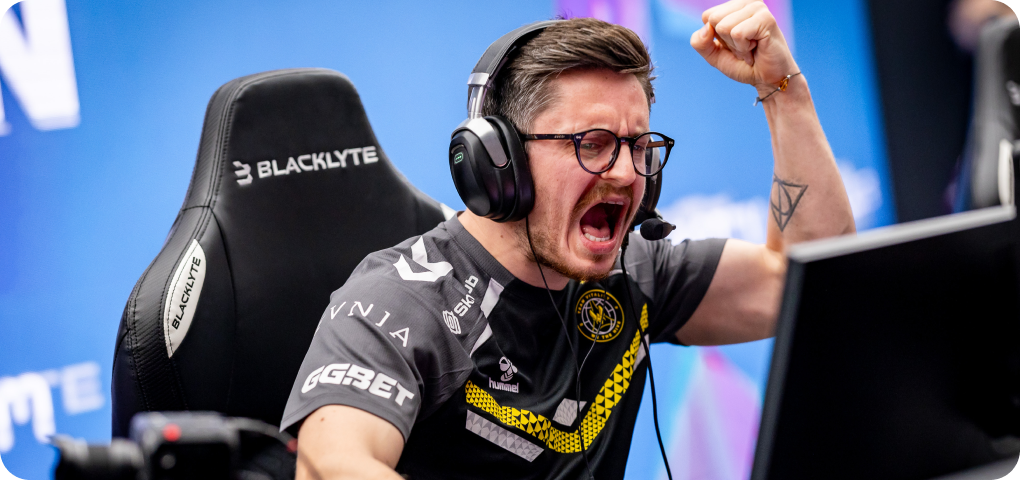
Blacklyte's gaming chair lineup is designed with exactly this whole-spine approach in mind. Whether you're starting with the Athena, moving up to the Kraken Pro for integrated lumbar support, or investing in the Athena Pro's flagship-level ergonomic precision, each model gives you the recline range, headrest support, and adjustability needed to address neck pain at its source. Backed by 20 years of ergonomic engineering, partnerships with esports organizations including Team Liquid, Fnatic, Spirit, Vitality, and tournament organizer BLAST, and trusted by over 200,000 gamers across 50+ Countries and Regions, Blacklyte builds chairs for the way serious gamers actually sit — for hours at a time, in high-focus, high-stakes conditions where comfort and performance are the same thing.
Ready to Find Your Perfect Setup?
Not sure which Blacklyte chair is the right fit for your body type, play style, and budget? Our team can help you match the right model to your specific needs. Browse the full gaming chair lineup or get in touch directly.
Shop Gaming ChairsContact Us


