













Aesthetic Gaming Setup Ideas That Actually Work

There’s a big difference between a gaming setup that looks good in photos and one that still feels good after sitting there for five hours. A lot of setups online are built around appearance first. Perfect RGB lighting, spotless desks, matching accessories everywhere. They look impressive for a moment, but once you actually try using a similar setup every day, small problems start showing up fast. The desk feels too small. The lighting becomes tiring at night. There’s nowhere comfortable to rest your arms. The room looks clean until normal daily use turns it into cable chaos again.
That’s probably why so many people keep rebuilding their setups over and over. A gaming room doesn’t need to look extreme to feel good. In fact, the setups people stick with the longest are usually the ones that feel comfortable, practical, and visually balanced at the same time. The best aesthetic setups are not necessarily the flashiest ones. They’re the ones that still work when real life gets involved.
Why Most Gaming Setups Stop Being Comfortable
Most people start with the fun stuff first. LED lights. Wall panels. Speakers. Figures. Extra monitors. None of those things are bad on their own, but they don’t fix a setup that already feels awkward to use. A desk with no usable space will still feel cramped no matter how good the lighting looks around it. And a room filled with accessories can quickly start feeling smaller than it actually is. That’s why the layout matters more than most people expect.
Before adding visual details, it helps to figure out a few basics first:
- How much desk space you actually need
- How far your monitor should sit
- Where your chair naturally moves
- Whether your arms have enough support
- How much empty space the room needs to feel open
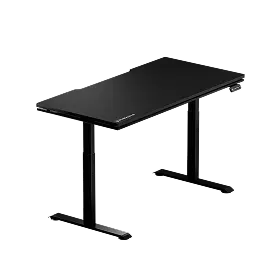
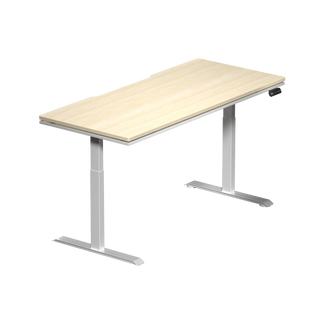
This is where the desk quietly becomes the foundation of the entire setup. A properly sized gaming desk is not just about surface area—it shapes how naturally your monitor distance, arm positioning, and daily movement feel over time. This is a key principle in Blacklyte gaming desk design philosophy, where proportion and usability matter more than size alone. When the desk is too shallow or poorly positioned, even a visually clean setup can start to feel restricted during long sessions. Understanding what size gaming desk do you need is often the first step in avoiding these common issues. In the end, a setup usually starts looking better once it starts functioning better.
Minimalist Gaming Setup Ideas for Smaller Rooms
One thing people eventually realize is that more equipment does not automatically make a setup feel more premium. Actually, the opposite happens quite often.
Some of the cleanest gaming rooms only use a few carefully chosen pieces:
- A good monitor
- A desk with enough depth and proper layout
- Balanced lighting
- Clean cable routing
- A comfortable chair that fits the room proportions
That’s it. Minimal setups tend to age better because they don’t depend on trends as much. They also feel less distracted during longer gaming or work sessions. This doesn’t mean the room has to look empty. It just means every item should feel intentional instead of filling space for the sake of it. A setup with fewer visible distractions usually feels calmer, especially at night.
How Lighting Changes a Gaming Room Atmosphere
People spend thousands upgrading hardware while completely overlooking lighting. But lighting is usually what determines whether a room feels relaxing or exhausting after a few hours. Bright overhead lighting combined with multiple monitors can become surprisingly harsh late at night. That’s why softer indirect lighting tends to work much better for gaming rooms.
Backlighting behind monitors, warm LED strips behind the desk, or soft lighting near the floor can completely change the mood of the room without making it feel overwhelming. Interestingly, many setups now look better with less RGB instead of more. Heavy rainbow lighting used to dominate gaming spaces, but cleaner setups are shifting toward softer colors, warmer tones, and more controlled lighting overall. The room feels less artificial and easier to spend time in. And honestly, subtle lighting usually photographs better too.
Cable Management Tips for Cleaner Setups
A setup can have expensive peripherals, premium furniture, and perfect lighting — but visible cables still make the whole room feel unfinished. The frustrating part is that cable clutter usually appears slowly. Everything looks organized at first, then one extra device gets added, then another charger, then another monitor, and suddenly the entire desk feels messy again. However, good cable management doesn’t have to be complicated.
Small things make a huge difference:
- Mounting power strips under the desk
- Using cable sleeves
- Hiding excess wire length
- Adding monitor arms
- Routing cables behind furniture instead of beside it
Monitor arms especially help more than people expect. A well-positioned monitor arm mounted on a gaming desk frees up desk space and improves ergonomics immediately. Monitor arms free up desk space, improve monitor positioning, and make setups feel cleaner almost immediately. They also help smaller setups feel less crowded, which matters a lot in apartments or compact rooms.

Why Your Gaming Chair Affects the Entire Setup
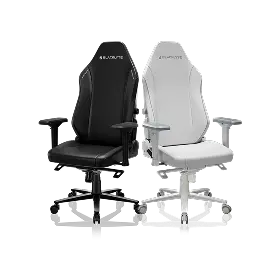
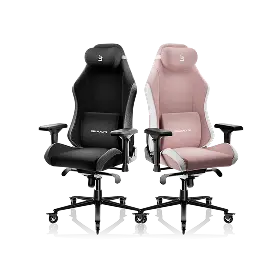
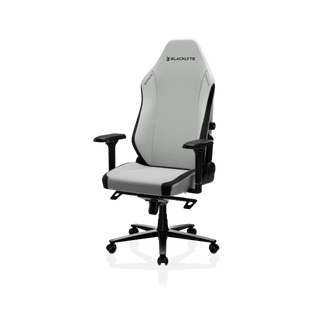
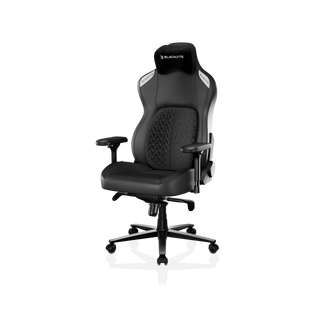
A chair affects more than comfort. An ergonomic gaming chair supports long hours of use while maintaining proper alignment with your gaming desk, which is exactly the kind of design focus seen in Blacklyte gaming chairs. It changes how the entire room feels visually. Especially in compact setups, the relationship between the chair and the desk defines the overall balance of the space. If the chair is too large for the desk proportions, the setup immediately feels cramped. If it is too minimal or unsupported, the space may look clean but become uncomfortable over long sessions. The setups that feel best long term usually balance both.
A chair should fit the space naturally without dominating it. More importantly, it should still feel comfortable several hours later when the excitement of the setup itself wears off—something explored in why gaming chair feels uncomfortable after a few hours. That becomes even more important now because gaming rooms are no longer only for gaming.
A lot of people use the same setup for:
- Work
- Gaming
- Streaming
- Studying
- Watching content
- Late-night browsing
Once a setup becomes part of everyday life, comfort stops being optional. The chair becomes a long-term foundation piece of the room, just like the desk.
Practical Gaming Room Setup Ideas for Everyday Use
Some setup styles consistently feel better in daily use than others.
Warm Minimalist Rooms
These setups usually combine softer lighting, darker tones, and cleaner surfaces supported by a minimal gaming desk layout. They feel more relaxed during long evenings and tend to stay visually clean longer.
Work and Gaming Hybrid Setups
Probably the most practical setup style right now. These spaces avoid looking too corporate or too flashy, which makes them easier to use throughout the entire day.
Small Room Setups
Compact setups work best when vertical space is used properly. Monitor arms, wall shelves, and cleaner cable routing help preserve open desk space without making the room feel crowded. A properly sized gaming desk and proportionate gaming chair are especially important here to avoid visual overload.
Streamer-Inspired Layouts
The better streamer setups focus less on decoration and more on atmosphere. Balanced lighting and organized backgrounds usually matter more than filling every wall with RGB panels.
The Best Gaming Rooms Feel Comfortable to Stay In
That’s probably the easiest way to tell whether a setup actually works. Not how expensive it looks. Not how many accessories it has. Not whether it follows the latest trend online. A good setup simply feels easy to spend time in. You sit down and nothing immediately feels distracting. The lighting feels comfortable. The desk has enough room. The chair supports you naturally. The room feels clean without trying too hard. And after several hours, you still want to be there. That’s usually the difference between a setup designed only for aesthetics and one designed for real daily use.


