









Height-Adjustable Gaming Desks: Why Standing Matters Even for Gamers
You've upgraded your GPU, dialed in your peripherals, and fine-tuned your sensitivity settings. But if you're still sitting in a fixed-height chair at a static desk for four, six, or eight hours a session, you may be leaving performance — and your long-term health — on the table. Height-adjustable gaming desks aren't just a workspace trend borrowed from corporate offices. For serious gamers, they represent a fundamental upgrade to how you interact with your setup, your body, and ultimately, the game itself.
The connection between standing, posture, and gaming performance is backed by growing research and echoed by the ergonomics community, yet most gaming setups still treat the desk as an afterthought. This article breaks down exactly why standing matters even for gamers, how to make the sit-stand transition work in a gaming context, and what separates a purpose-built gaming standing desk from a generic office model.
The Sitting Problem Nobody Talks About in Gaming
There's a paradox at the heart of modern gaming culture. Gamers invest seriously in performance — high-refresh monitors, low-latency peripherals, custom keybinds — but often overlook the physical environment that shapes how well their brain and body can actually execute. The reality is that competitive gaming demands the same physiological readiness as any high-attention task, and prolonged static sitting works directly against that.
Gaming sessions routinely stretch beyond two or three hours, often without meaningful breaks. Research published in a 2024 study found that participants engaging in continuous sessions of three or more hours reported significantly higher rates of physical symptoms, including neck and back pain, eye fatigue, and wrist discomfort. These aren't minor inconveniences — they're performance degraders that compound the longer a session runs. And unlike a processing bottleneck you can fix with a driver update, the physical toll of bad posture accumulates silently over weeks, months, and years.
What Prolonged Sitting Actually Does to Your Body
The science on sedentary behavior is no longer ambiguous. Research consistently identifies extended sitting as an independent health risk — separate from whether or not you exercise regularly. When you sit for long periods, your body systems begin to slow: metabolic rate drops, weight-bearing muscles disengage, and circulation becomes restricted. Extended screen time at a sedentary workstation has been linked to elevated cardiovascular risk markers when sustained across daily habits.
For gamers specifically, the picture is compounded by posture. Most gaming setups aren't ergonomically calibrated — the desk is too high or too low, the monitor is at the wrong angle, and the result is a slow forward lean that loads the cervical spine. Research on video gamers has found that neck and back pain are the most commonly reported musculoskeletal complaints, with prolonged sitting identified as the primary contributing factor. What starts as an ache after a long session can, over time, develop into chronic pain if the underlying postural habits don't change.
The seated position also encourages what's sometimes called forward head posture — where the head drifts forward relative to the shoulders — which places increasing mechanical load on the neck with every inch of forward displacement. In a gaming context, where attention is locked on a screen for extended periods, this subtle postural drift is practically unavoidable without intentional countermeasures.
The Performance Case for Standing: More Than Just Health
Here's what often gets buried beneath the health messaging: standing isn't just good for your body — it's good for your game. The two are directly connected. When you shift from sitting to standing, you increase blood flow and oxygen delivery to the brain, which translates into measurably sharper cognitive function. Gamers who incorporate standing into their sessions frequently report improved alertness and faster mental processing during high-stakes moments — exactly the kind of edge that separates a clutch play from a missed reaction window.
The mechanism makes physiological sense. Sitting for extended periods progressively reduces circulation, which dampens the mental clarity and reflex sharpness you need during a ranked match or tournament. Standing keeps the cardiovascular system more active, sustains higher energy levels, and counteracts the fatigue-induced sluggishness that tends to creep into the back half of long sessions. Studies on sit-stand desk users have found significantly reduced fatigue and stress compared to those who remain seated throughout the day — and for gaming, reduced fatigue directly translates to sustained performance quality over time.
There's also a psychological dimension worth acknowledging. Standing creates a more active, engaged mental state. The posture itself signals readiness rather than passivity. Many gamers describe feeling more locked-in, more reactive, and more vocal in team communication when they're on their feet — particularly during high-intensity FPS or battle royale gameplay. It's not anecdote; it aligns with research showing standing improves both mood and cognitive engagement.
It's Not About Standing All Day — It's About Balance
One common misconception about height-adjustable desks is that they're designed to keep you standing for hours on end. They're not — and prolonged static standing carries its own risks, including lower limb fatigue and back strain if done without variation. The real value of a sit-stand desk lies in postural variety: the ability to break up extended periods of static positioning, whether sitting or standing, by introducing movement and position changes throughout your session.
A practical approach backed by ergonomics researchers involves rotating positions every 20 to 30 minutes. Start with shorter standing intervals — 15 to 20 minutes — and gradually extend as your body adapts. The goal isn't to eliminate sitting but to interrupt the long, unbroken stretches of static posture that cause fatigue and musculoskeletal load to accumulate. Sit for intense strategy sections that demand precise mouse control; stand for communication-heavy rounds, warmup routines, or whenever energy starts to dip. The height-adjustable desk puts that choice in your hands, on demand.
What makes this practical for gaming — as opposed to just a theoretical benefit — is the availability of programmable memory presets on electric desks. You don't need to pause your game, manually crank a lever, or hunt for the right height. One button press transitions you between your saved sitting and standing positions in seconds, keeping you in the zone while still moving your body.
What to Look for in a Height-Adjustable Gaming Desk
Not all standing desks are built with gaming in mind. A desk designed for a corporate office environment will check ergonomic boxes but miss the practical requirements of a gaming setup — load capacity for multi-monitor arrays, stability under dynamic input, cable management that holds up through repeated height transitions, and a surface large enough to accommodate a full peripheral spread. Here's what matters most when evaluating a height-adjustable gaming desk:
- Dual electric motors: Single-motor desks are slower, noisier, and less stable under load. Dual motors provide balanced, quiet lifting with better structural integrity across the full height range.
- Meaningful height range: A wide adjustment range — accommodating both seated and standing ergonomic positions — ensures the desk works for different body types and can be properly calibrated for both postures.
- Memory presets: Programmable height presets let you switch between sitting and standing positions instantly, without manual adjustment or breaking focus mid-session.
- Stability at height: A desk that wobbles when raised is a problem for precision input. Look for T-frame or reinforced leg designs with minimal flex at maximum height.
- Load capacity: Gaming setups are heavy. Multiple monitors, a PC tower on the surface, peripherals, and accessories add up quickly. Ensure the desk is rated for your actual load.
- Cable management: Height transitions tangle cables. Integrated cable trays, raceway systems, or built-in management channels are essential to keep your setup clean and functional through every position change.
- Surface area: A generous desktop accommodates your full setup without cramping your mouse movement or forcing compromises on monitor placement.
Beyond these fundamentals, gaming-specific features like a built-in power strip, magnetic surfaces, and smart lighting controls can elevate a functional desk into a true command center. These aren't luxury add-ons for their own sake — they reduce desktop clutter, simplify cable routing, and keep the visual environment focused on the game. Explore Blacklyte's full desk comparison to see how these features stack up across models.
Meet the Blacklyte Atlas Series: Built for Gamers Who Take Ergonomics Seriously
Blacklyte's Atlas desk lineup was engineered specifically for the demands of gaming and content creation — not adapted from an office product line. With 20 years of gaming furniture expertise and partnerships with professional teams and organizations including Team Liquid, Fnatic, and tournament organizer BLAST, Blacklyte builds from a performance-first perspective that most standing desk brands simply don't have access to.
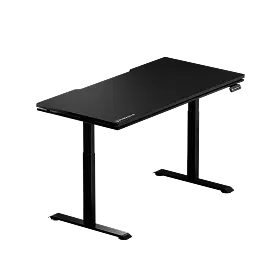
The Atlas Gaming Desk is the flagship of the lineup, designed for gamers and content creators who want their physical environment to match the intensity of their setup. It features a dual-motor system that delivers smooth, fast height transitions at 38mm/s — running at under 48 dB — covering a range of 28.3" to 53.9" with precision down to the millimeter. The Atlas stores up to two memory presets, meaning your ideal sitting and standing heights are always one button press away. At the core of what makes the Atlas genuinely gaming-native is the Atlas Driver software — a proprietary system that bridges your physical desk with your in-game environment, syncing dynamic RGB lighting effects to in-game events, screen colors, and audio in real time. The desk is rated to support up to 275 lbs and features a built-in electrical socket, magnetic surface, and full internal cable management — so your setup stays clean through every height transition.
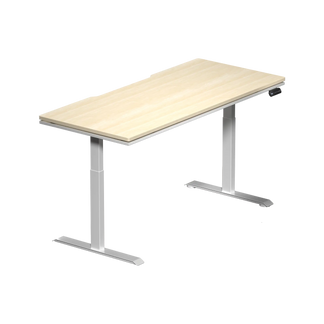
The Atlas Lite Standing Desk delivers the essential sit-stand experience in a clean, versatile package suited for both gaming and everyday work. It uses the same dual-motor architecture for quiet, stable transitions — operating at no more than 48 dB — with a height range of 27.6" to 46.1" and four programmable memory positions for seamless switching. The T-leg frame provides rock-solid stability at every height, and the industrial-grade steel frame supports up to 265 lbs. Built-in cable management keeps the surface organized regardless of how often you change position. Both desks include a 3-year warranty, with the option to extend coverage to 5 years through Blacklyte's Extended Warranty Program.
Both models are available in multiple sizes, so whether you're working with a compact single-monitor setup or a multi-display battlestation, there's an Atlas configuration that fits your space. Browse the full Blacklyte desks collection to find your match, or visit the Gaming Hub for deeper guidance on building an ergonomically optimized gaming setup.
Tips for Transitioning to a Sit-Stand Gaming Setup
Switching from a fixed-height desk to a sit-stand setup is an adjustment — physically and habitualy. Your body needs time to build the stamina for standing intervals, and your setup may need some fine-tuning to feel right in both positions. Here are practical steps to make the transition smooth and sustainable:
- Start with short intervals — Begin with 15 to 20 minute standing periods and increase gradually over two to three weeks as your body adapts. Jumping straight into hour-long standing blocks will lead to fatigue and put you off the habit.
- Calibrate your heights precisely — In your sitting position, set the desk so your elbows rest at 90° to 100° with your wrists neutral on the keyboard. Raise to a height that maintains the same arm alignment when standing. Save both as presets.
- Adjust your monitor positioning — When you stand, your eye level rises. Use a monitor arm to maintain proper screen height in both positions, with the top third of the screen at or just below eye level.
- Invest in an anti-fatigue mat — A quality anti-fatigue mat significantly reduces foot and leg fatigue during standing intervals, making longer standing periods far more comfortable and sustainable.
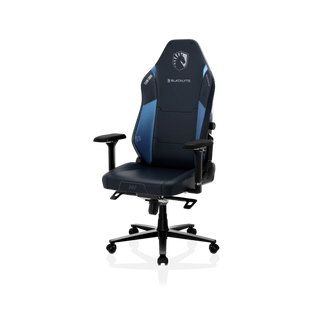
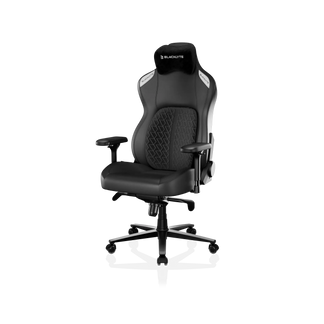
- Pair with a quality ergonomic chair — The sitting portion of your sit-stand rotation matters just as much as the standing portion. A chair with proper lumbar support, adjustable armrests, and a well-calibrated seat ensures your seated posture is as supported as your standing posture. Blacklyte's gaming chair lineup is built specifically to complement a height-adjustable desk setup.
- Use your desk's built-in timer or app reminders — The hardest part of sit-stand rotation isn't the standing itself — it's remembering to switch. Use a timer or a posture-reminder app to build the habit until transitions become automatic.
For a comprehensive overview of ergonomic principles that apply to both work and gaming environments, Blacklyte's Ergonomics guide and Gaming Hub are purpose-built resources covering everything from chair positioning to monitor placement for peak setup health.
Final Thoughts
Height-adjustable gaming desks aren't about following an office wellness trend. They're about recognizing that your physical setup is as much a part of your performance as your hardware — and that your body, like any high-performance system, needs the right conditions to run at its best. The evidence is clear: prolonged static sitting degrades posture, restricts circulation, accelerates fatigue, and ultimately blunts the cognitive sharpness that gaming demands. A sit-stand desk doesn't eliminate sitting; it gives you control over your posture, your energy, and your longevity in the game.
The best setups are the ones that keep you playing well for years, not just hours. Whether you're grinding ranked, streaming to an audience, or simply want your daily setup to feel better to inhabit, a height-adjustable desk is one of the highest-leverage ergonomic investments you can make. Explore the full Blacklyte product lineup — from the Atlas Gaming Desk to the full range of accessories — and build a setup that performs as hard as you do.
Ready to Level Up Your Setup?
Have questions about which Blacklyte desk is right for your space and playstyle? Our team is here to help you build the ergonomic gaming setup you deserve.
Contact Us


