









Gaming Desks With Built-In LED Lights: What to Look for in the Controller
Walk into any gaming setup worth its salt today and you'll notice one thing immediately: the glow. Built-in LED lighting has become a defining feature of modern gaming desks, setting the mood, reinforcing immersion, and pulling together a cohesive battlestation aesthetic. But here's what most buyers overlook — the lights themselves are only half the story. The controller that drives them determines whether your RGB setup becomes a genuine performance tool or just a pretty strip that cycles through colors you never asked for.
Choosing a gaming desk with built-in LEDs means evaluating two things at once: the quality of the lighting hardware and the intelligence of the system that controls it. A poor controller means limited color options, clunky manual cycling, no sync capability, and lighting you'll stop caring about after the first week. A great controller — especially one backed by dedicated software — means your desk can react to your game, your music, and your schedule automatically. This guide breaks down exactly what to look for so you can make an informed decision.
Why the Controller Matters (Not Just the Lights)
Most buying guides for gaming desks with LED lighting focus on the spec sheet: how many colors, how many modes, whether the strip runs along the front edge or underneath. What they rarely explain is that the controller — the interface you use to manage all of those options — is what determines the day-to-day experience. A desk might technically support 16 million colors, but if the only way to access them is by holding a single button and cycling through presets, you'll use two or three at most. The hardware potential means nothing if the control layer is frustrating to use.
The LED controller is also the bridge between your desk's lighting and the rest of your setup. Without a capable controller or supporting software, your desk lights are an island — static and disconnected from your peripherals, your monitor, and your games. With the right controller, your entire physical environment can respond to what's happening on screen, creating a level of immersion that goes well beyond decoration. Understanding what separates a functional controller from a truly smart one is essential before you spend money on a gaming desk.
The Three Main Types of LED Controllers on Gaming Desks
Not all gaming desks approach LED control the same way, and the type of controller included has a direct impact on how useful the lighting actually becomes. Before evaluating features, it helps to understand the three broad categories you'll encounter on the market.
1. Integrated On-Desk Buttons
The most common approach on entry-level and mid-range gaming desks is a small row of physical buttons built directly into the desk frame — typically along the front edge. These let you cycle through preset colors and modes, adjust brightness, and toggle the lights on or off without any external device. The appeal is simplicity: there's nothing to lose, nothing to pair, and no software to install. You press a button, the light changes. However, the trade-off is that most button-only systems are limited to a fixed number of static presets. There's rarely any dynamic behavior, no synchronization with games or audio, and no ability to program custom effects. They're reliable but shallow.
2. IR Remote Control
A step up from integrated buttons, infrared (IR) remote controllers give you more options from a distance — useful when your desk is part of a larger room setup and you want to make adjustments from your chair. Remotes typically unlock more color options, additional modes (such as pulse, wave, or music-reactive effects), and finer brightness control. The limitation is line-of-sight dependency: IR signals require a direct path to the receiver, which can be frustrating in real-world use. Remotes can also be misplaced, and like button-only systems, they generally don't support integration with your PC software or gaming ecosystem. They're a good middle-ground for users who want more control without committing to software solutions.
3. Software and App-Based Controllers
Dedicated desktop software or companion apps represent the most capable form of LED control available on gaming desks today. Rather than cycling through presets, software-based controllers let you build custom profiles, define precise color values, map lighting to in-game events, sync effects with audio in real time, and even schedule lighting changes based on time of day. The breadth of control is incomparably deeper than anything a physical remote can offer. The one genuine consideration is that software requires installation, occasional updates, and a connected PC — which makes it a non-starter for users who want zero configuration. For serious gamers and creators, though, the depth of a well-designed software controller transforms desk lighting from a cosmetic feature into a functional one.
Key Features to Evaluate in a Desk LED Controller
Once you understand the types of controllers available, the next step is knowing which specific features to prioritize. The following points represent the most meaningful differentiators between a capable LED control system and one that will disappoint you within the first month of use.
- Color Depth and Customization: Look beyond "millions of colors" marketing copy. What matters is whether you can specify exact colors or are restricted to manufacturer-defined presets. Custom color input — ideally via hex codes or RGB value sliders — is the mark of a genuinely flexible system.
- Mode Variety: Quality controllers offer a meaningful range of dynamic modes including static, breathing, wave, pulse, reactive (responding to keystrokes or audio beats), and scene-based effects. Desks that only offer 7 or 8 static colors and a handful of looping animations will feel limiting quickly.
- Game and Screen Sync Capability: This is one of the most powerful features a lighting controller can offer. When your desk's LED system can read what's happening on screen or connect to a game's API, it can mirror the dominant color palette of a scene, flash red when you take damage, or pulse with the rhythm of an in-game soundtrack. This kind of integration requires a software layer — it cannot be done via remote or button-only systems.
- Music and Audio Reactivity: A controller that can analyze audio input in real time and translate beats and frequencies into lighting changes is ideal for gamers who play with music or streamers building an atmosphere for their audience.
- Scheduling and Automation: The ability to set lighting to change automatically based on time of day is a practical and often-overlooked feature. Warmer, dimmer tones in the evening are better for eye comfort and sleep hygiene, while neutral or cooler tones work well for daytime productivity sessions.
- Peripheral Sync: If you own RGB keyboards, mice, or headsets from major ecosystems, check whether the desk's software can synchronize effects across your entire setup. A unified lighting profile across all peripherals creates a far more polished and immersive environment.
- Profile Memory: The best controllers store multiple named profiles, so you can switch between a "work mode" (calm, warm static), a "gaming mode" (reactive effects), and a "cinema mode" (ambient screen sync) without reconfiguring from scratch each time.
These features collectively determine how much long-term value you'll extract from a gaming desk's built-in lighting system. A controller that checks all of these boxes is genuinely rare — and worth paying attention to when you find one.
LED Lighting, Eye Strain, and Long Session Comfort
There's a persistent misconception that RGB gaming lighting is purely cosmetic — a subculture signal rather than a functional element of a workstation. In reality, ambient desk lighting can meaningfully reduce eye strain during extended sessions, provided the controller gives you enough flexibility to use it correctly. The principle at work is called bias lighting: by creating a soft glow around and below your monitor, you reduce the harsh contrast between a bright screen and a dark room, which is a primary driver of visual fatigue during long gaming or work sessions.
The key word here is flexibility. A controller that locks you into maximum brightness or rapid, flashing color effects will make eye strain worse, not better. What you need is the ability to set a calm, low-intensity static color or a gentle breathing effect at a brightness level well below your monitor's output. For evening sessions, warmer color temperatures are preferable since cooler blue-dominant light can interfere with sleep. This is exactly why scheduling features and fine-grained brightness control matter just as much as the number of RGB modes a desk can display. The best LED controllers give you the tools to make your lighting genuinely ergonomic — not just visually impressive.
Software Control vs. Hardware Control: Which Is Right for You?
The debate between software-driven and hardware-driven LED control comes down to your priorities as a user. Physical remotes and on-desk buttons have real advantages: they respond instantly with zero latency, require no installation, never crash, and work regardless of what's running on your PC. For someone who wants a single go-to color that stays consistent and never needs changing, hardware control is fast and friction-free. Many experienced users also keep a physical backup option available precisely for moments when software behaves unexpectedly during a live session or competitive match.
Software control, by contrast, unlocks a fundamentally different tier of experience. The ability to map in-game events to lighting responses, sync with audio in real time, mirror screen colors, and automate changes based on a schedule simply cannot be replicated by a button or remote. If you're a serious gamer, a streamer building an immersive on-camera environment, or a creator who switches between focused work and intense gaming throughout the day, software-based control pays dividends every single session. The ideal desk is one that offers both — hardware controls for instant adjustments and a robust software layer for deep customization — so you're never locked into one mode of interaction.
How the Blacklyte Atlas Desk Approaches Smart Lighting Control
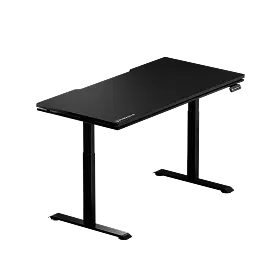
Blacklyte's Atlas Desk is one of the more thoughtfully designed LED gaming desks available when it comes to the control layer specifically. The desk pairs its integrated LED lighting with a patented Lighting Hand Control System for immediate hardware access. But the real depth comes from Blacklyte's proprietary Atlas Driver software — a desktop application that bridges the desk's lighting with your digital environment in ways that simple remotes cannot match.
Through the Atlas Driver, the desk's lighting can sync directly with game events — mapping in-game hits, kills, and combat milestones to dynamic RGB effects that extend the action into your physical space in real time. A screen-color projection mode analyzes your display output and mirrors the dominant palette onto the desk surface, deepening immersion during both gaming and movie-watching. An audio sync mode performs precise beat analysis to pulse, flow, and shift colors in real time with your music. The system also supports a configurable lighting schedule, allowing the desk to automatically shift toward warmer, dimmer tones as the day progresses — a genuinely useful ergonomic feature for users who spend long hours at their setup. With over 1,000 interactive effects available, the Atlas Driver turns the desk's lighting from a static aesthetic choice into a dynamic, reactive extension of your game world.
For users who want the ergonomic and aesthetic benefits of a great standing desk without the full lighting suite, the Atlas Lite Standing Desk is a streamlined alternative focused on premium sit-stand performance. Both desks include an integrated electrical socket and smart cable management, keeping your setup clean regardless of which model you choose. You can explore and compare the full range at Blacklyte's gaming desk collection or use the desk comparison tool to weigh them side by side.
It's also worth noting that your desk is only one part of a truly optimized gaming environment. A great setup pairs powerful desk technology with ergonomic seating that supports your posture through those long sessions. Blacklyte's gaming chair lineup — including the Kraken Pro and the Athena Pro — is engineered to complement the Atlas desk's performance-first philosophy, with advanced lumbar support, 4D armrests, and reclining mechanisms designed for the demands of both intense gaming and productive work. Learn more about building a complete ergonomic setup at Blacklyte's Gaming Hub.
LED Controller Buying Checklist
Before committing to a gaming desk with built-in LEDs, run through the following checklist to ensure the control system will actually serve your needs long-term. The best desks are easy to identify when you know what questions to ask.
- Does it have dedicated software? Software-based control unlocks sync, scheduling, and deep customization — these cannot be replicated by a remote or button alone.
- Can it sync with games? Look for confirmed compatibility with game event APIs or screen-mirroring functionality, not just vague marketing claims about "gaming integration."
- Is audio reactivity built in? Real-time beat analysis and audio sync capability are strong indicators of a well-engineered lighting controller.
- Does it offer scheduling? Automatic day-to-night lighting transitions are an underrated ergonomic feature for users who spend extended time at their desks.
- Is hardware control available as a backup? Physical buttons on the desk ensure you always have instant access without depending on software availability.
- Can brightness be finely adjusted? Granular brightness control is essential for using LED lighting ergonomically rather than just decoratively.
- Does it store multiple profiles? Named profiles for different modes (work, gaming, cinema) save significant time and make the lighting system genuinely practical.
- Is peripheral sync supported? Cross-device RGB synchronization creates a cohesive, professional-looking setup that extends well beyond the desk surface.
A desk that satisfies all of these points isn't just a piece of furniture with lights attached — it's an active part of your gaming and productivity environment. The controller is the intelligence that makes that possible, and it deserves as much scrutiny as any other specification on the sheet.
The Right Controller Changes Everything
Gaming desks with built-in LED lights have become the centerpiece of modern battlestation setups — but the lights are only as good as the system that controls them. Whether you're drawn to the simplicity of on-desk hardware buttons, the convenience of a remote, or the depth of a fully integrated software platform, understanding what each approach offers (and where each one falls short) is the foundation of a smart buying decision.
The most capable LED controllers combine hardware accessibility with a powerful software layer that can sync with games, respond to music, mirror on-screen color, and schedule lighting changes automatically throughout your day. When the controller is done right, your desk stops being a static surface and becomes a dynamic extension of your game world — one that adapts to you rather than the other way around. That's the standard worth holding any gaming desk to.
Ready to Experience Smarter Desk Lighting?
Explore Blacklyte's full range of gaming desks — including the Atlas Desk with its proprietary Atlas Driver software — and find the setup that matches your play style, workspace, and aesthetic. Our team is available to help you choose.


